Hello I'm
Ravi Kumar
Senior DevOps Engineer
- rarora7878@gmail.com
- +91 72061 20067
- 33/34, Vasant Vihar, Ganaur, Haryana, India

Hello, I’m a Ravi, DevOps engineer based in New Delhi, India. I have rich experience in cloud solutions & automation and scripting. Also I am good at
Specialize in designing secure and scalable cloud-based solutions. I leverage my expertise in cloud technologies to architect robust and efficient systems that meet the unique requirements of businesses, ensuring optimal performance, reliability, and cost-effectiveness.
By automating the build, test, and deployment processes, I enable rapid and reliable software delivery. I design and configure CI/CD pipelines, integrating various tools and technologies to streamline development workflows and ensure efficient collaboration among team members.
Analyze & identify performance bottlenecks application components to improve response times, scalability, and resources utilization. Through careful monitoring and analysis, I continually optimize applications to deliver an exceptional user experience.
Leveraging infrastructure-as-code (IaC) principles and tools like Terraform and Ansible, I design and implement automated infrastructure pipelines. This enables rapid and consistent deployment of infrastructure resources, reduces manual effort, and improves scalability, security, and reliability.
By assessing existing systems, I develop a modernization strategy that aligns with business objectives. I migrate applications to cloud platforms, refactor code, and adopt microservices architecture, ensuring increased agility, scalability, and maintainability while minimizing disruption to ongoing operations.
Guide colleagues and junior DevOps professionals, empowering them with knowledge and skills to implement DevOps practices. I also coach students, providing valuable insights and practical experience for successful careers in DevOps.
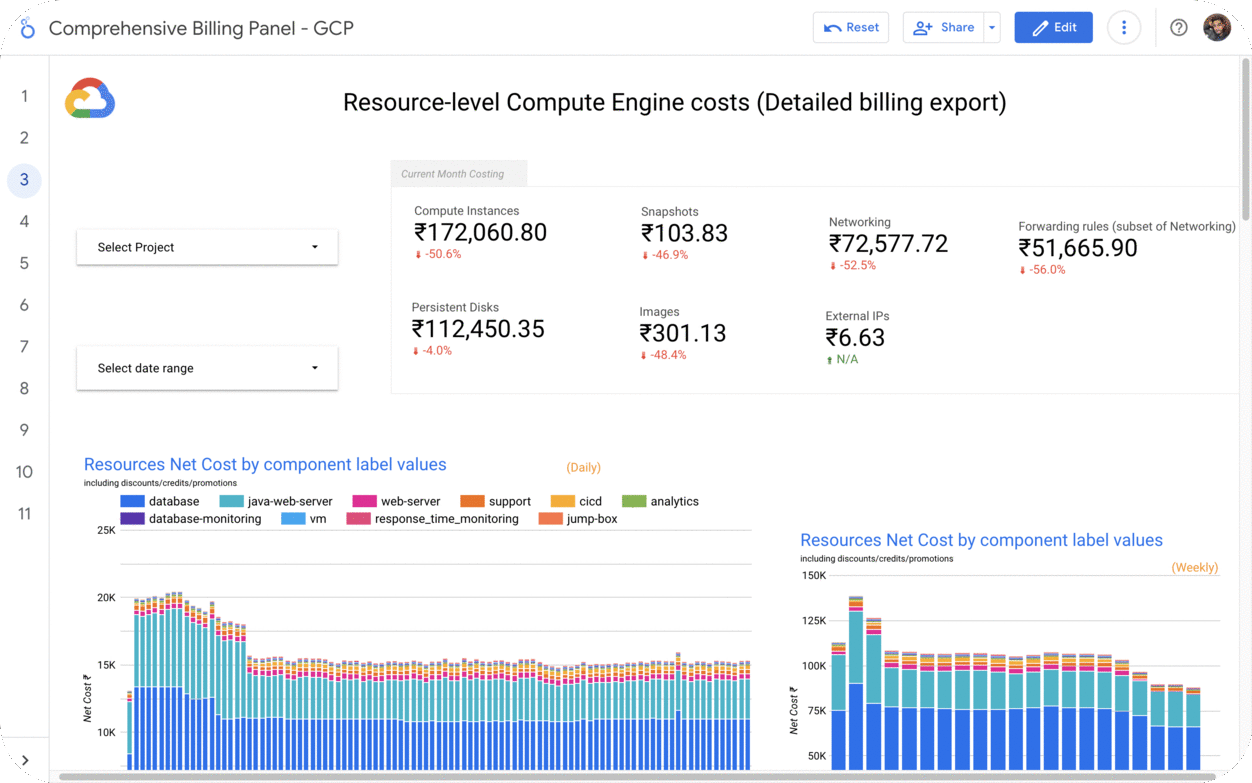
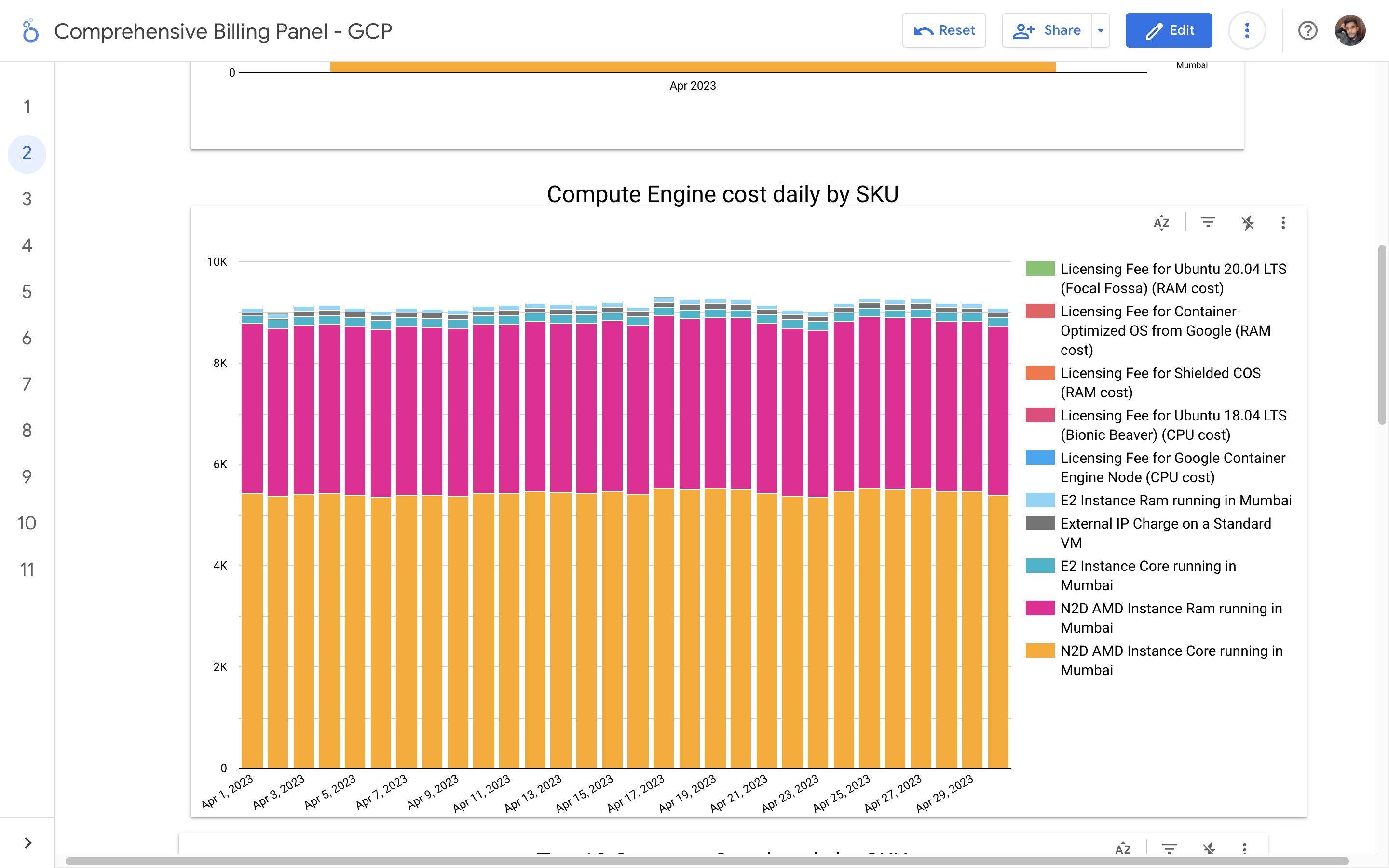
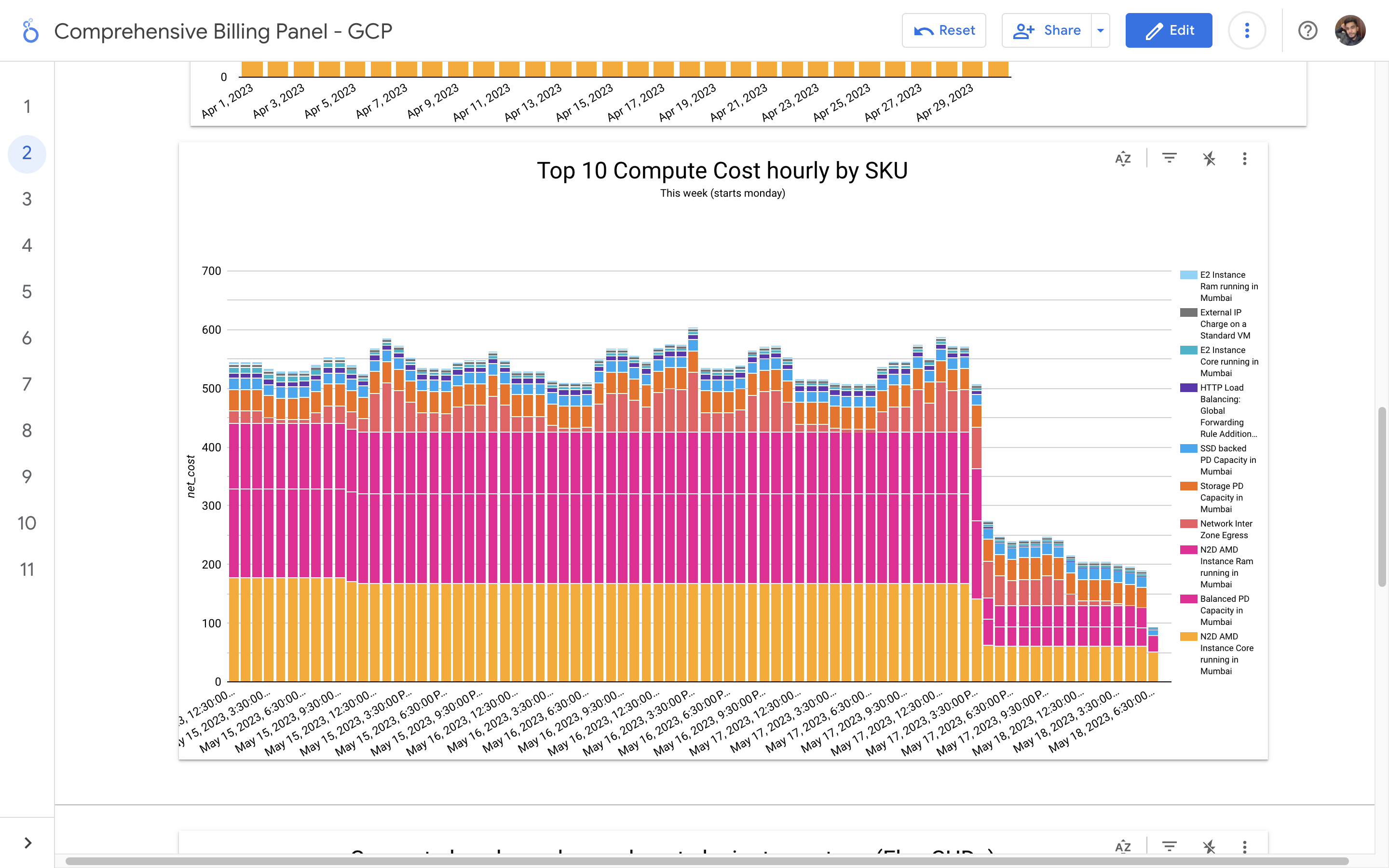
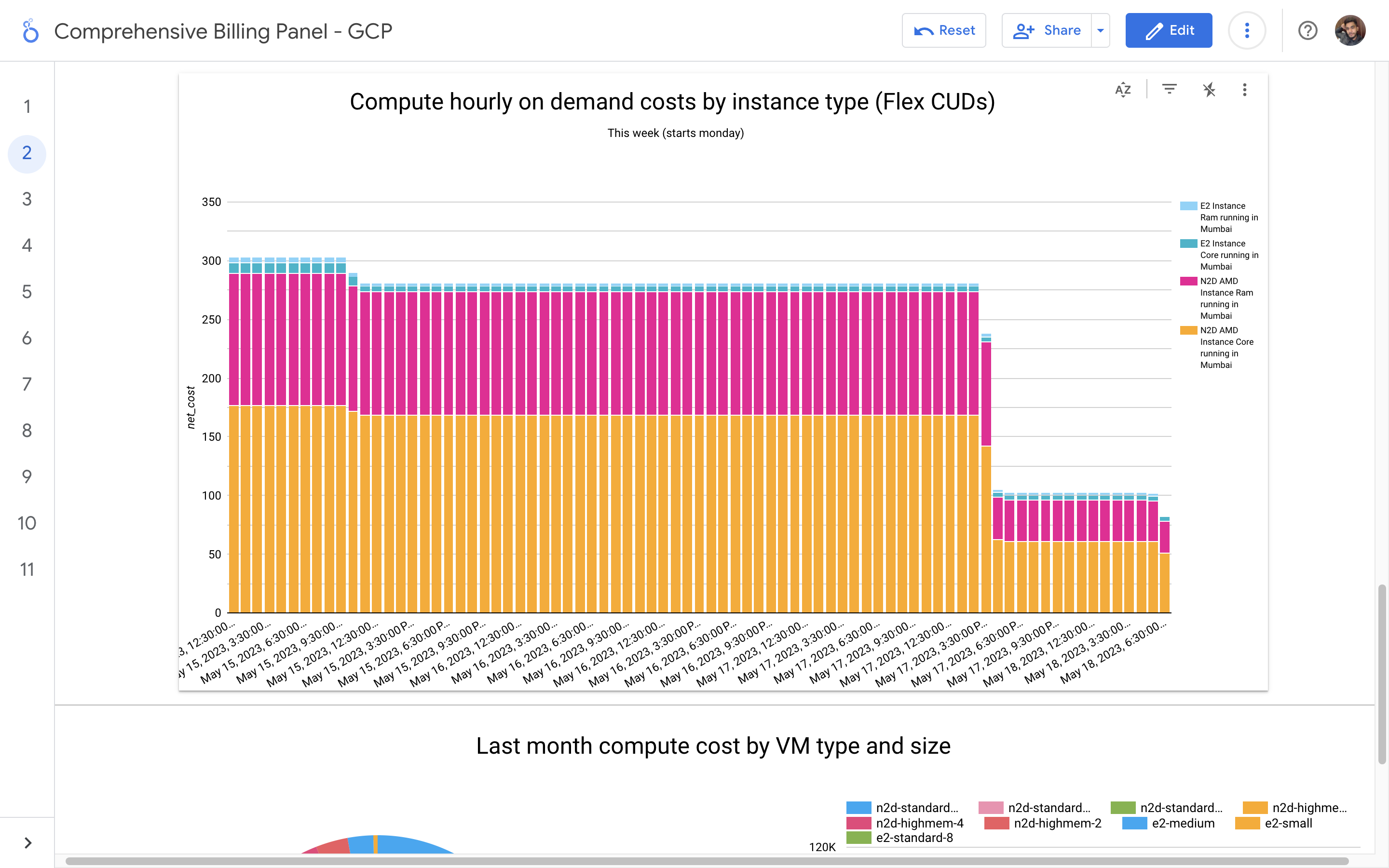
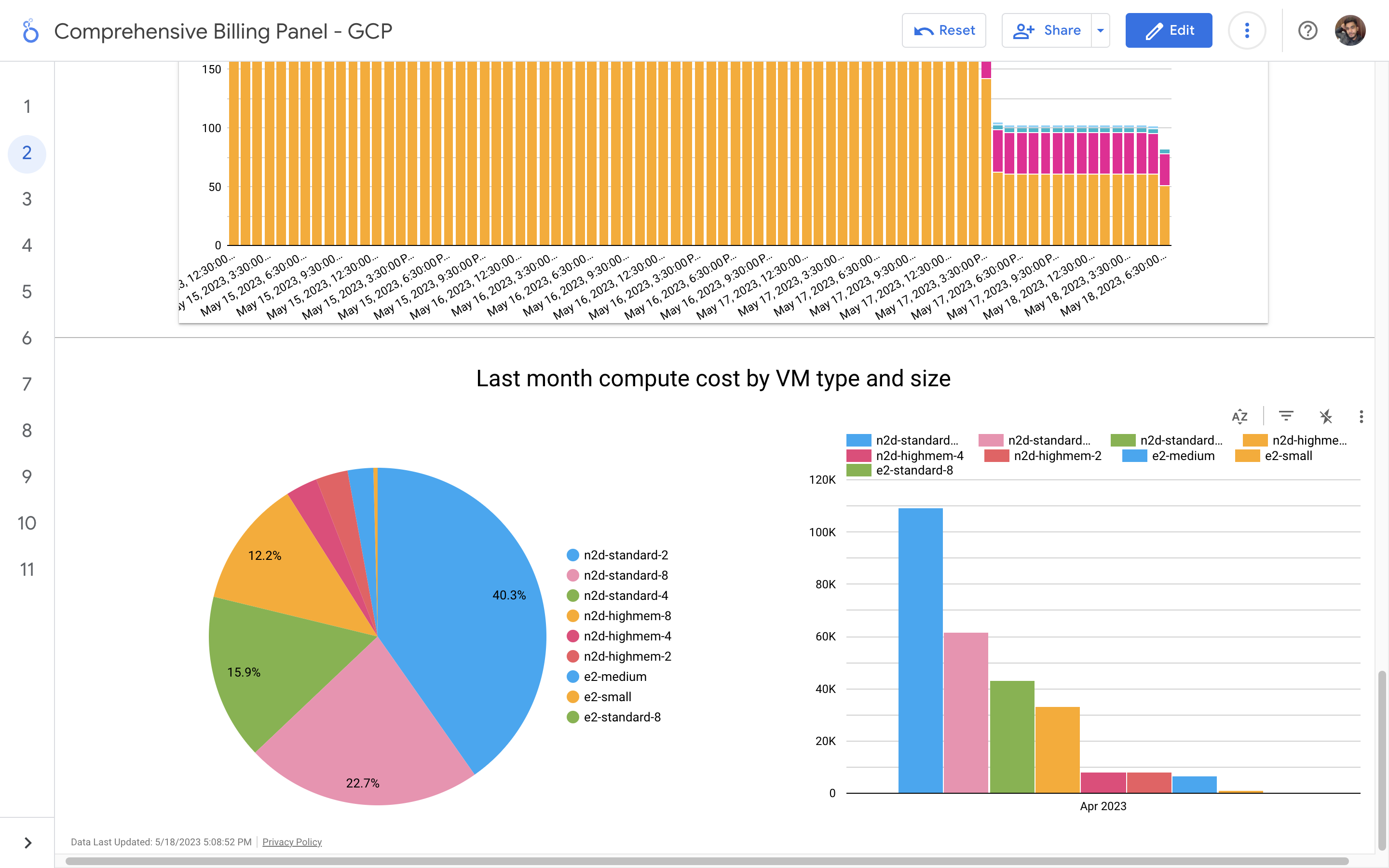
By leveraging GCB features and insights, team leads can track resource utilization, monitor costs, identify cost-saving opportunities, and align spending with business priorities. It also helped us to make informed decisions, optimize resource allocation, and ensure efficient budget utilization, resulting in improved financial transparency and control over gcp expenditures.
View Details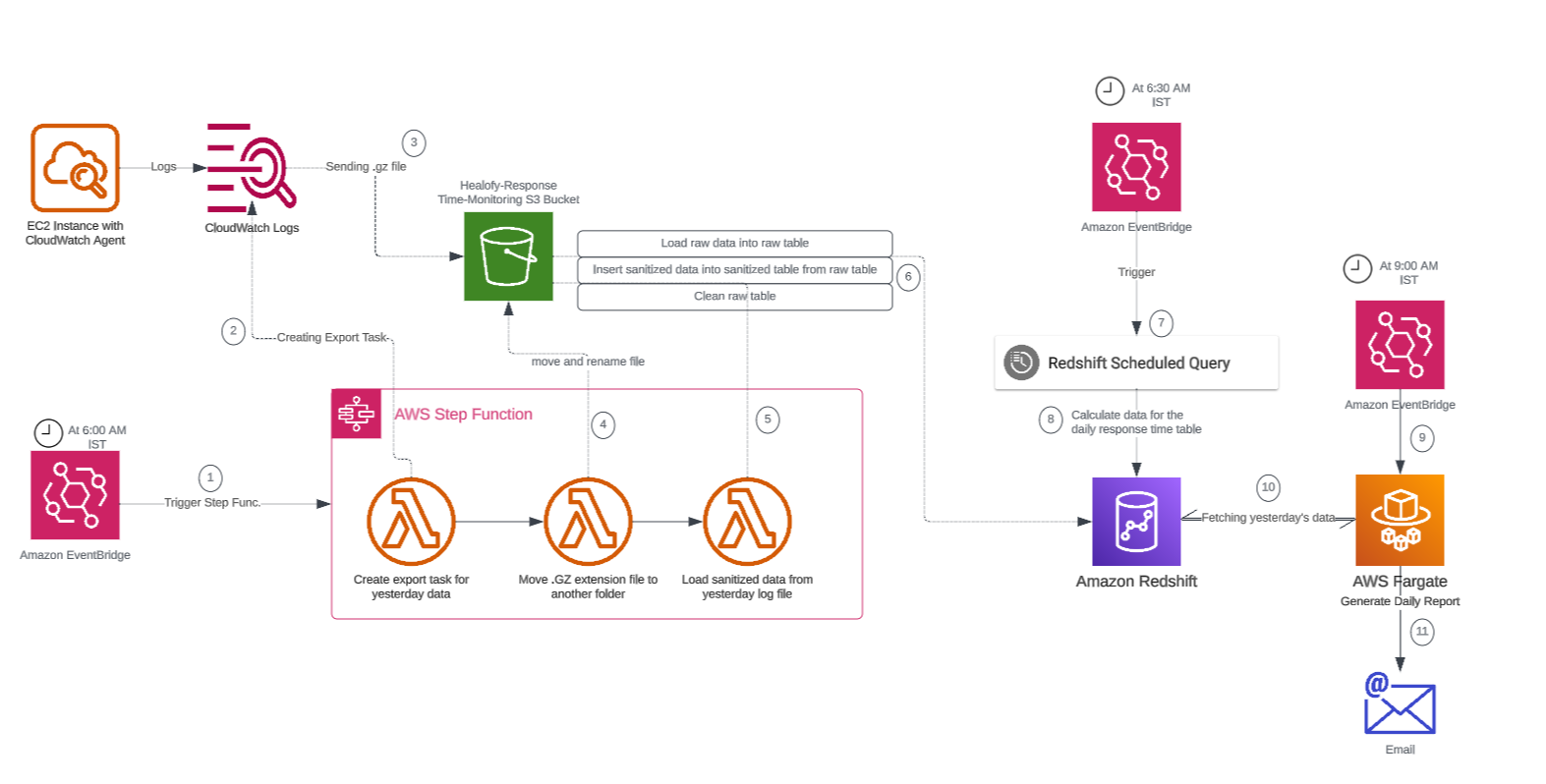
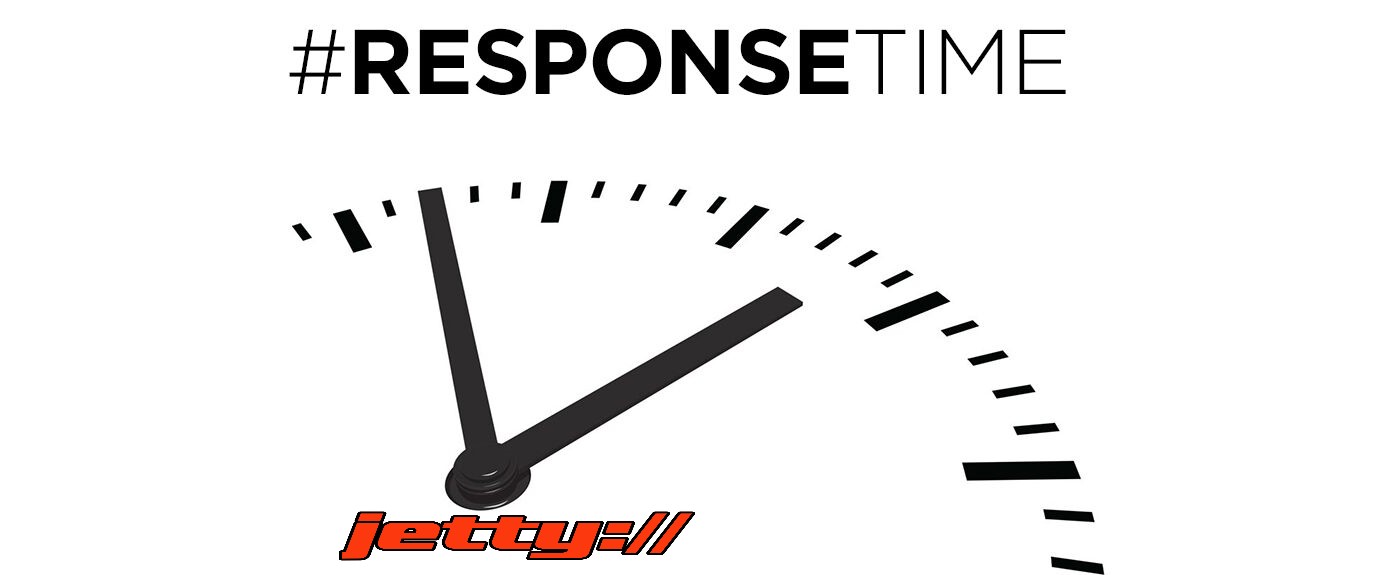
Response time monitoring project involves tracking and analyzing the performance of backend APIs calls. The project utilizes logging mechanisms, such as Google Cloud's Log Explorer or AWS CloudWatch, to capture API logs. By calculating response times percentiles, reports has been generated to provide insights to developers about the performance of the APIs.
View Details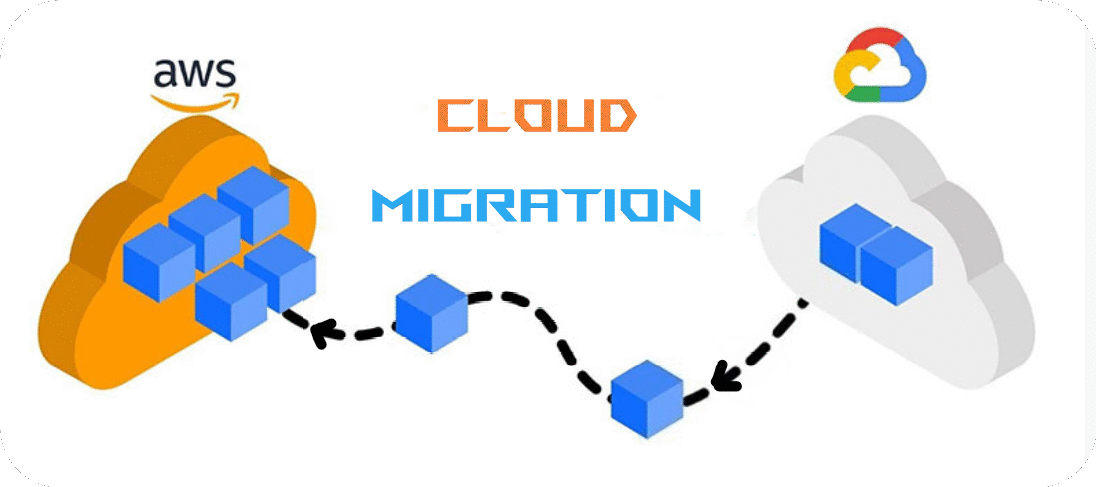
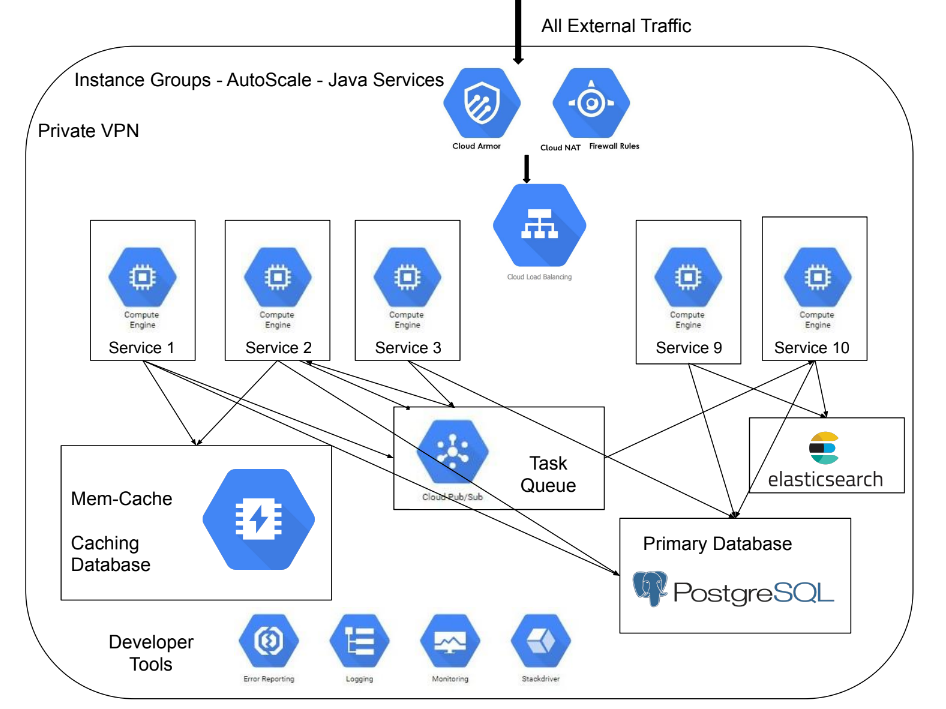
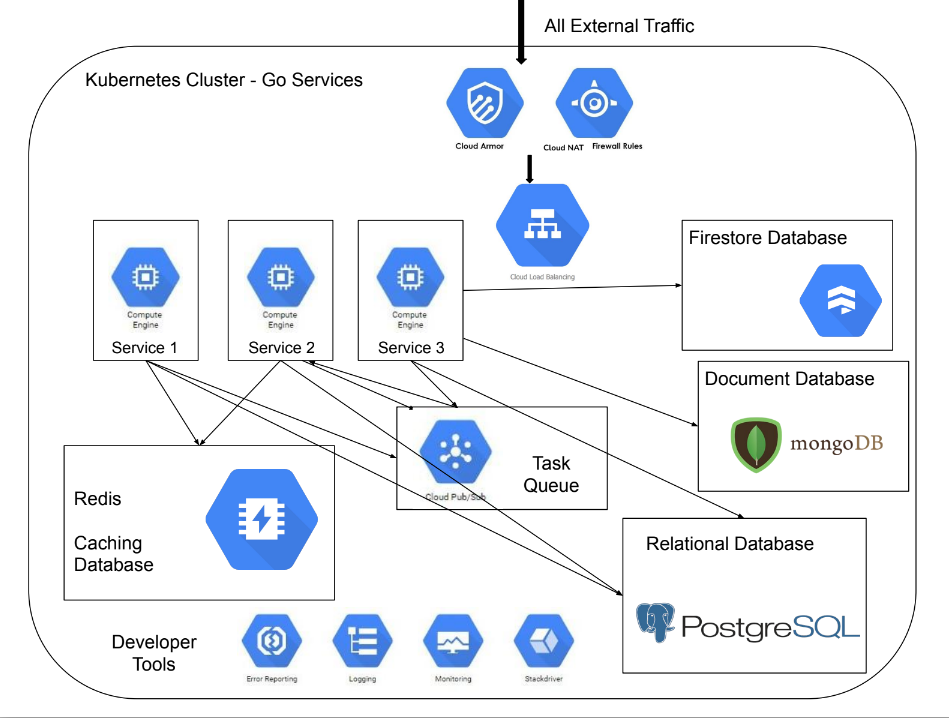
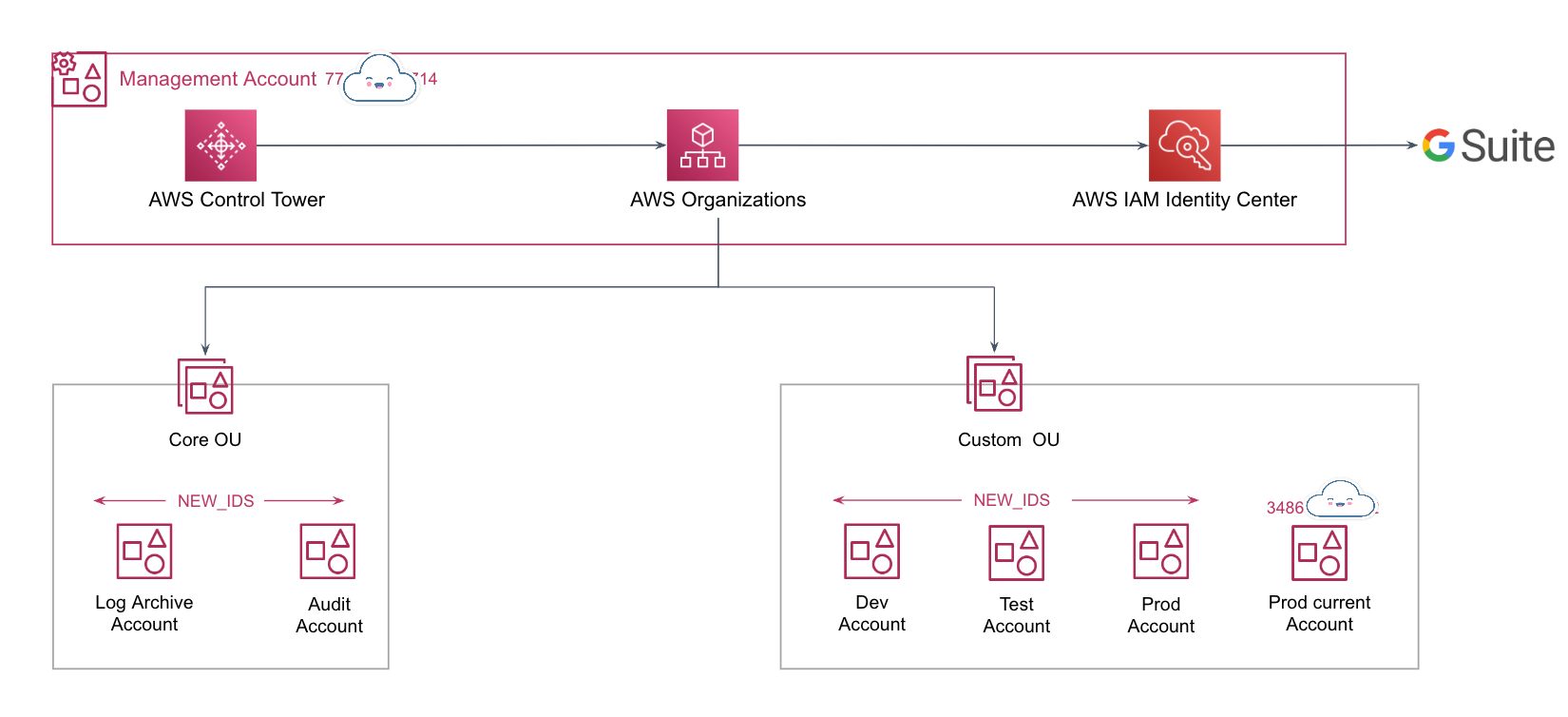
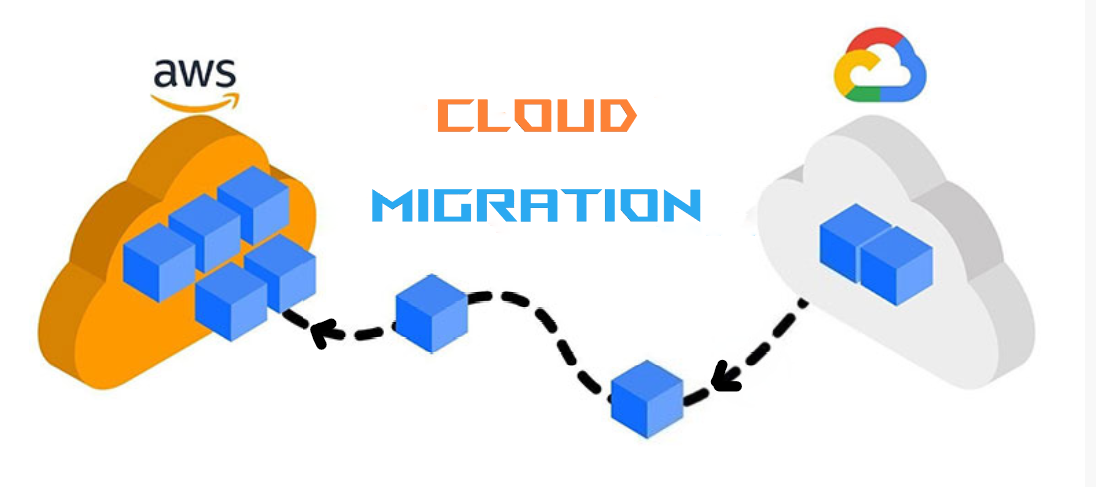
After the optimization of GCP resources, the billing amount significantly decreased, leading to the vendor being unable to provide discounts on the lower billing. In order to increase flexibility and maximize usage discount opportunities, the decision was made to transition to AWS.
View Details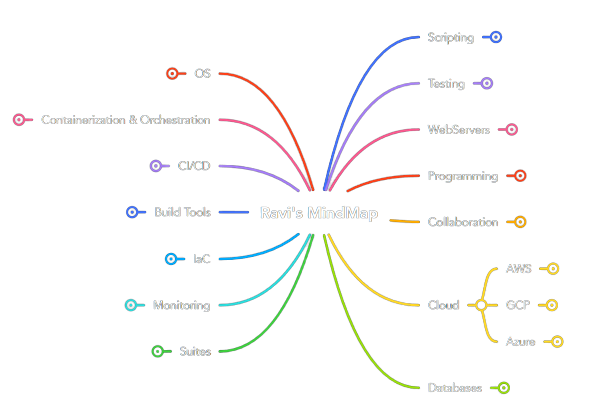
Click on the mindmap to view
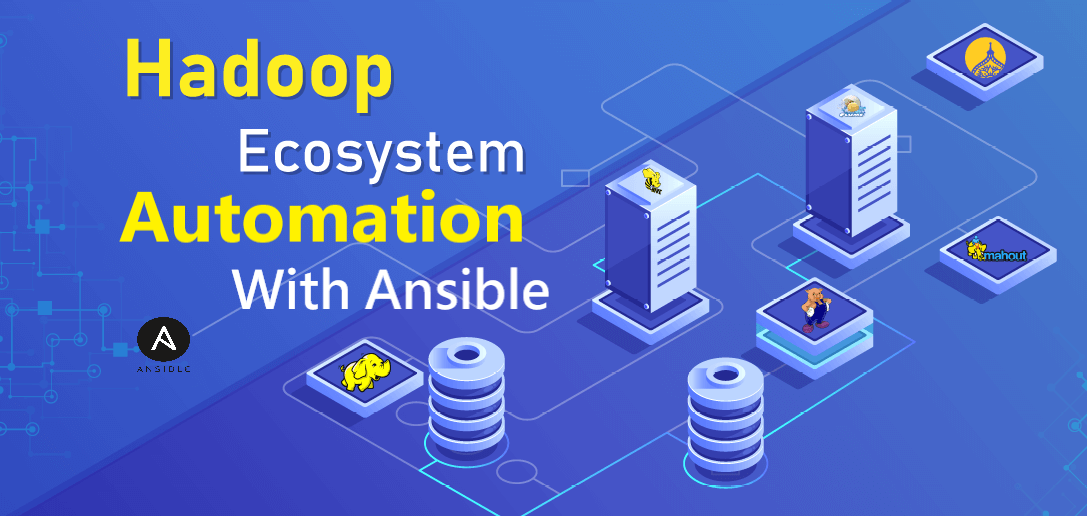
The manual installation and configuration of Hadoop across multiple nodes is a time-consuming and error-prone process. It involves numerous steps, dependencies, and configurations that can lead to inconsistencies and potential security vulnerabilities.
Additionally, managing the installation across various environments and clusters poses a significant challenge for the data engineering team.
> Improved Efficiency > Scalability
> Consistency and Standardization
> Enhanced Security
> Faster Troubleshooting and Maintenance
To address the challenges of Hadoop installation and configuration, i propose an automated approach using Ansible. Ansible provides a powerful and flexible automation framework that enables us to define Hadoop's infrastructure as code. Through Ansible playbooks and roles, we can create a repeatable and consistent process for deploying and configuring Hadoop across the entire cluster.
The Ansible playbook will handle the installation of dependencies, such as Java, and set up the necessary configurations for Hadoop's various components, including HDFS, YARN, and MapReduce. With Ansible's declarative syntax and idempotent nature, we can ensure that the installation process is reliable and repeatable.
A client was facing challenges with manually provisioning and managing AWS cloud resources. The process was time-consuming, error-prone, and lacked consistency. It led to delays in project deployments, difficulty in maintaining infrastructure, and increased operational costs.
With Terraform, we achieved faster and more consistent infrastructure provisioning. It significantly reduced the risk of human errors and increased the efficiency of our development and deployment processes.
The ability to manage infrastructure as code has improved collaboration between teams and enhanced our disaster recovery capabilities. Additionally, the cost of managing infrastructure decreased as we optimized resource allocation based on actual usage patterns. The project has proven to be a successful step towards a scalable and reliable cloud environment on AWS.
To address these issues, we implemented Terraform, an infrastructure-as-code tool, to automate the provisioning of AWS cloud resources. Terraform allows us to define our infrastructure in code using declarative configuration files. This enables us to version control and maintain the infrastructure as part of our codebase.
Implementations:
> Wrote custom modules tf files for asg, oem softwares
> Dynamic blocking and data sources are used to reduce code complexity
> Workspaces are used to work within multiple environments
> DynamoDB table used for resource locking mechanism
During the migration of resources from GCP to AWS, there is a need for a faster and efficient setup process. Manually provisioning AWS resources can be time-consuming and error-prone, leading to delays and potential issues during the migration process.
The adoption of CloudFormation templates streamlined the provisioning of AWS resources for our cloud migration project. It significantly accelerated the setup process, saving valuable time and resources.
With a consistent and reliable infrastructure deployment, we achieved a smoother and more efficient migration from GCP to AWS, enabling us to meet project deadlines and reduce operational costs.
To achieve a faster setup and seamless migration, i implemented AWS CloudFormation templates, which enables the infrastructure to be defined and provisioned as code. CFTs are created to describe the AWS resources required for the application, including EC2 instances, VPCs, security groups, elasticache, and many tools such as jetty, metabase, elasticsearch, jenkins, postgres, nginx. These templates enabled automated provisioning, reducing manual effort and ensuring consistency across environments.
Considerations:
> Custom cft was created to install and configure older versions of elasticsearch, jetty and postgres
> Helper scripts were utilized to configure applications after successful installation
> Proper cfn-signals are used to handle misconfigurations gracefully
> CFTs were written in such a way so that we can able to use same templates for lower and upper environments
> Nested stacks were adopted to avoid redundant code and enhance the reusability of templates
The problem statement in response time monitoring is the need to track and analyze the response times of backend API calls. It is essential to identify and address any performance issues or bottlenecks that may impact the user experience and overall system efficiency. The challenge lies in collecting and processing the relevant data, generating meaningful insights, and promptly alerting the dev team to take necessary actions for optimization and improvement.
Client don't want to share any kind of data outside organization because of healthcare industry constraints.
My solution for response time monitoring is designed to provide real-time visibility into the performance of backend API calls. By logging and analyzing API request and response data, we accurately measure and track response times. Through data enrichment and structured processing, identify patterns and outliers to detect performance bottlenecks. I generate reports and visualizations that highlight response time trends and notify stakeholders of any deviations, enabling proactive optimization and ensuring a seamless user experience. My solution empowers organizations to continuously monitor and optimize API performance for enhanced reliability and customer satisfaction.
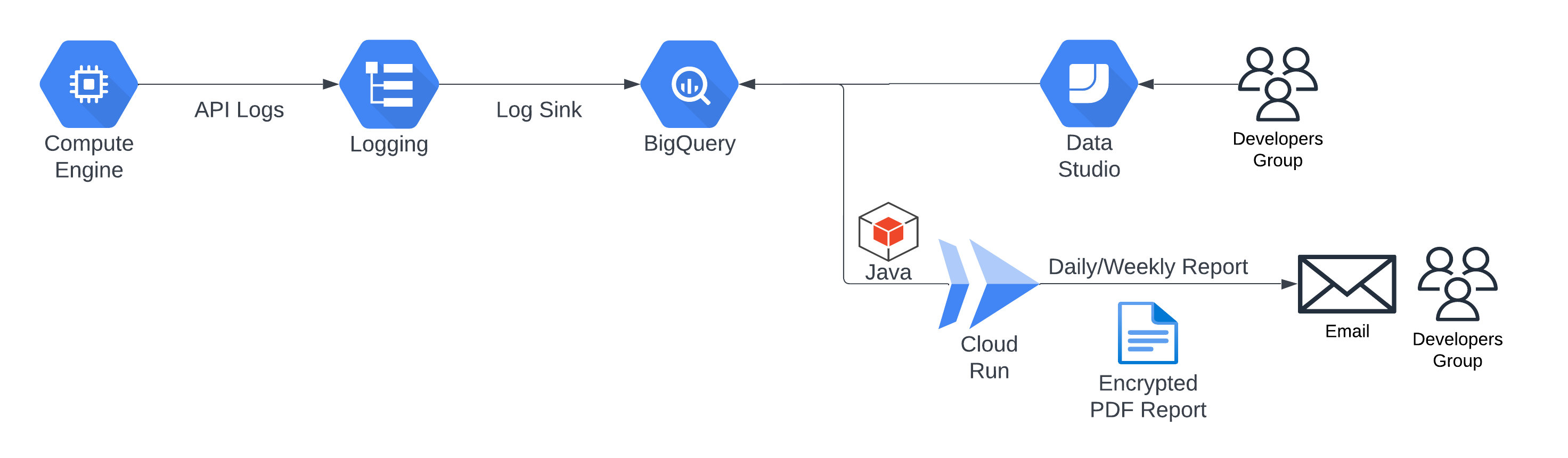
The API calls response time monitoring and optimization solution involves logging API calls into Google Cloud's Log Explorer, transferring them to BigQuery for data cleaning and transformation. A Java program on Cloud Run generates daily reports, calculating response times and comparing them to identify performance trends. Developers receive email alerts, enabling them to address any slow response issues promptly.
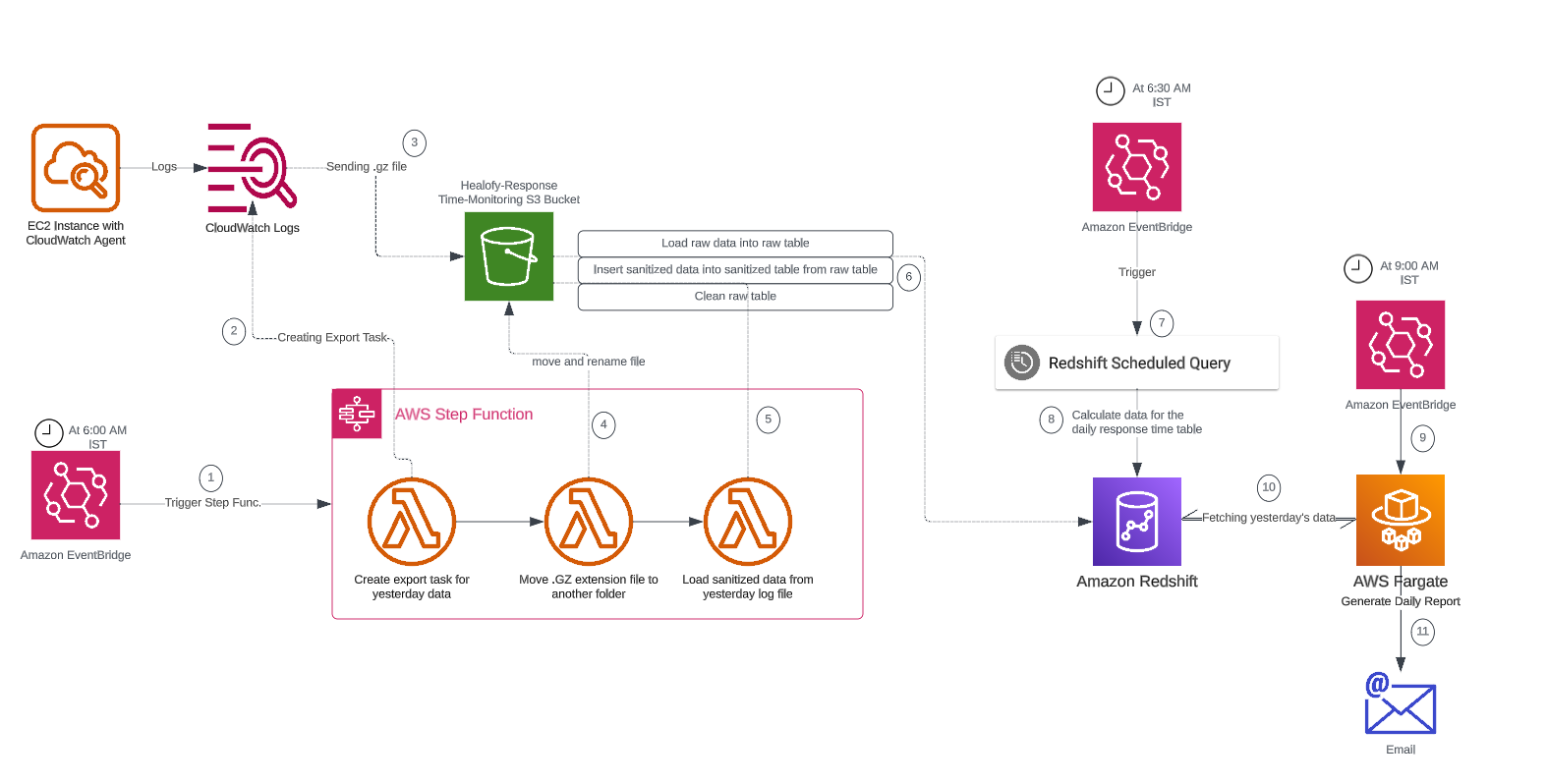
By leveraging AWS services like CloudWatch, S3, Step Functions, Lambda, and Redshift, the project provides an end-to-end solution for monitoring and analyzing response times of Java APIs, enabling timely insights and alerts for performance optimization.
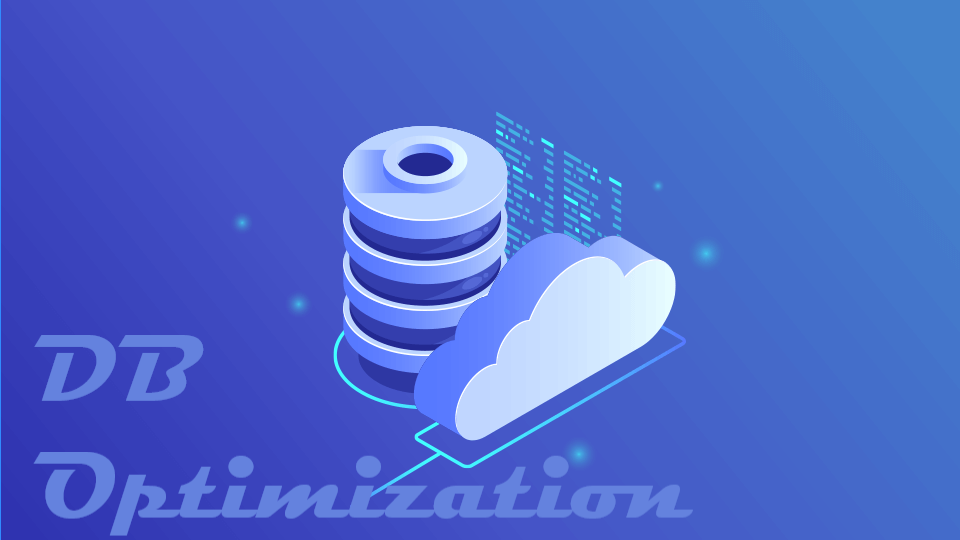
Slow database queries in PostgreSQL can significantly impact application performance and user experience. Identifying and optimizing these queries manually is time-consuming and requires deep knowledge of database internals. Without efficient monitoring, organizations face challenges in detecting and resolving performance bottlenecks, leading to reduced application responsiveness and potential downtime.
Client don't want to share any kind of data outside organization because of healthcare industry constraints.
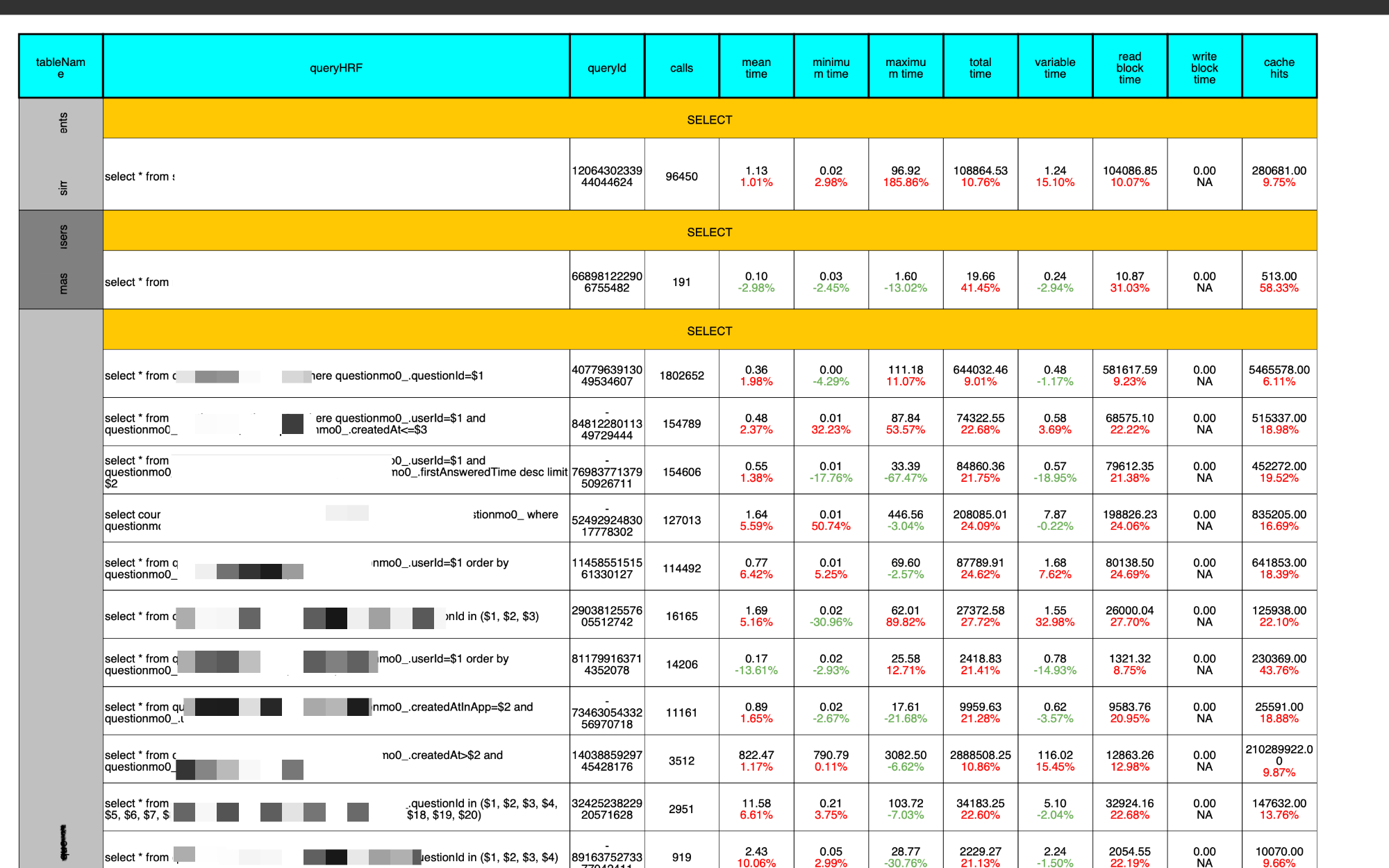
My solution for database monitoring leverages the built-in PostgreSQL extension, pg_stat, to provide comprehensive insights into query performance. By monitoring query execution times, resource usage, and query plans, developers can able to identify slow-running queries and their underlying causes. Through detailed analysis and optimization techniques, DBA can propose query optimizations, such as index creation, query rewriting, and database tuning, to improve overall query performance. This implemented solution enables my client to proactively identify and optimize slow database queries, ensuring optimal application performance and improved user experience.
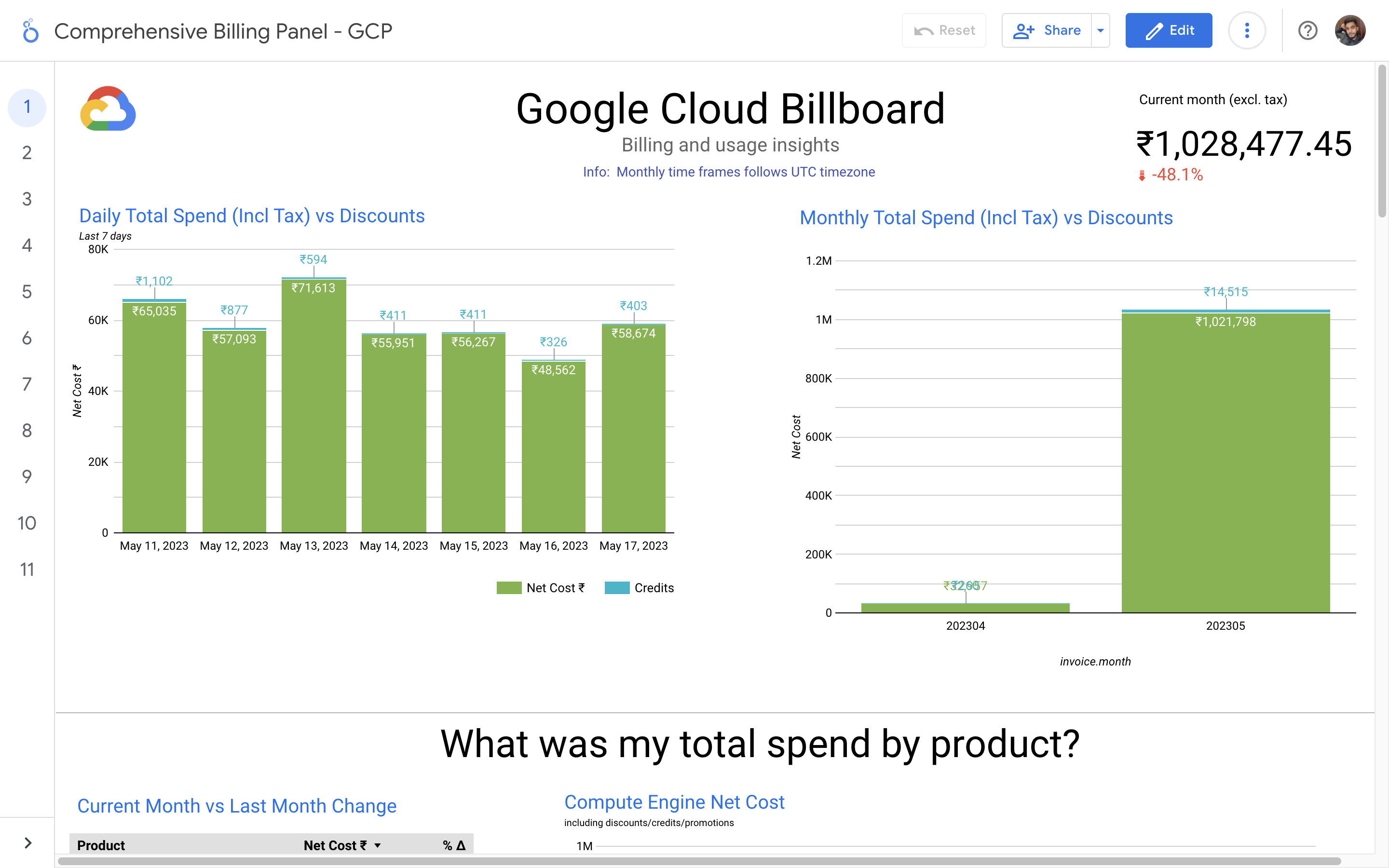
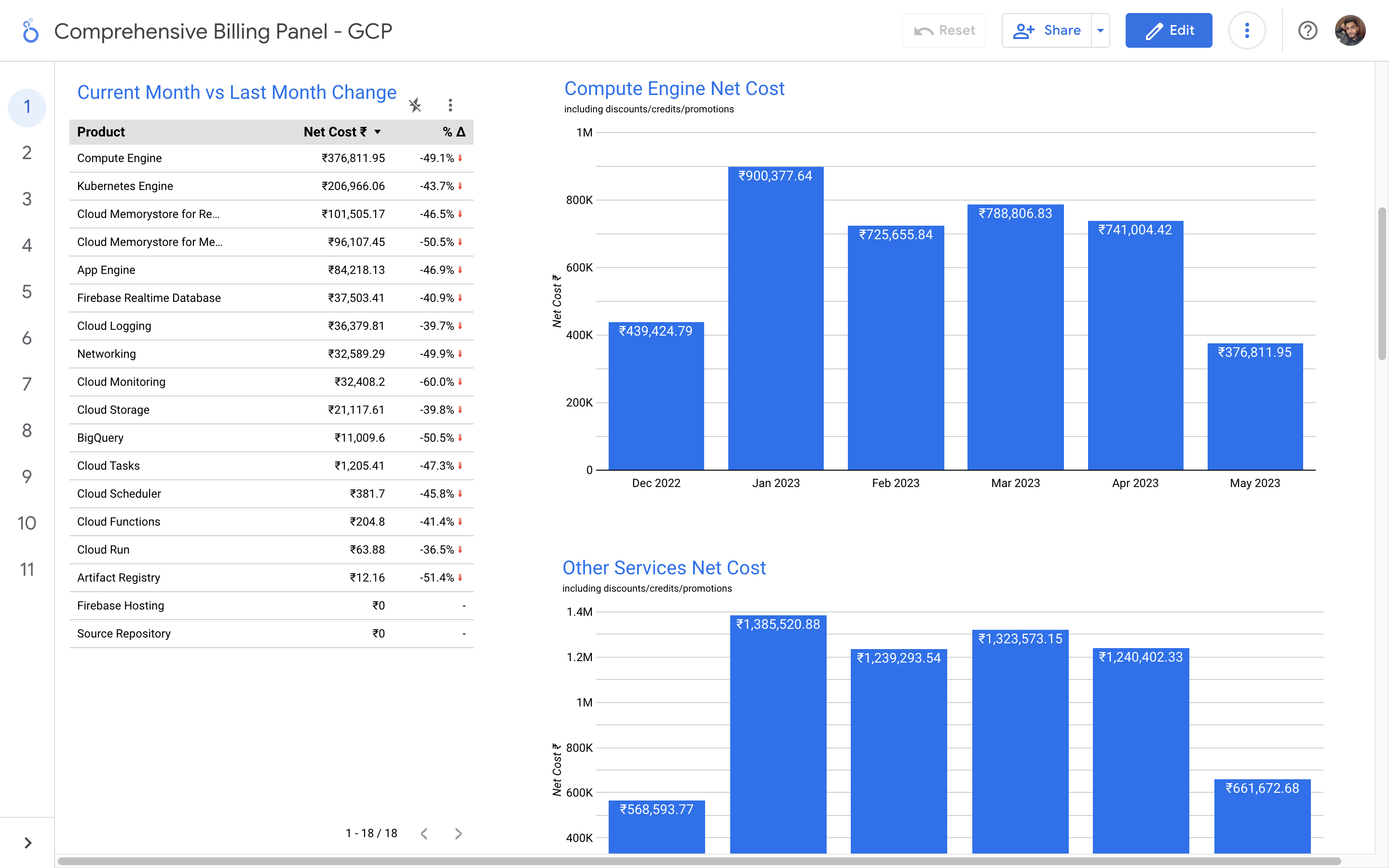
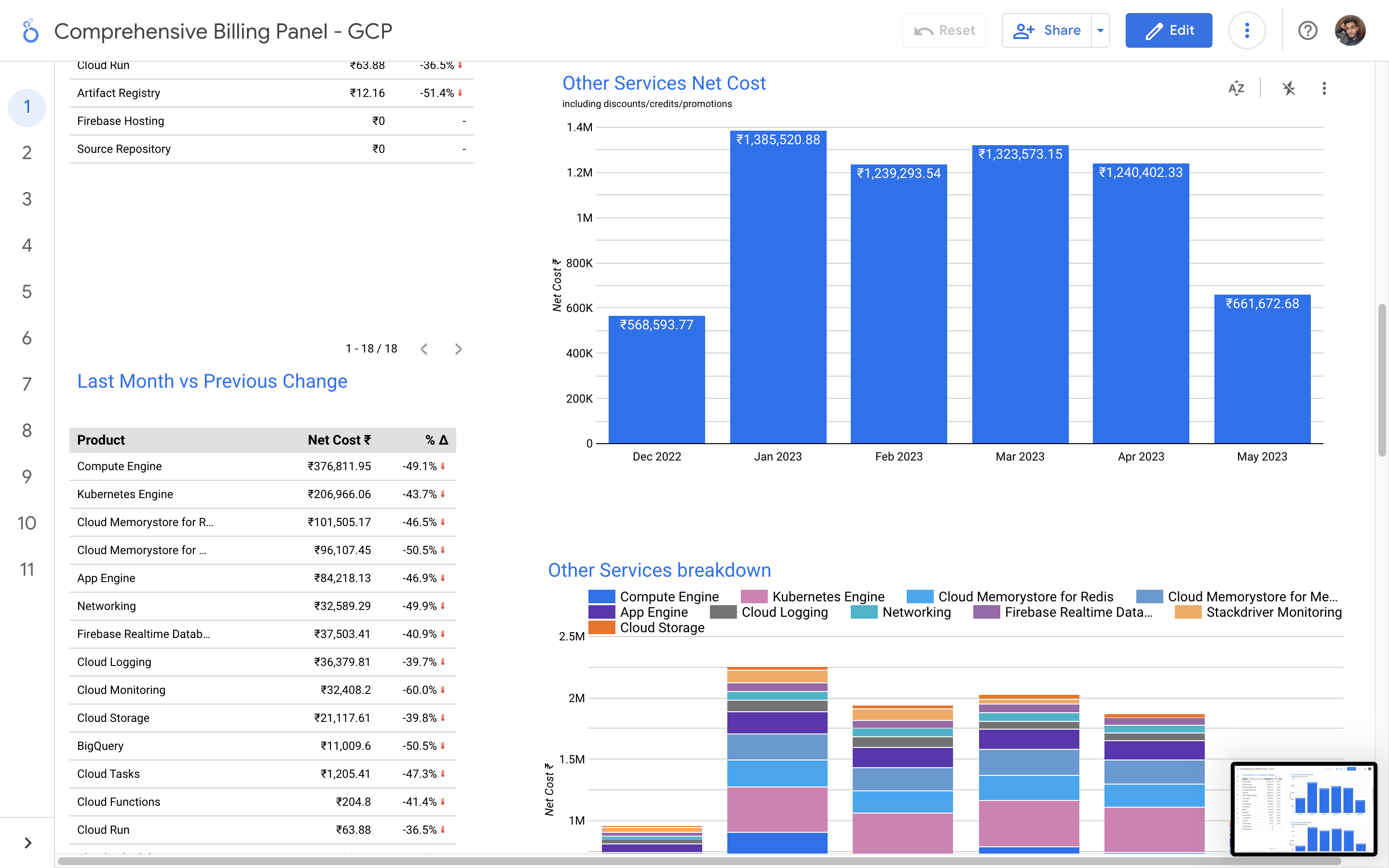
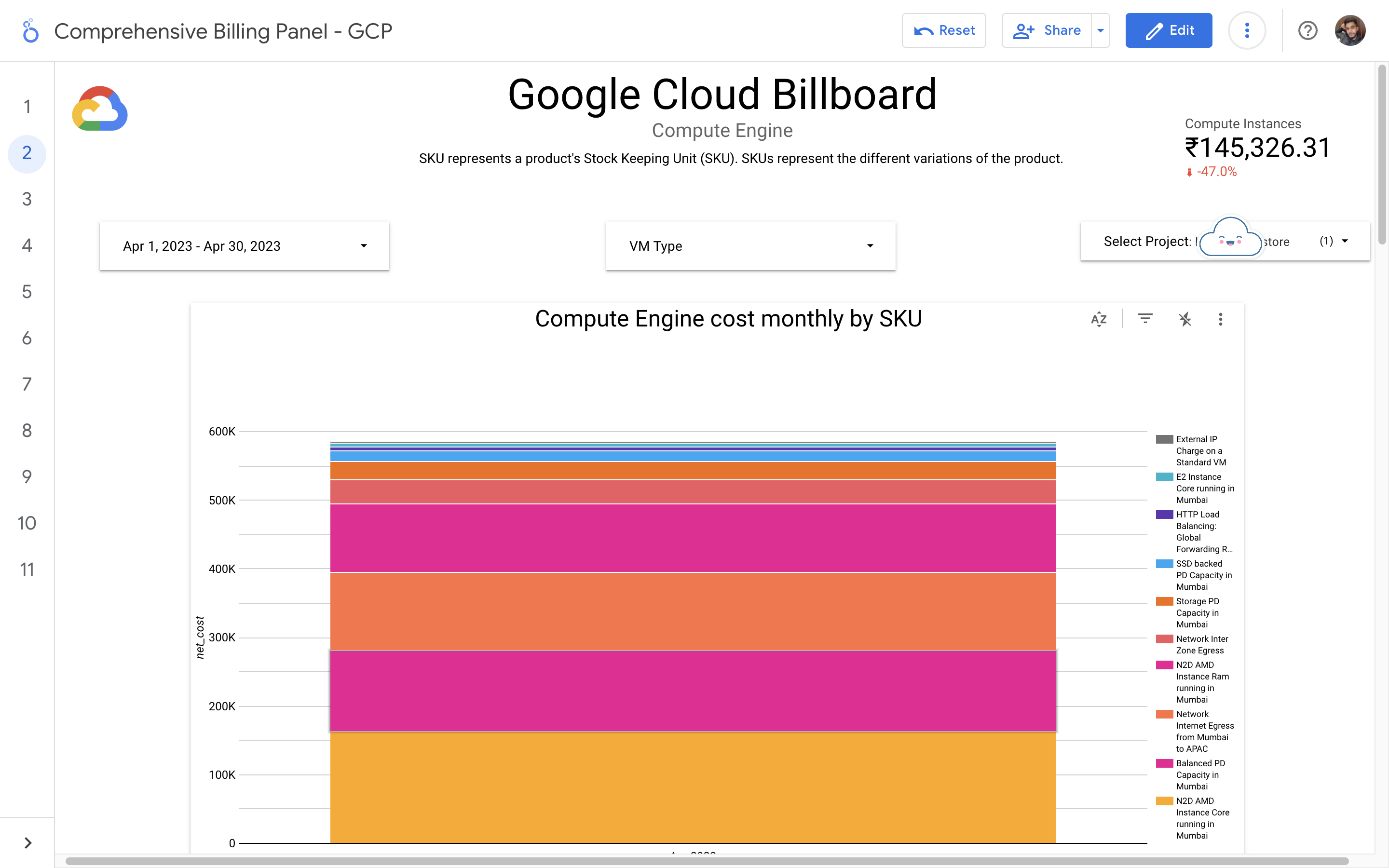
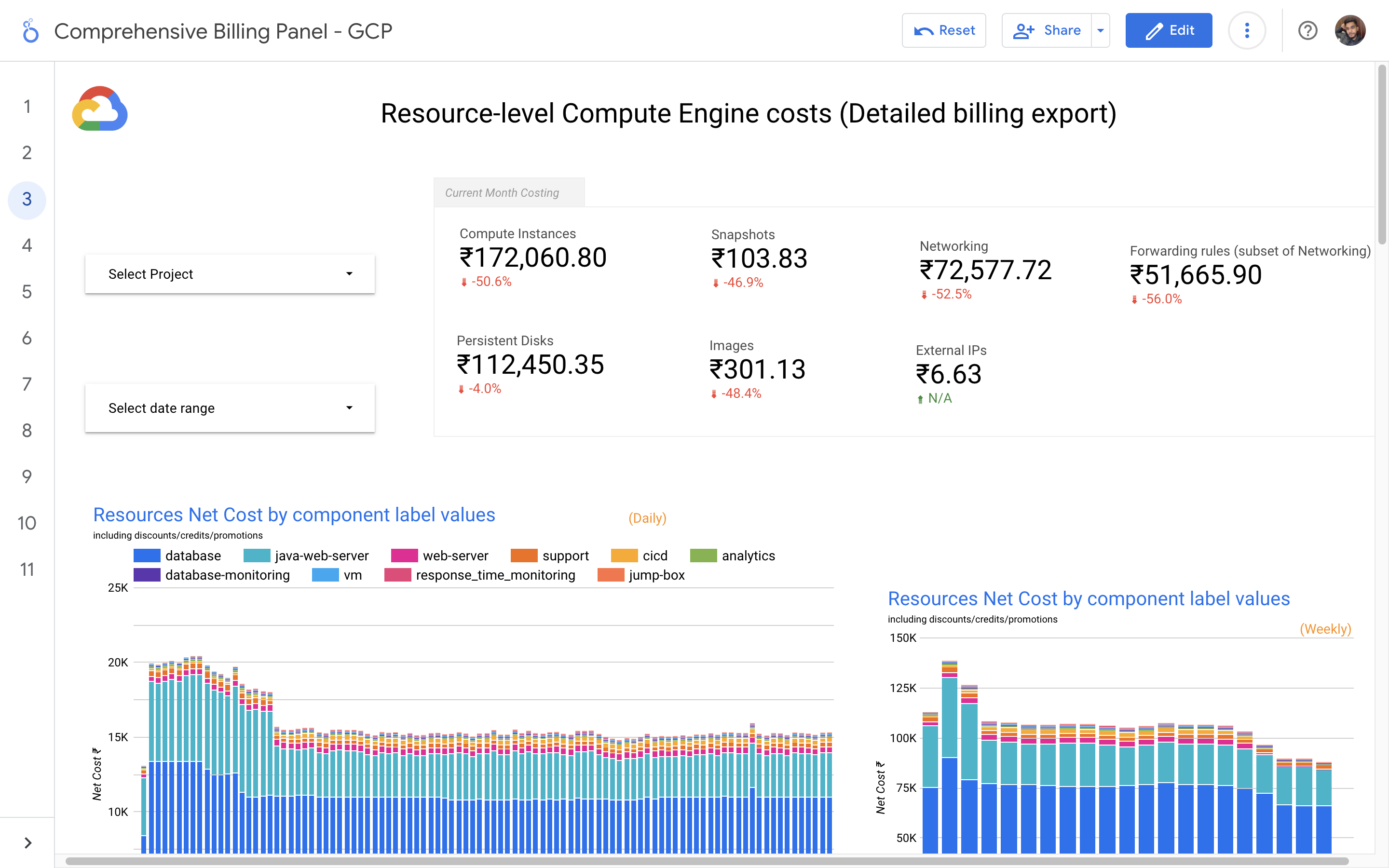
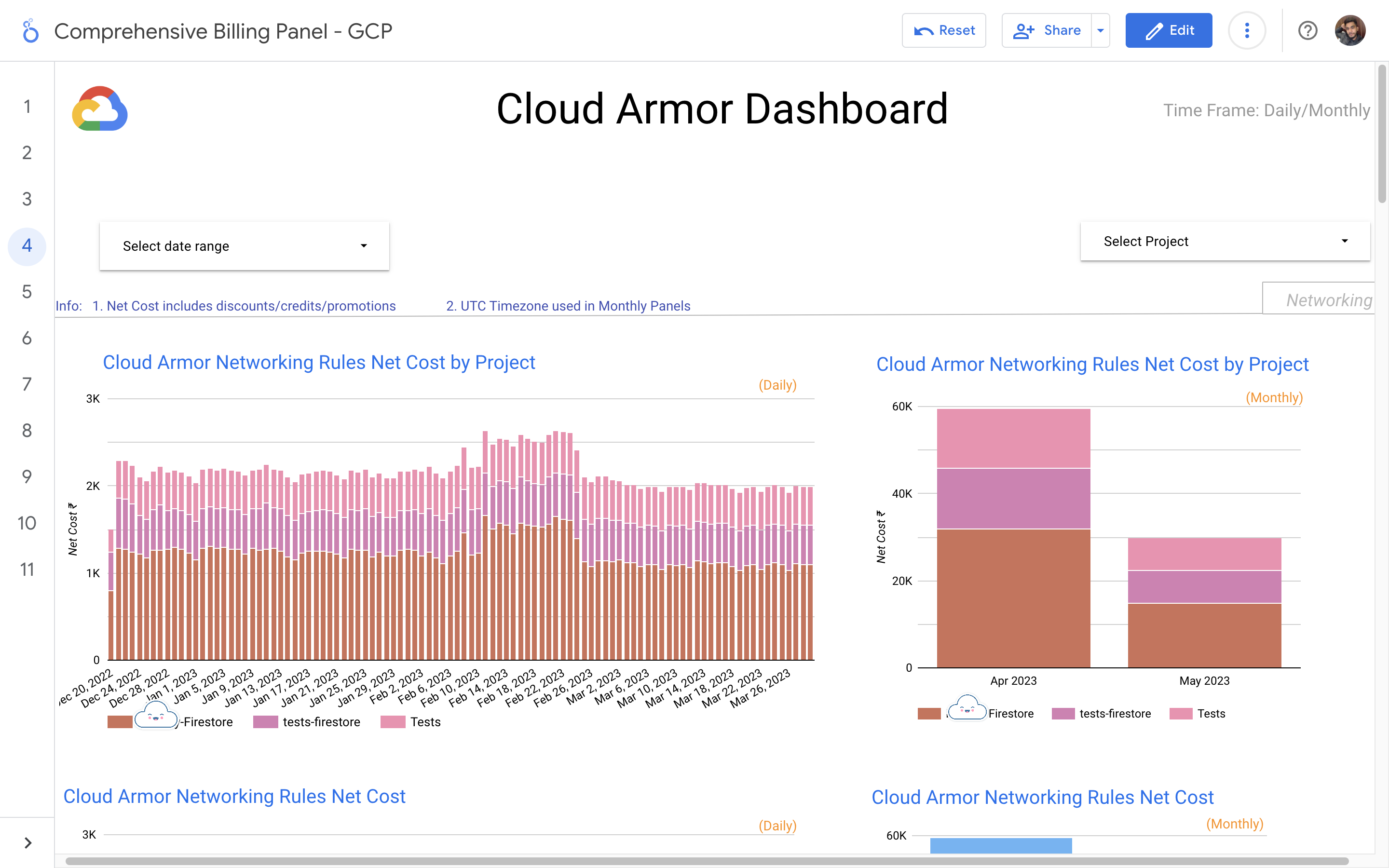
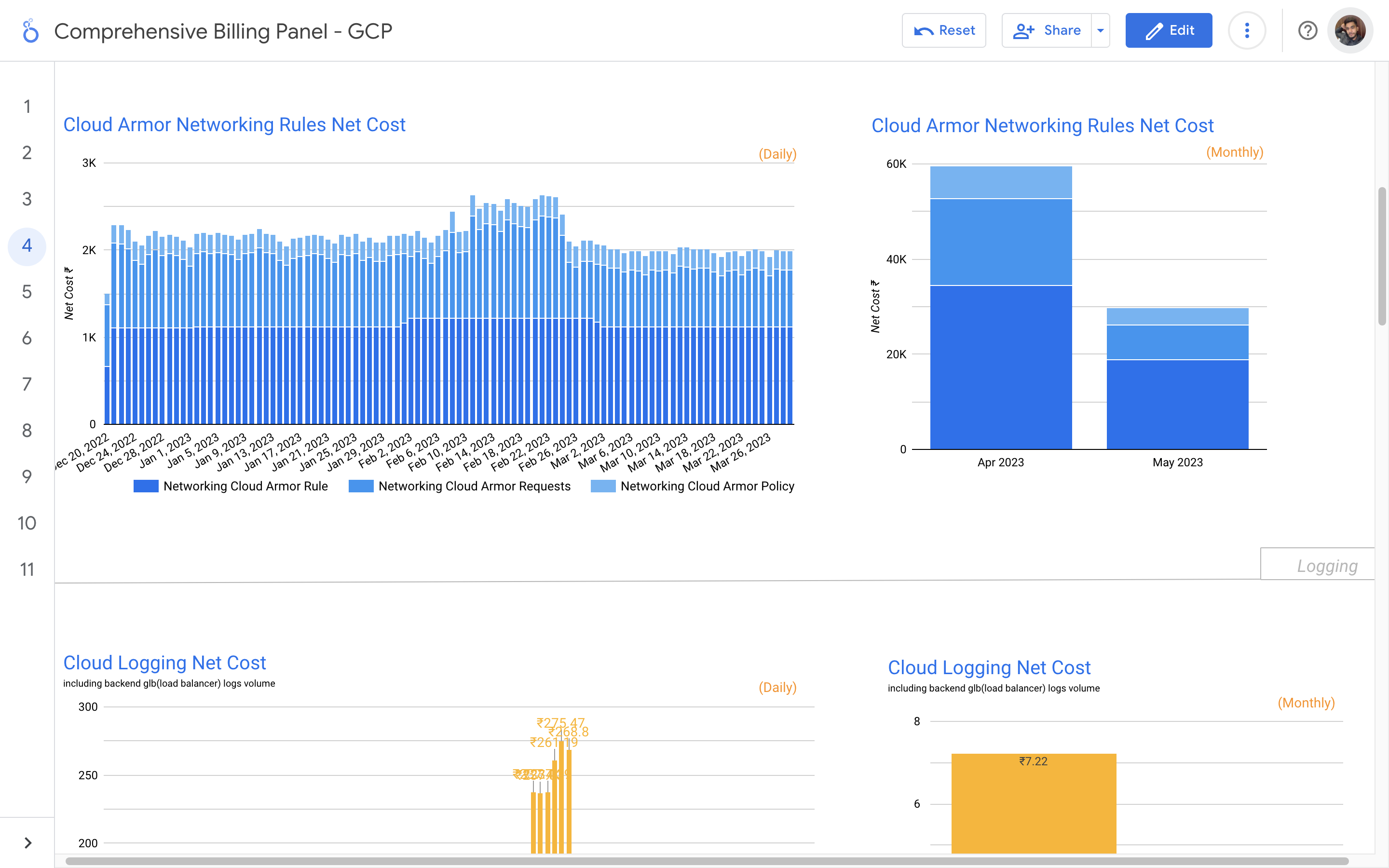
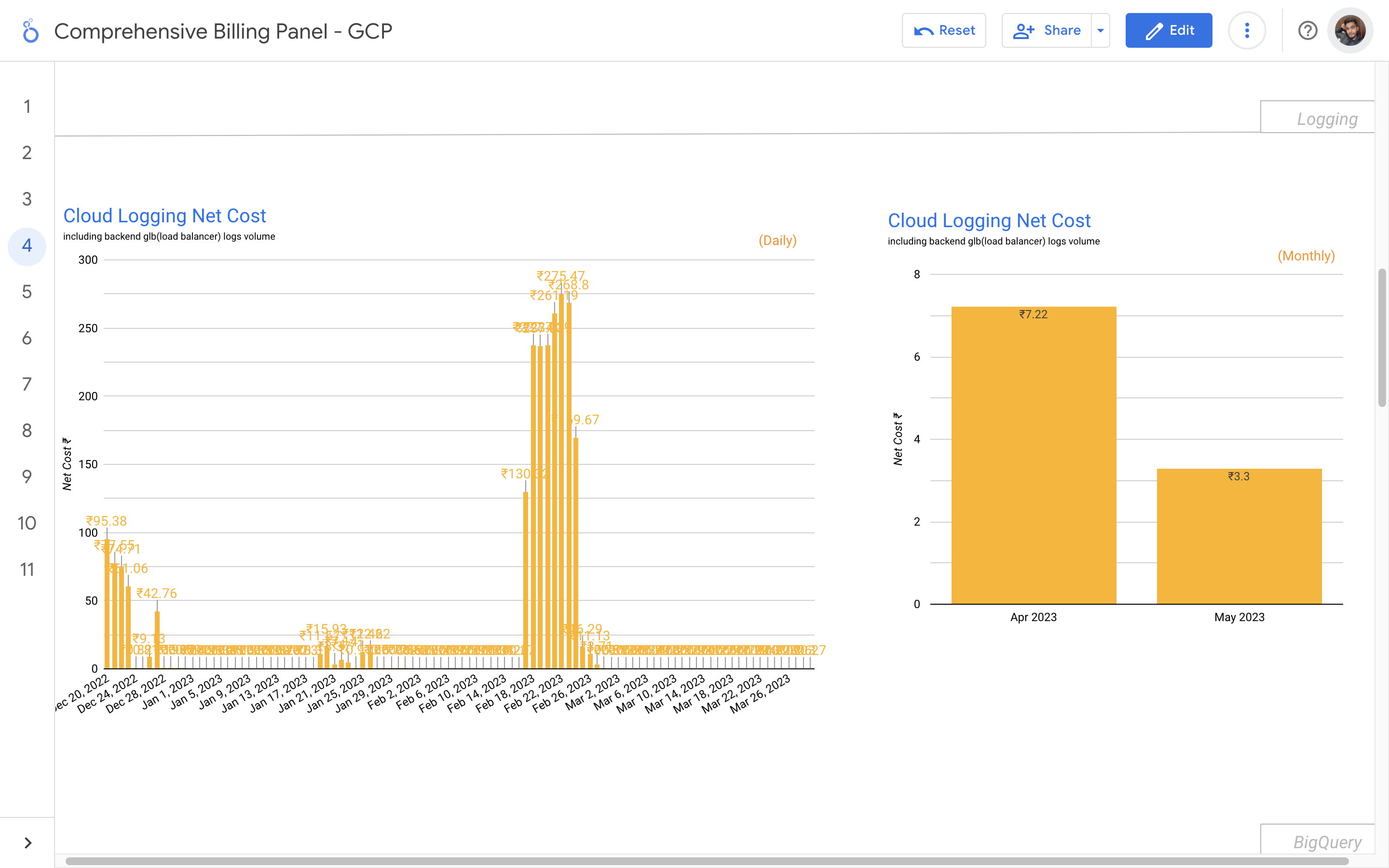
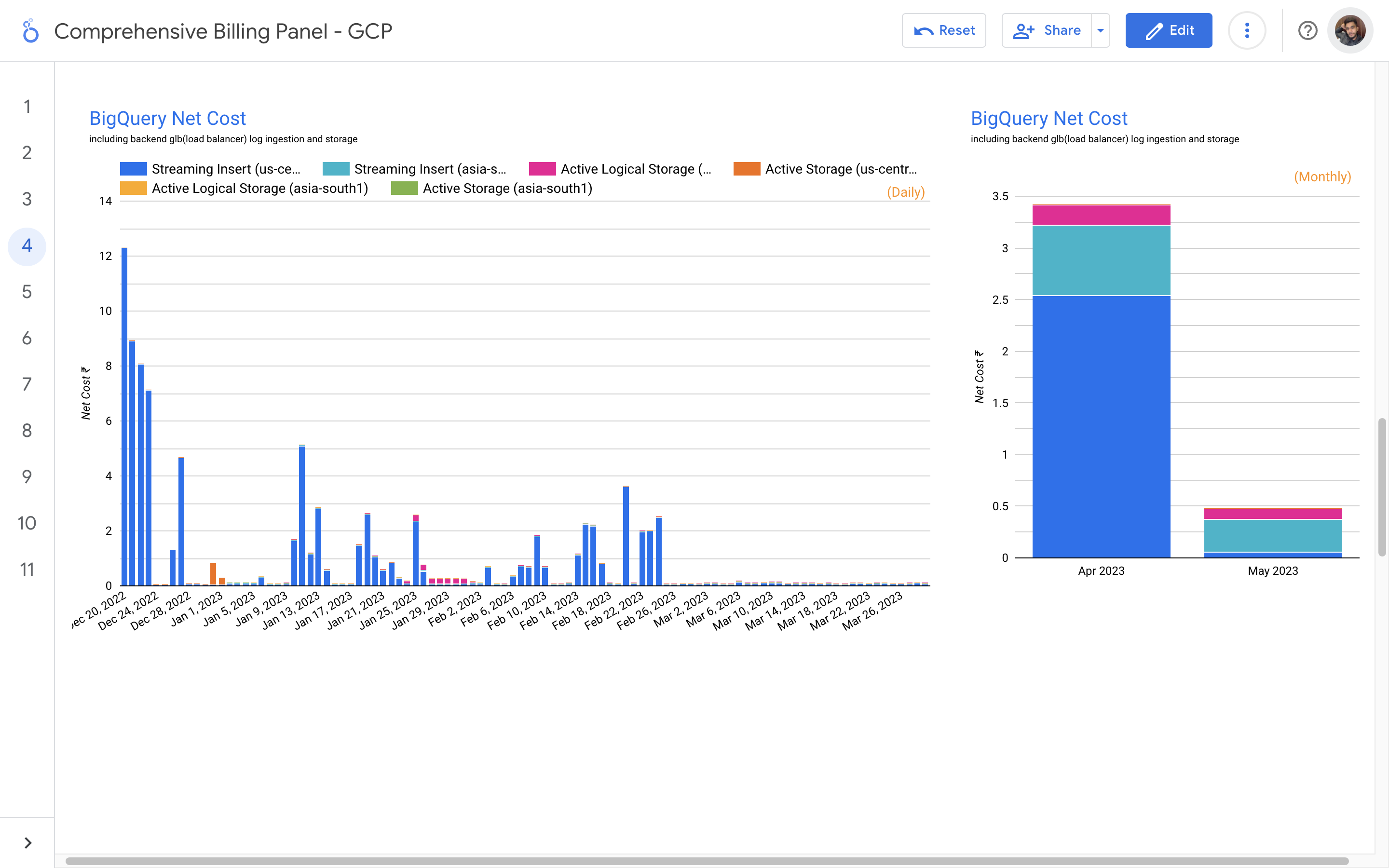
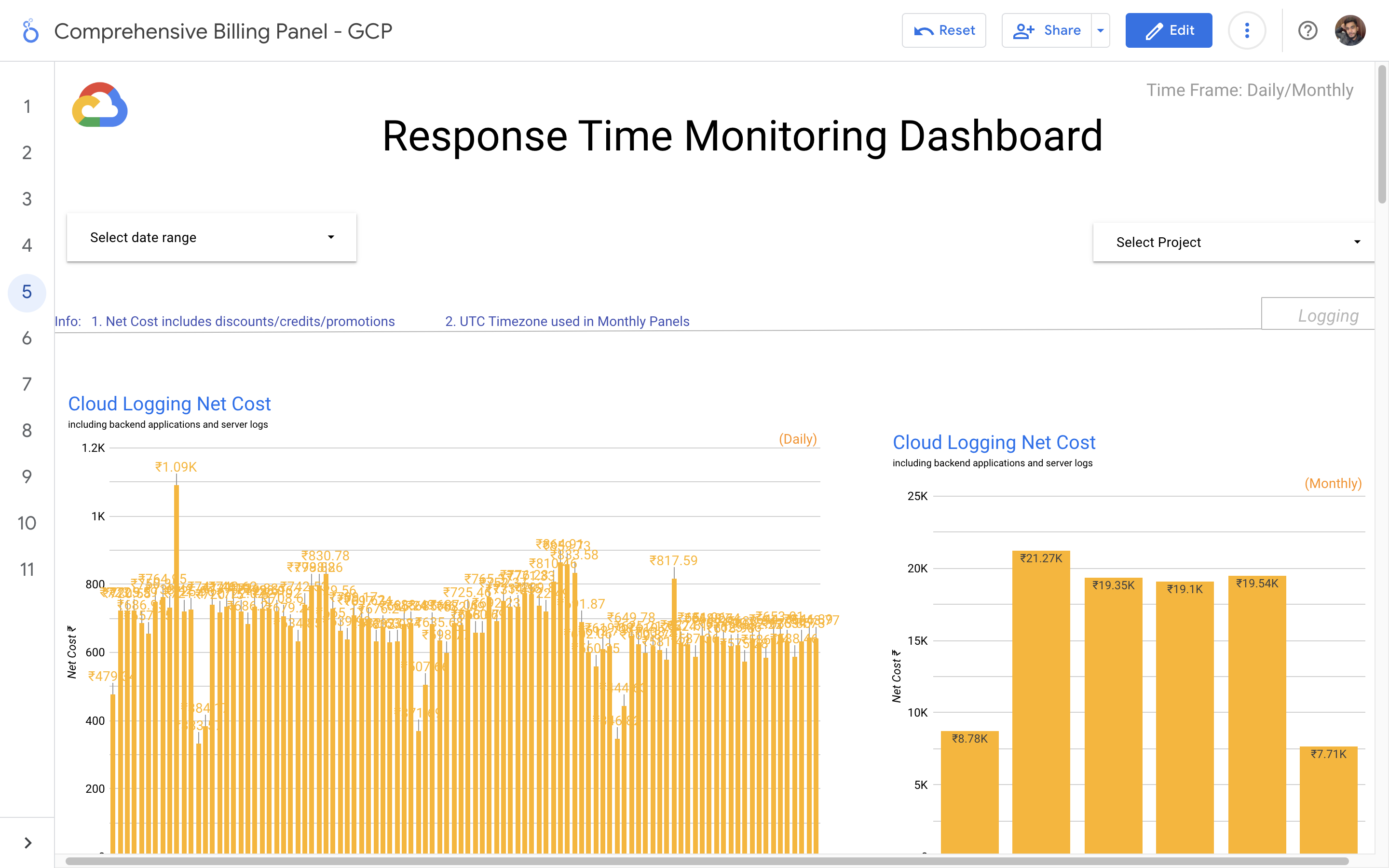
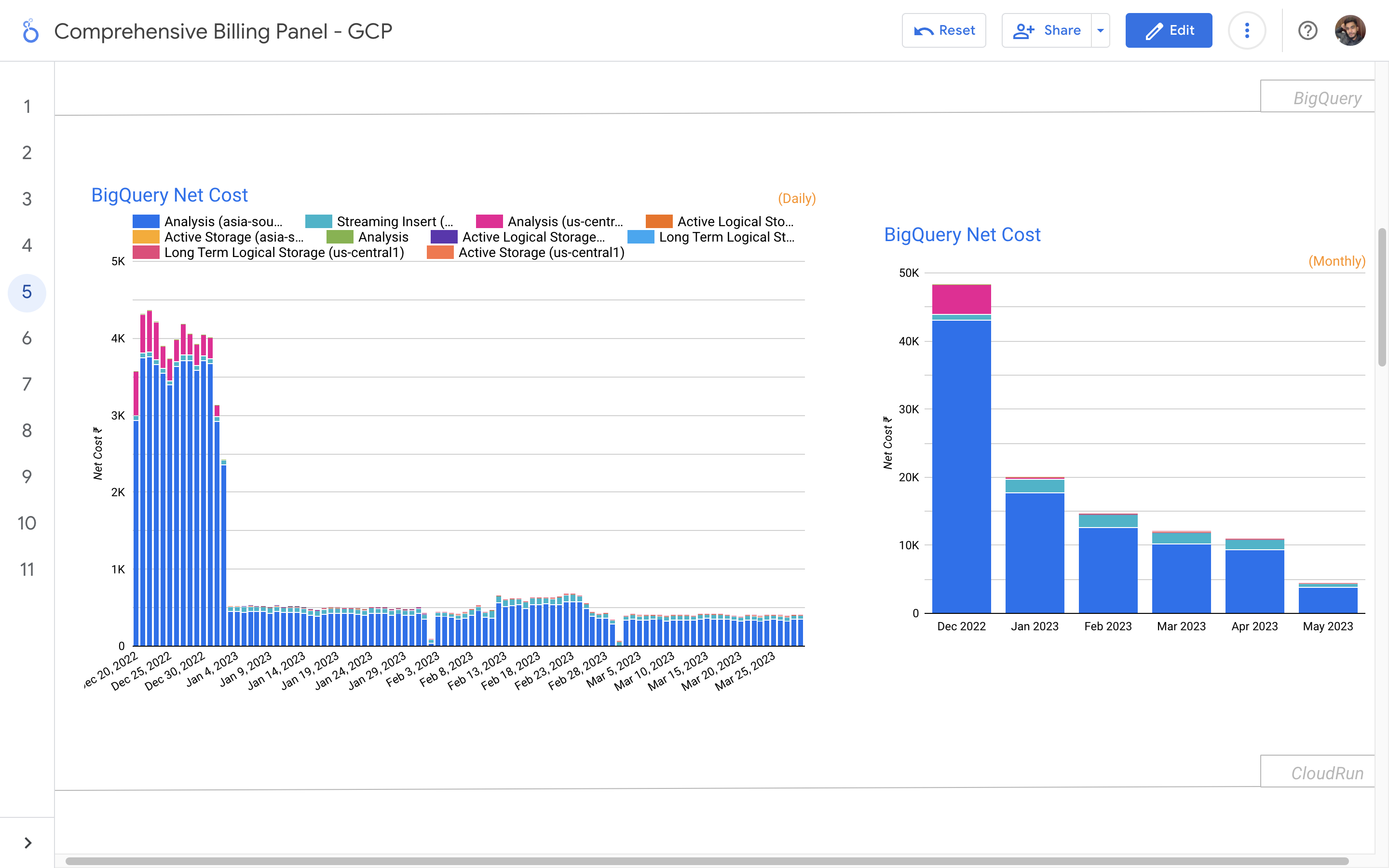
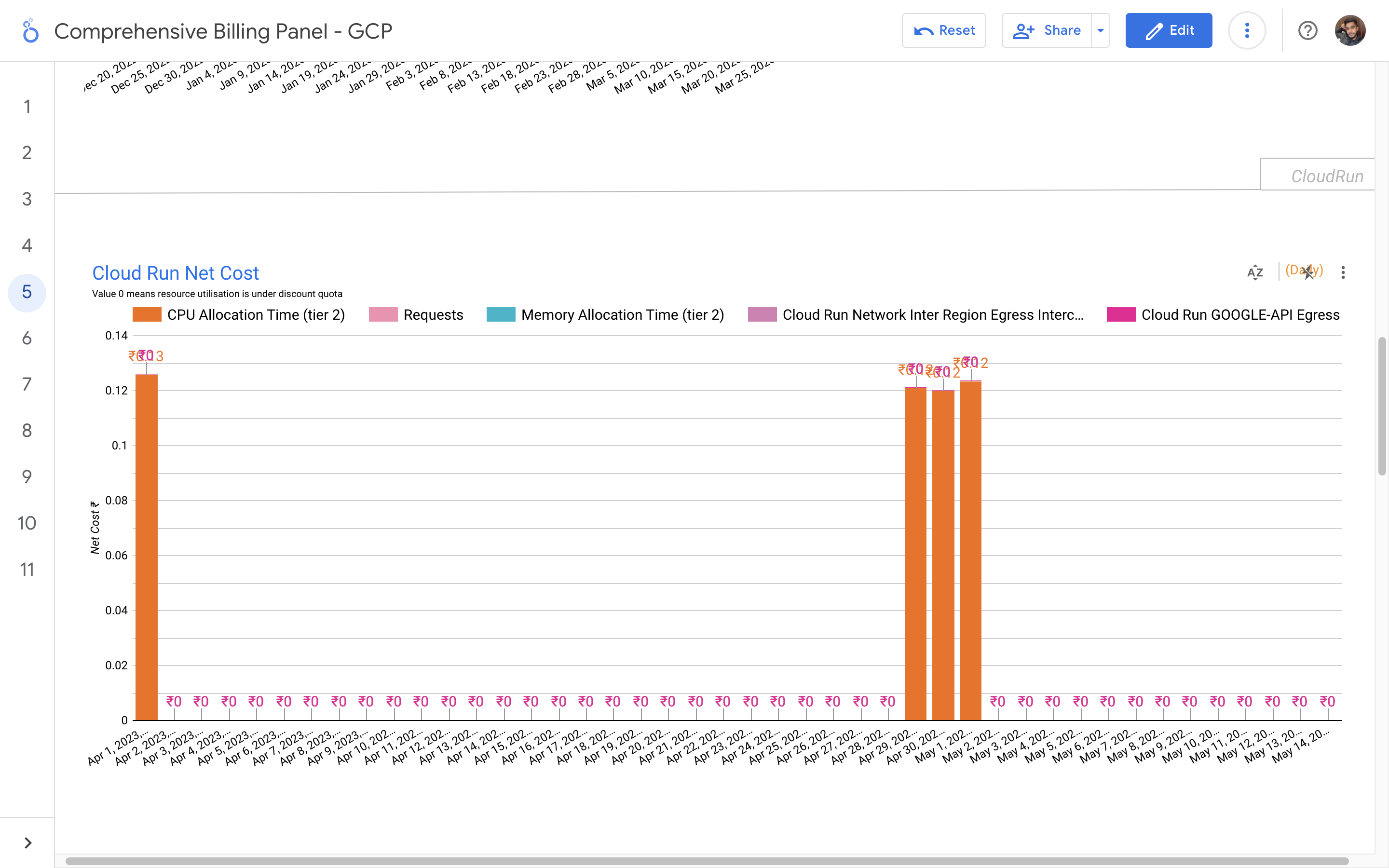
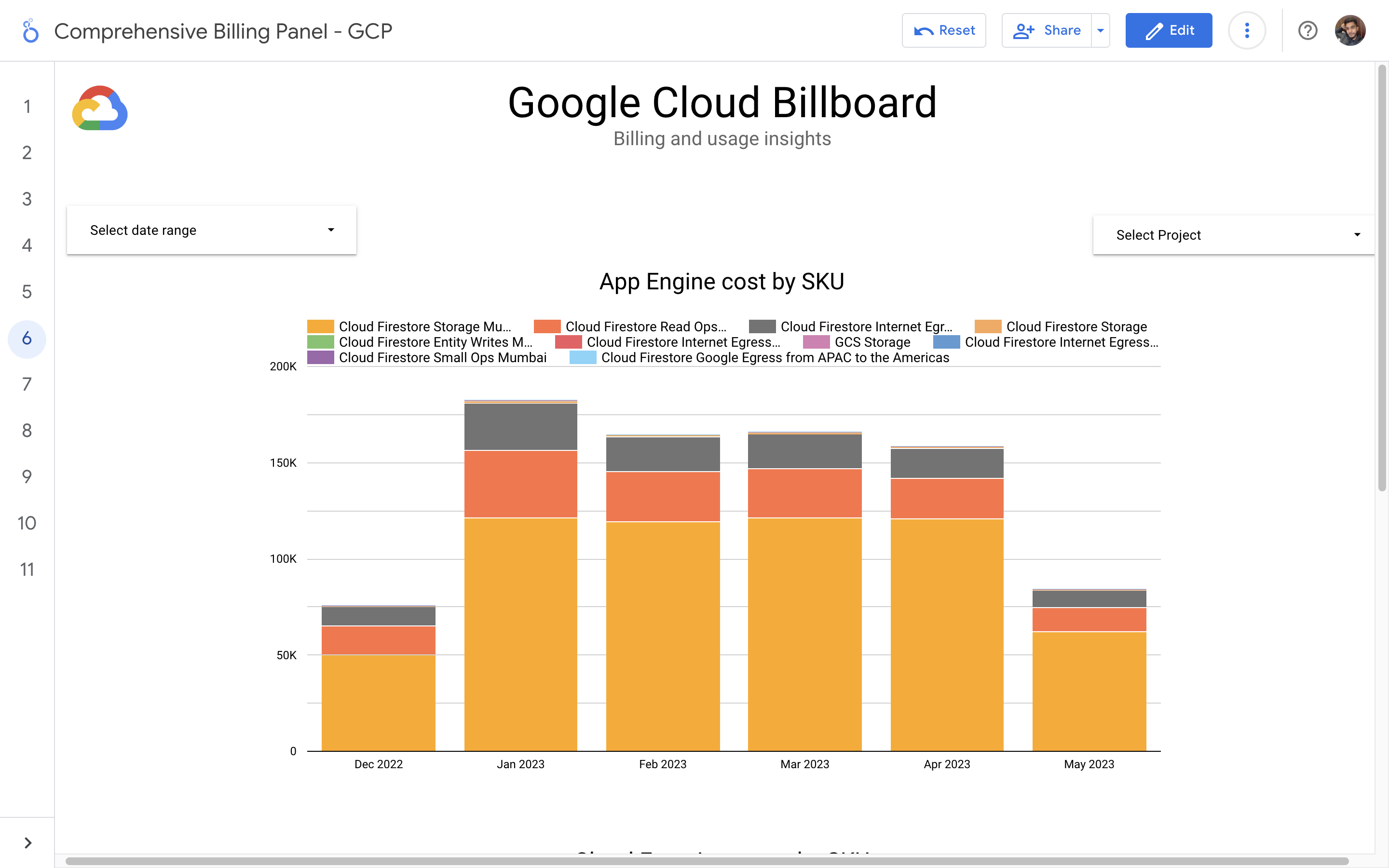
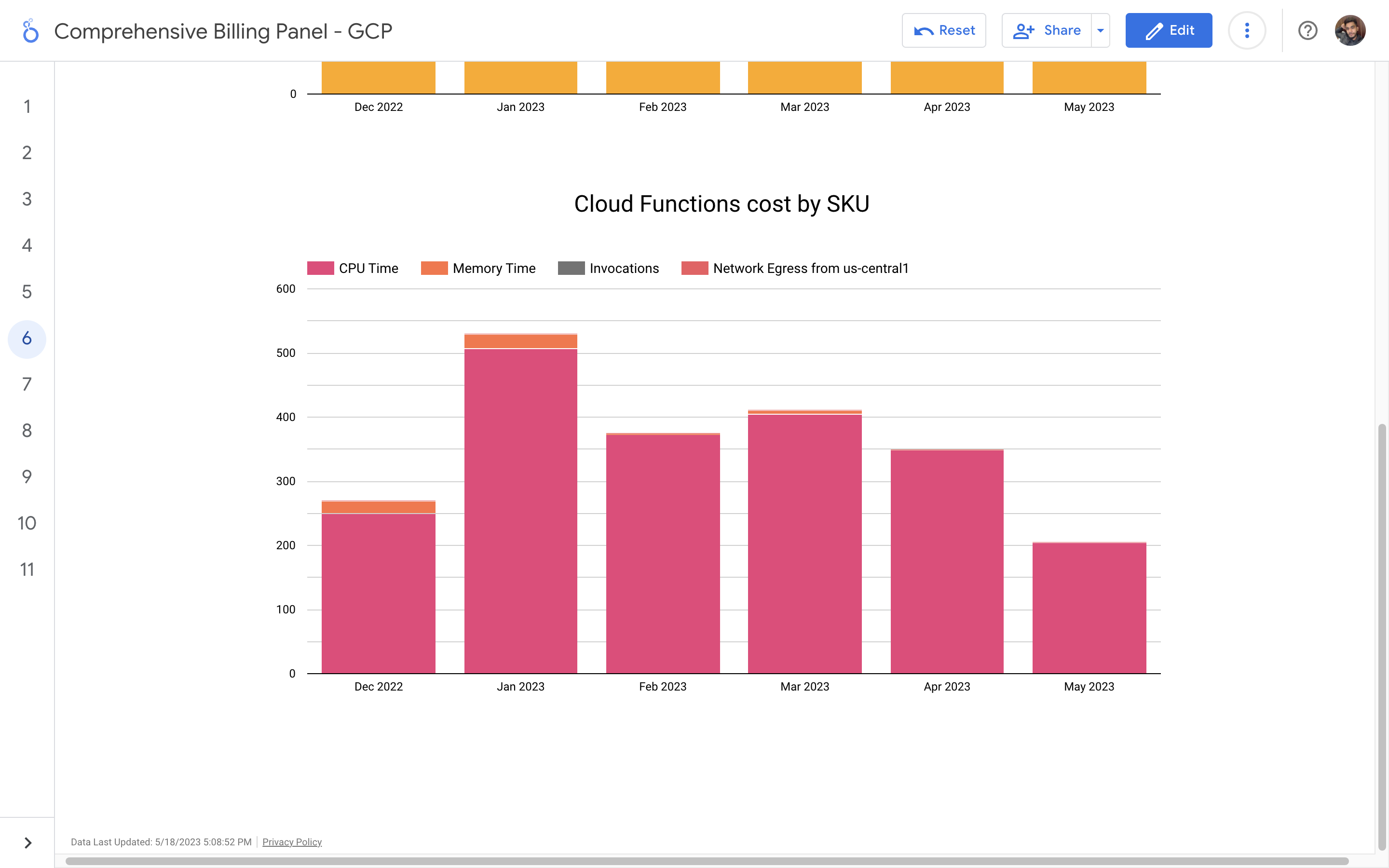
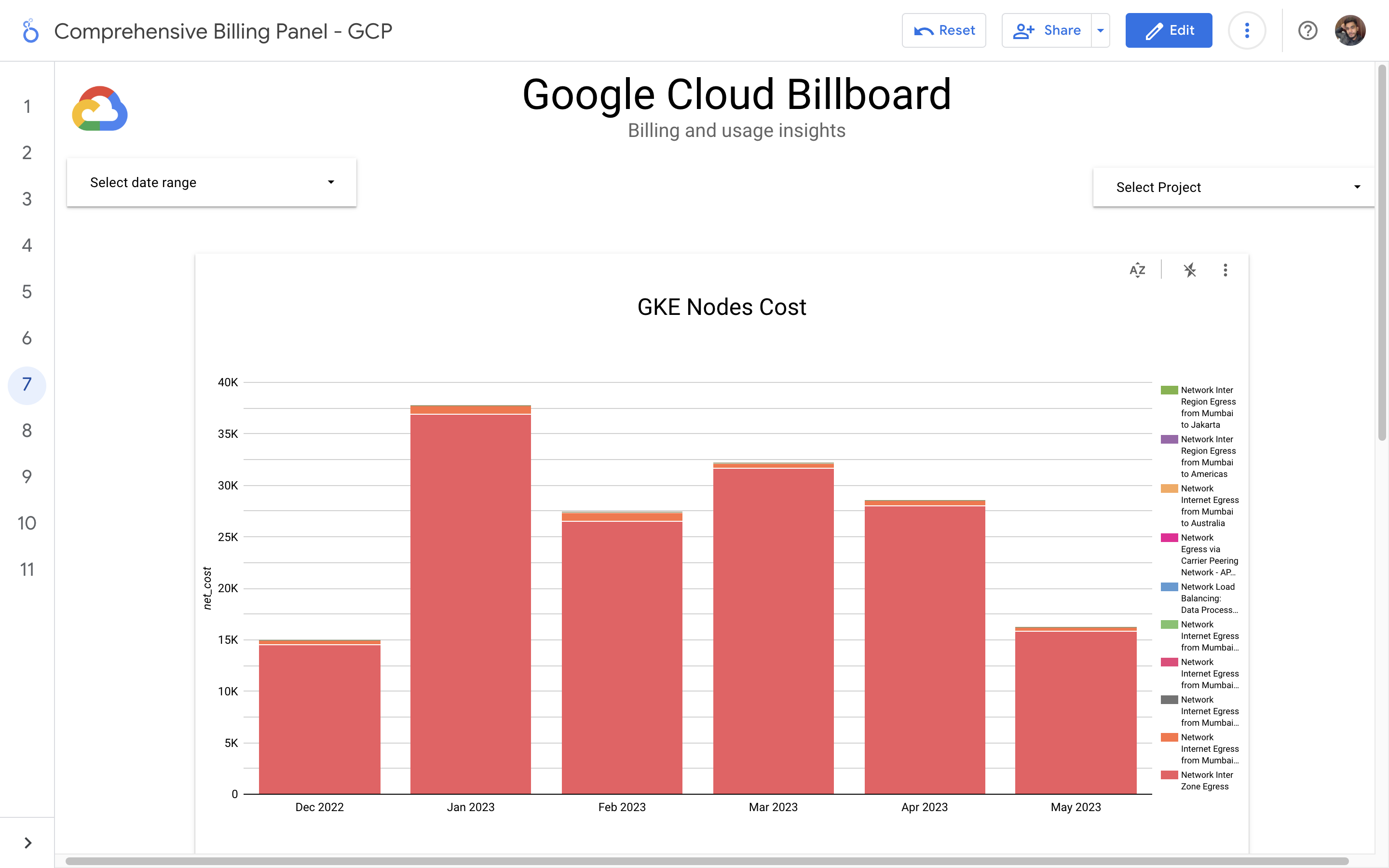
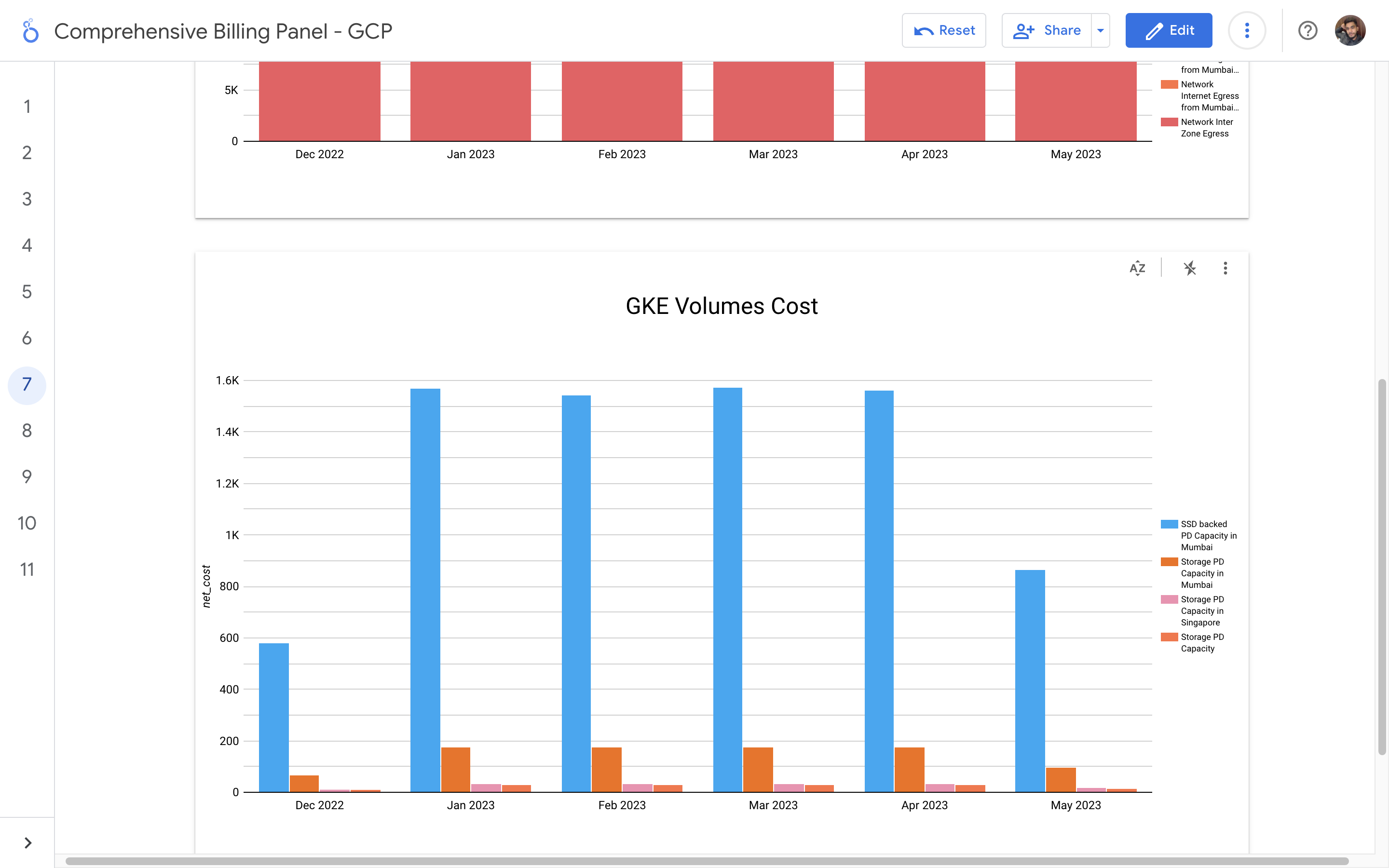
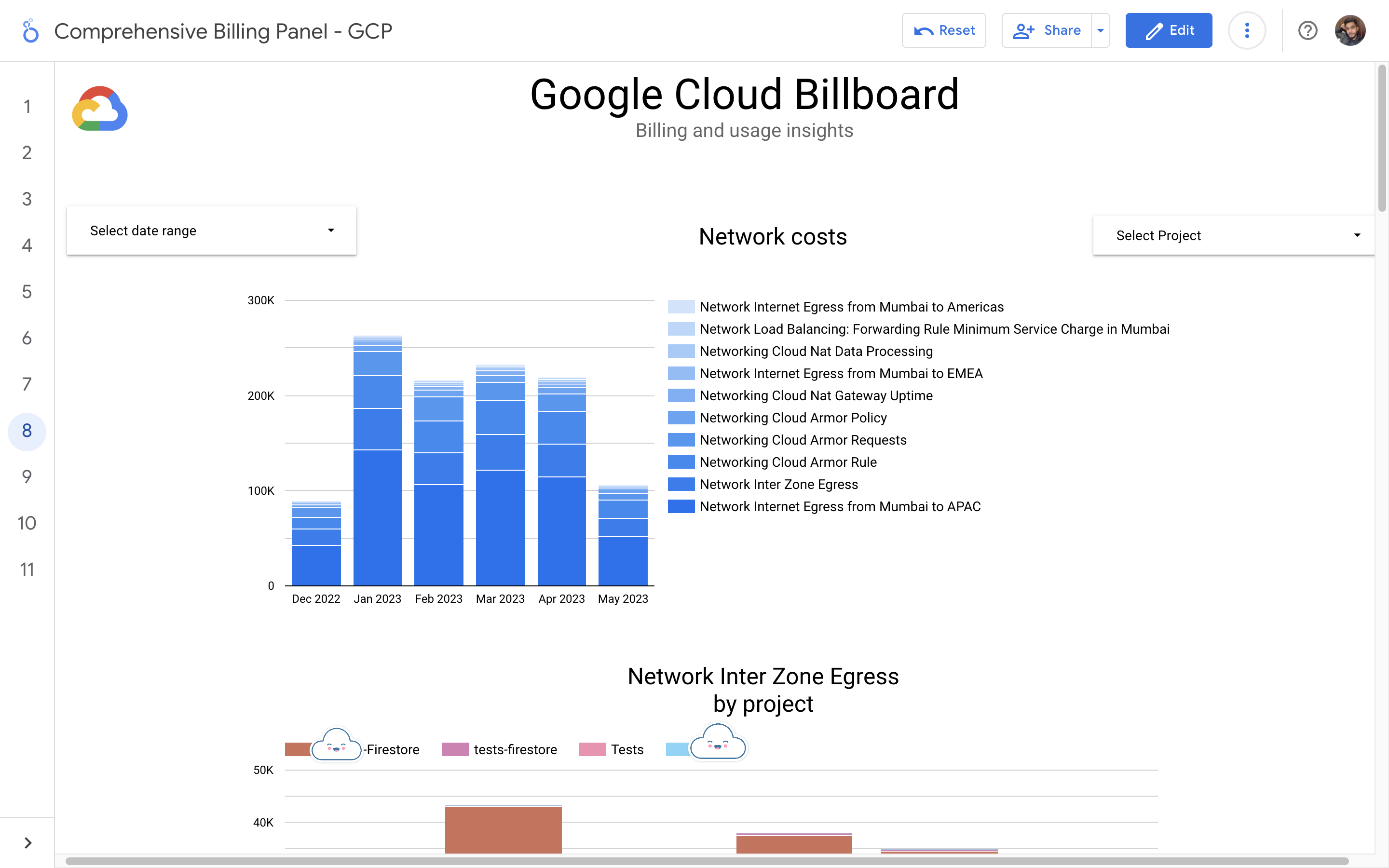
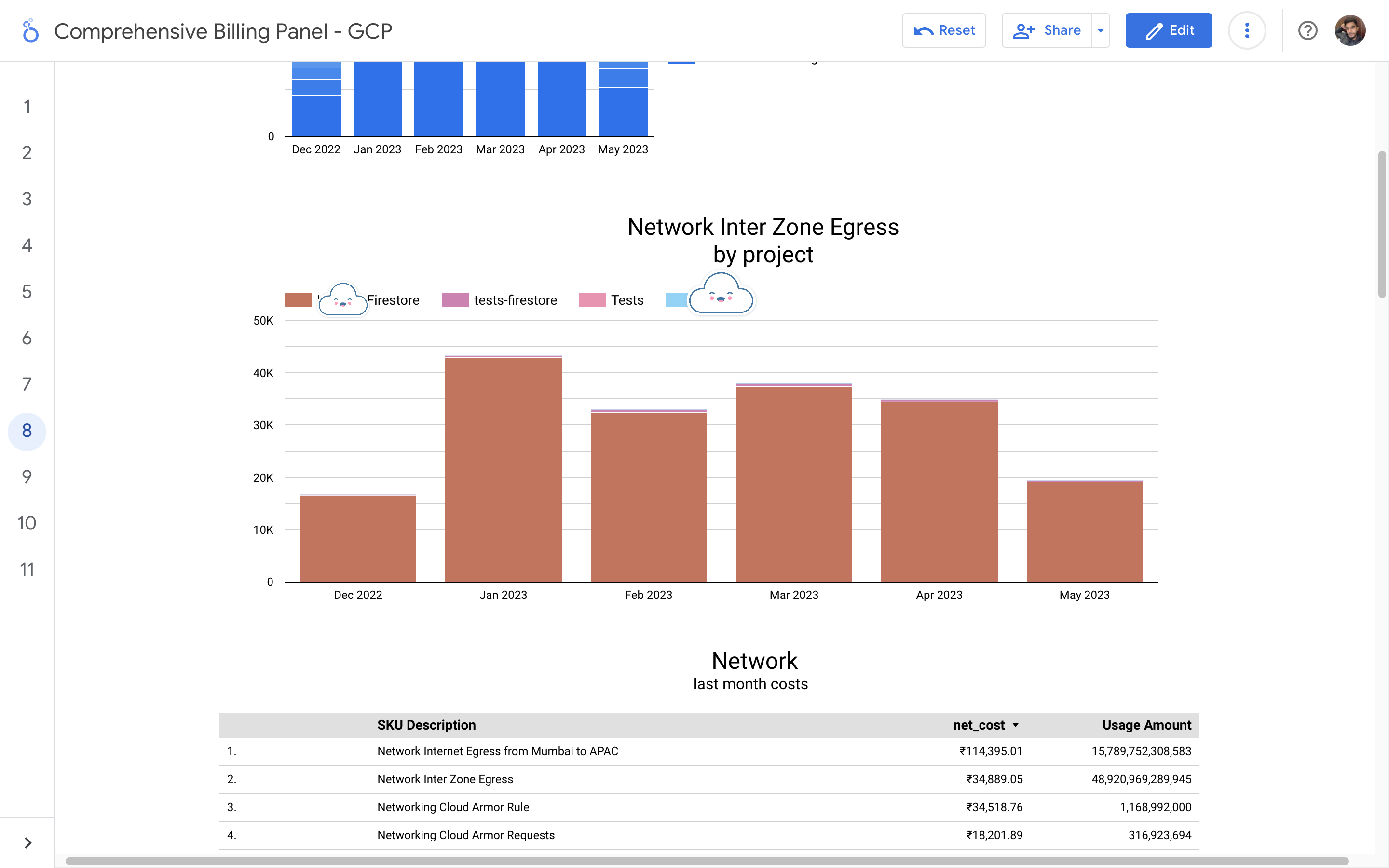
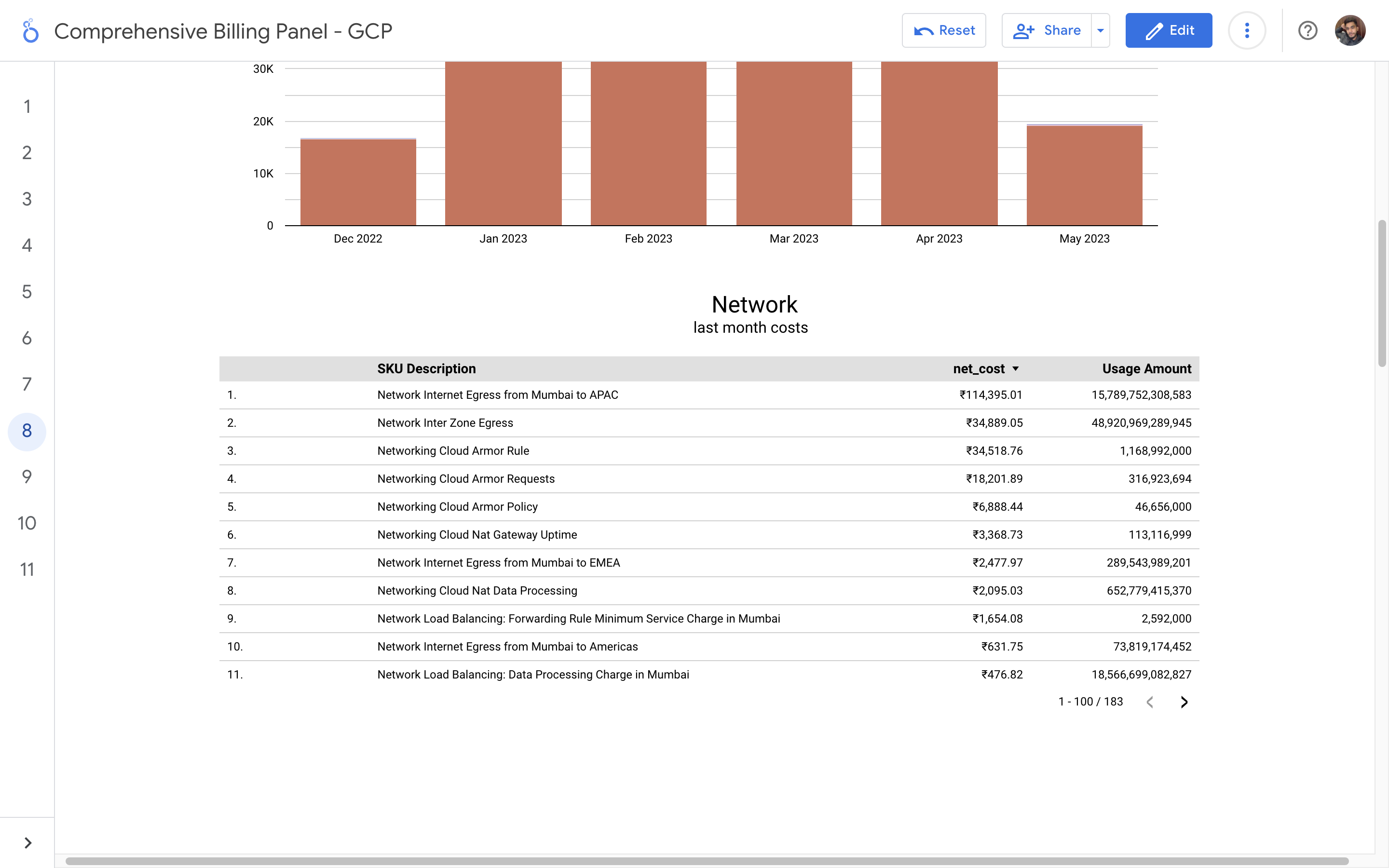
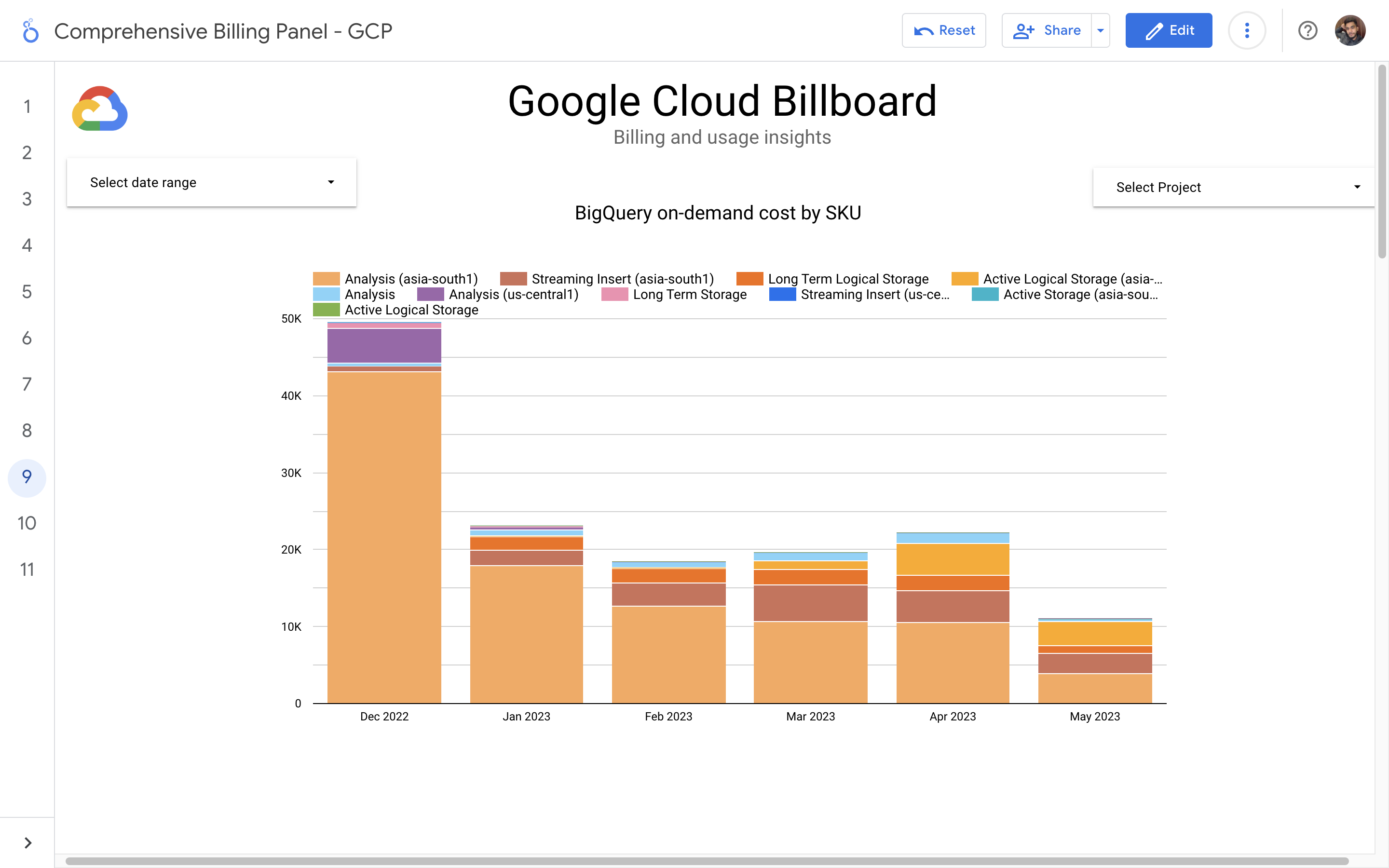
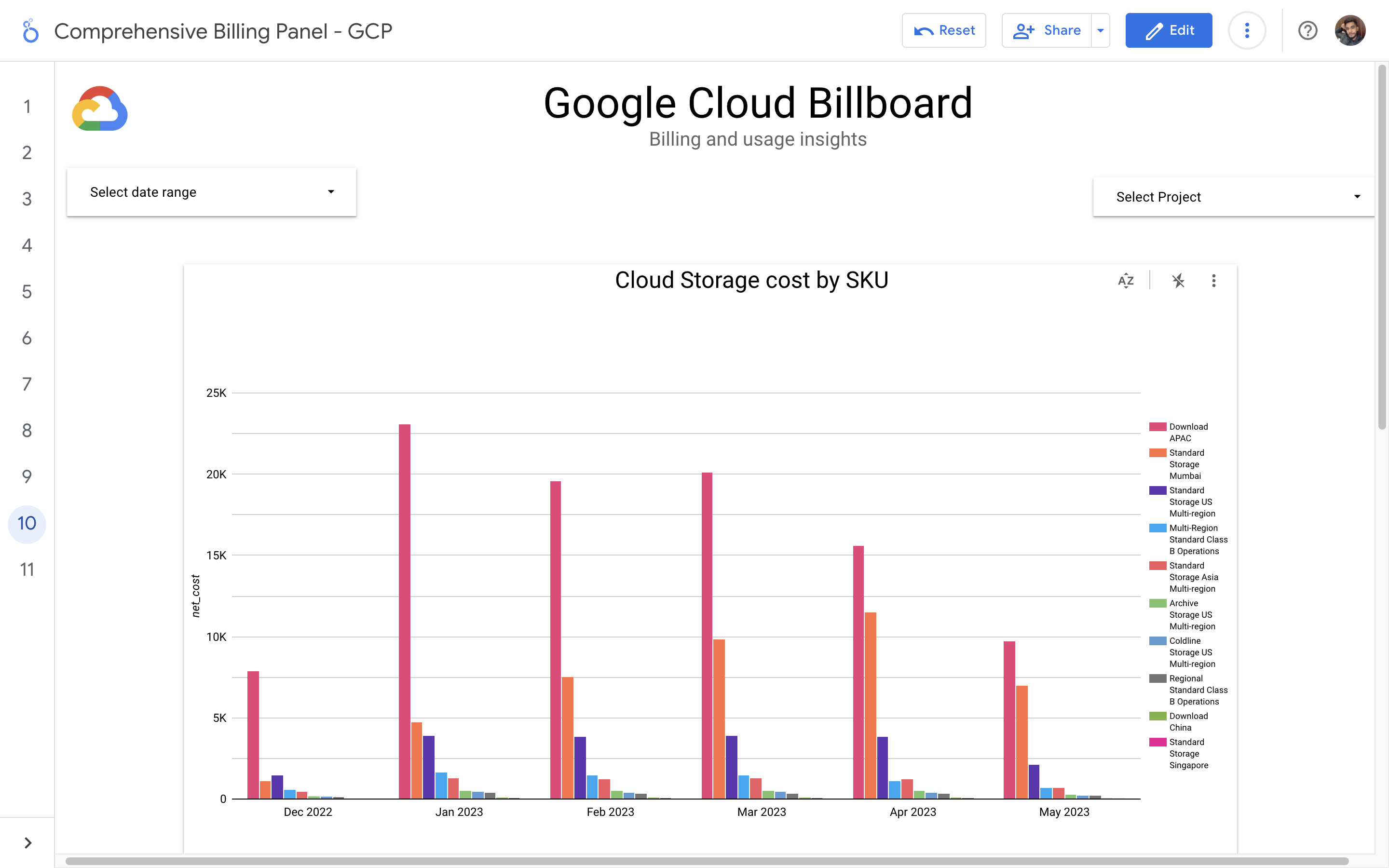
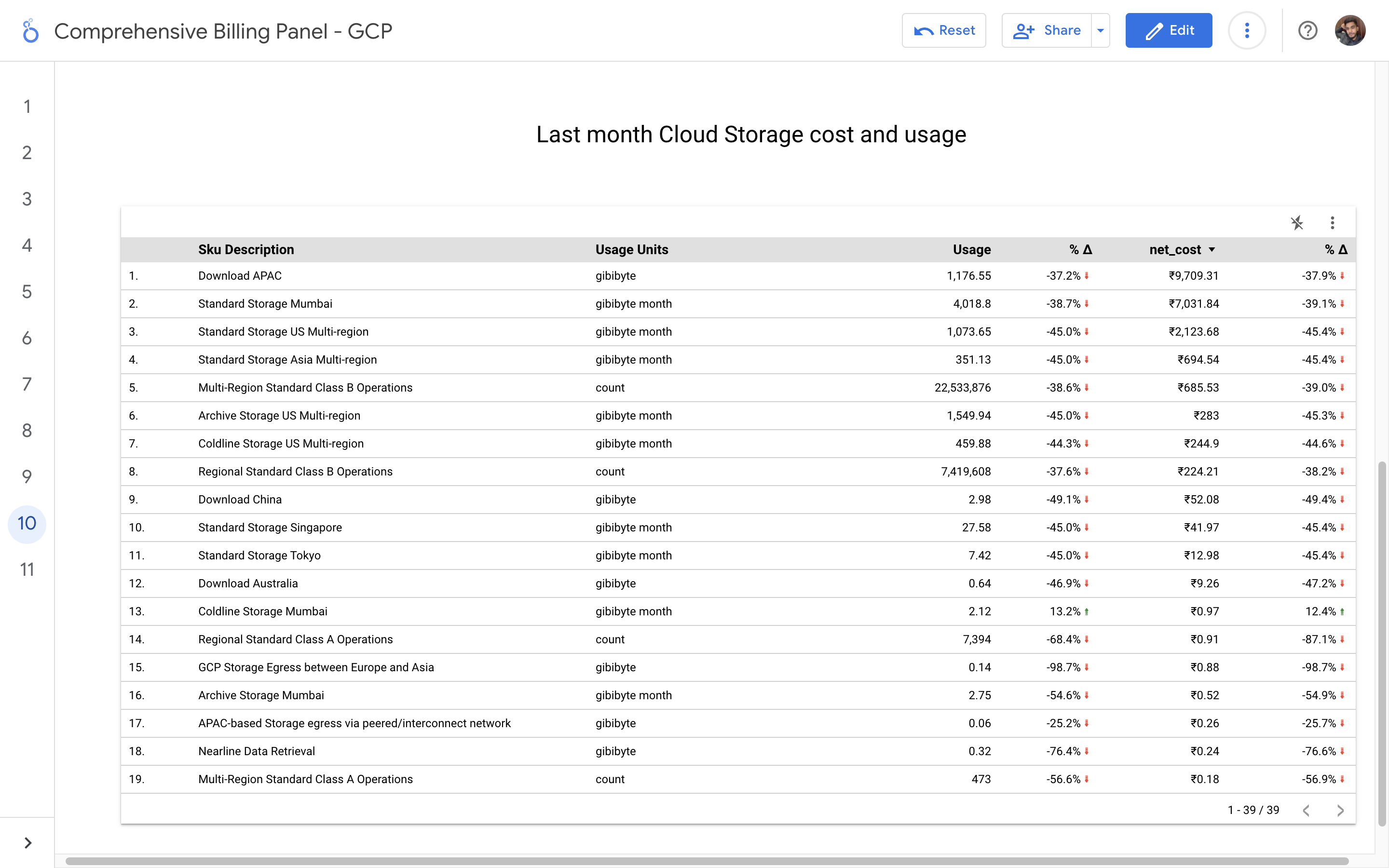
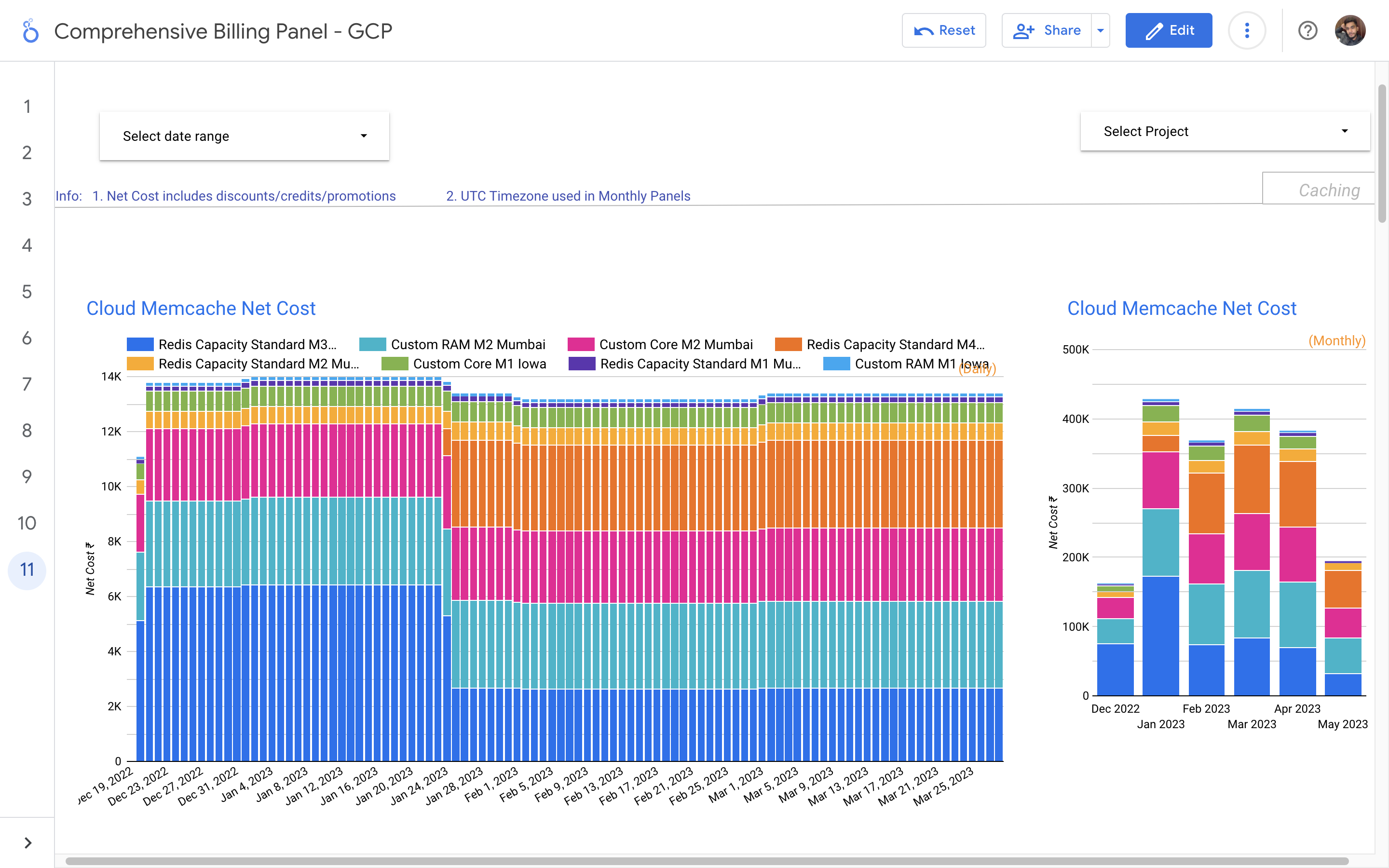
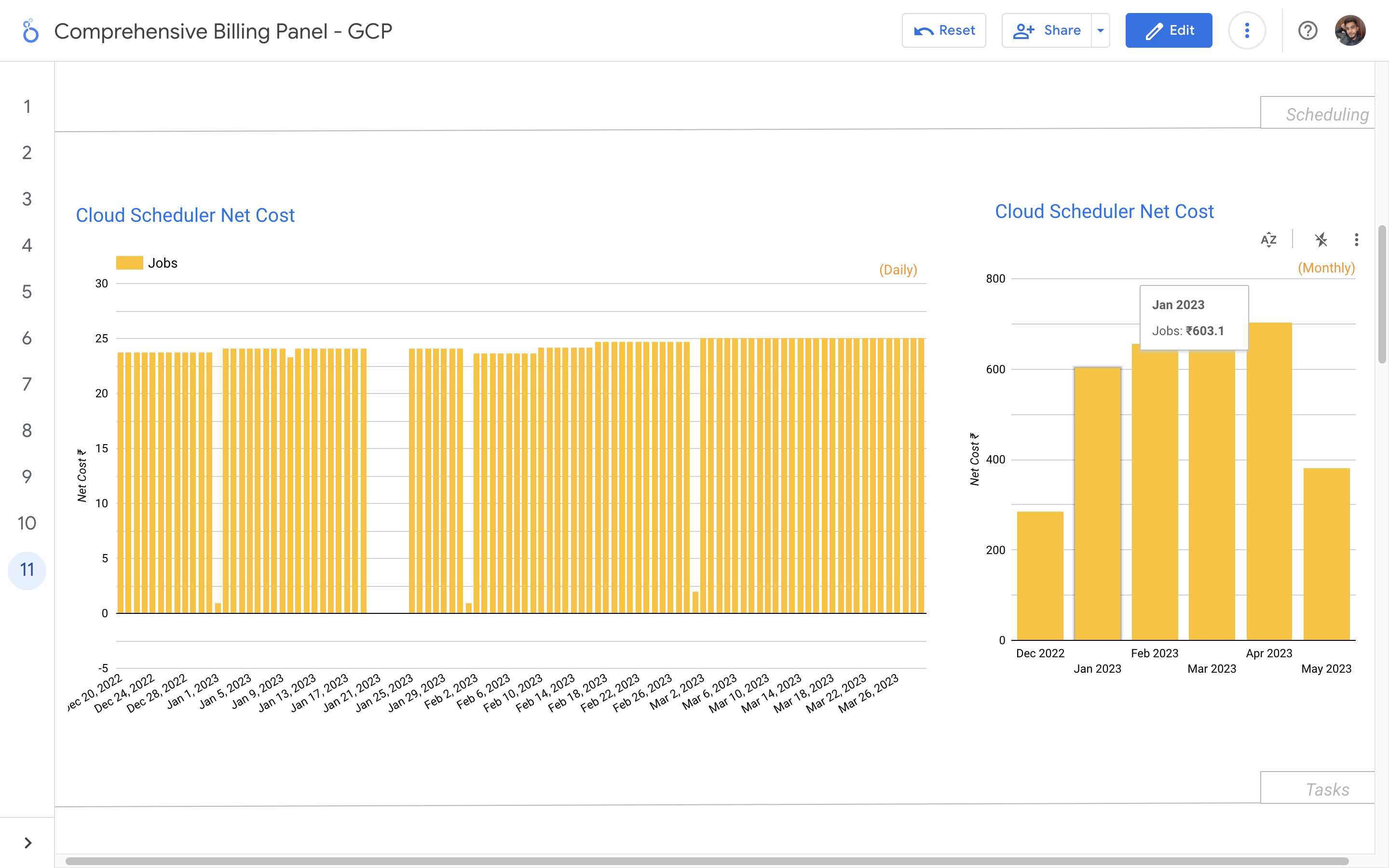
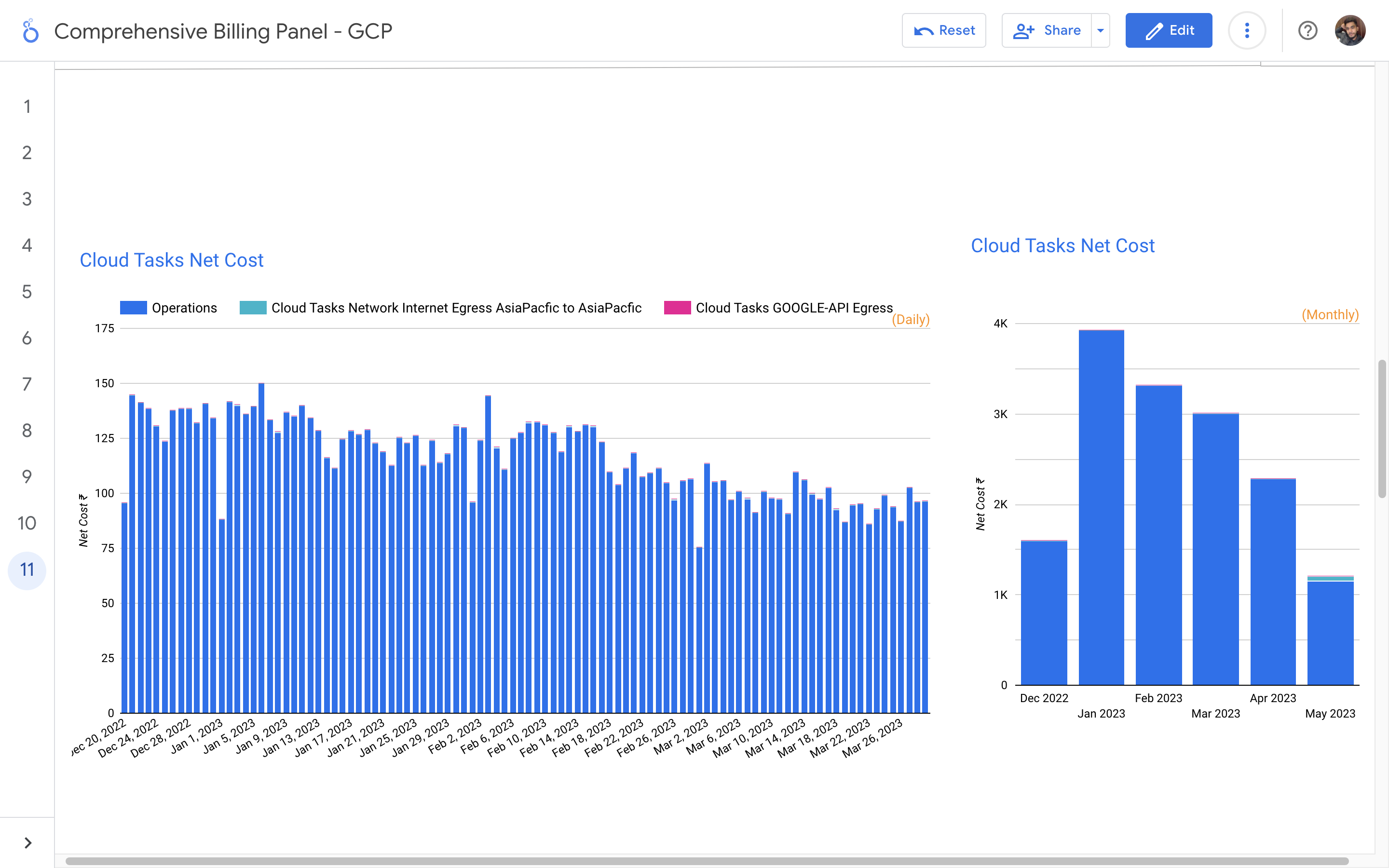
Without a centralized billing dashboard, it becomes difficult to track and understand resource utilization, identify areas of potential cost savings, and allocate expenses accurately. This leads to inefficient resource usage, budget overruns, and difficulty in aligning costs with business needs. A solution is needed to provide clear insights into cloud spending, enabling better cost management and optimization strategies.
Implementation of a Google Cloud Billbaord provides a centralized and comprehensive view of gcp expenses, enabling effective cost management and optimization.
By leveraging GCB features and insights, team leads can track resource utilization, monitor costs, identify cost-saving opportunities, and align spending with business priorities. It also helped us to make informed decisions, optimize resource allocation, and ensure efficient budget utilization, resulting in improved financial transparency and control over gcp expenditures.
The lack of comprehensive monitoring and observability in our AWS cloud environment hampers our ability to identify performance bottlenecks, security issues, and ensure the overall health of our applications and infrastructure. The absence of real-time insights makes it challenging to proactively address potential incidents and optimize resource utilization.
To address these challenges, i implemented Datadog as our AWS cloud monitoring solution. Datadog offered real-time insights into various AWS services, including EC2 instances, RDS databases, Lambda functions, and more. I've set up custom dashboards and alerts to proactively monitor critical metrics, detect anomalies, and receive timely notifications in case of any irregularities.
With Datadog's monitoring in place, we achieved enhanced visibility into our AWS resources and application performance. The proactive alerts enabled us to respond swiftly to potential issues, minimizing downtime and improving the overall reliability of our cloud infrastructure. Additionally, we could optimize resource utilization and plan for future scalability effectively. Datadog played a crucial role in maintaining the stability and efficiency of our AWS environment, ultimately leading to improved customer satisfaction and operational excellence.
.png)
The migration from GCP to AWS was necessitated by the vendor's agreement clauses that imposed a minimum billing amount for discount benefits. However, after implementing DevOps practices and optimizing our infrastructure, the billing amount significantly decreased, leading to the vendor being unable to provide discounts on the lower billing. In order to increase flexibility and maximize usage discount opportunities, the decision was made to transition to AWS.
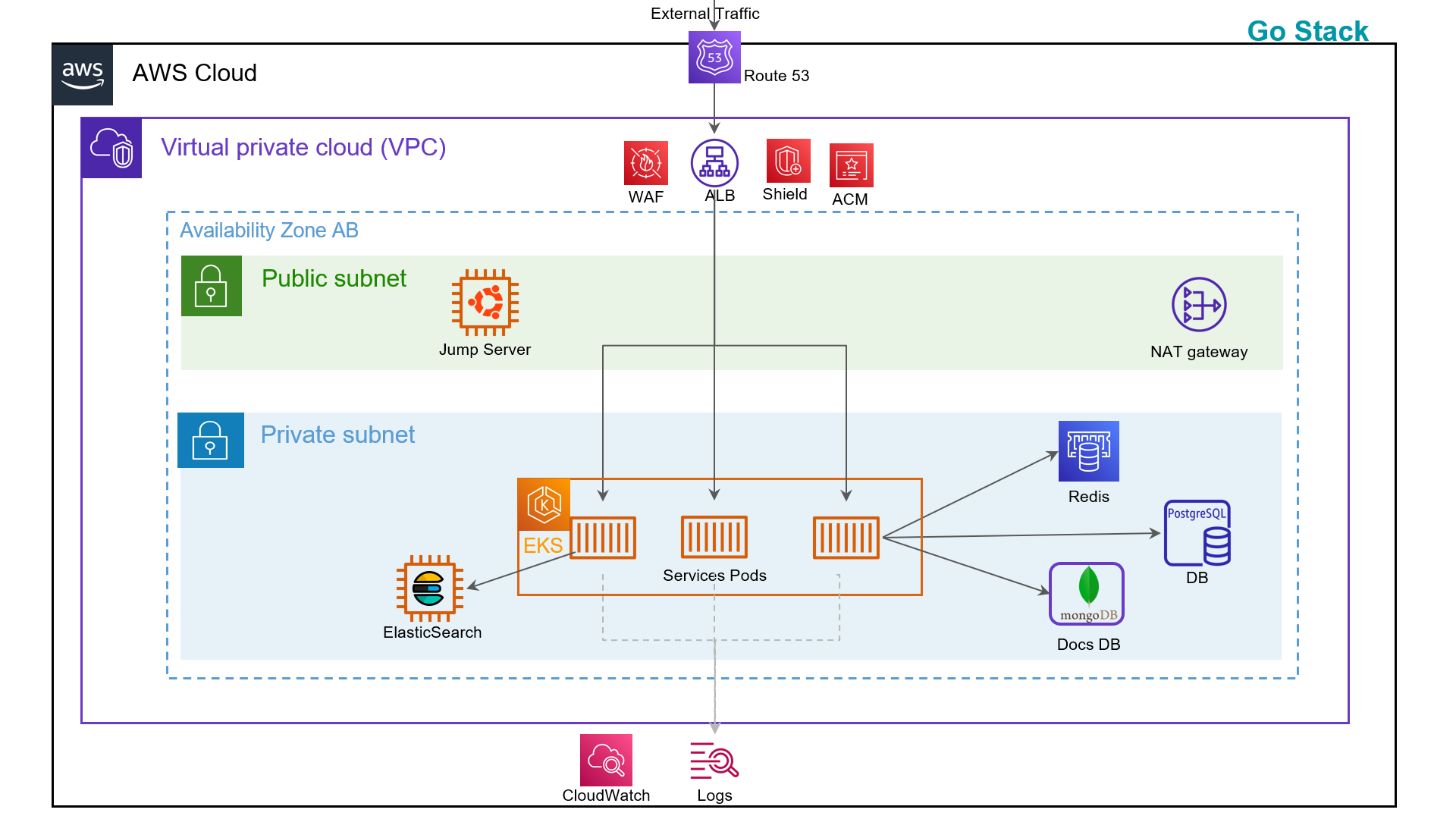
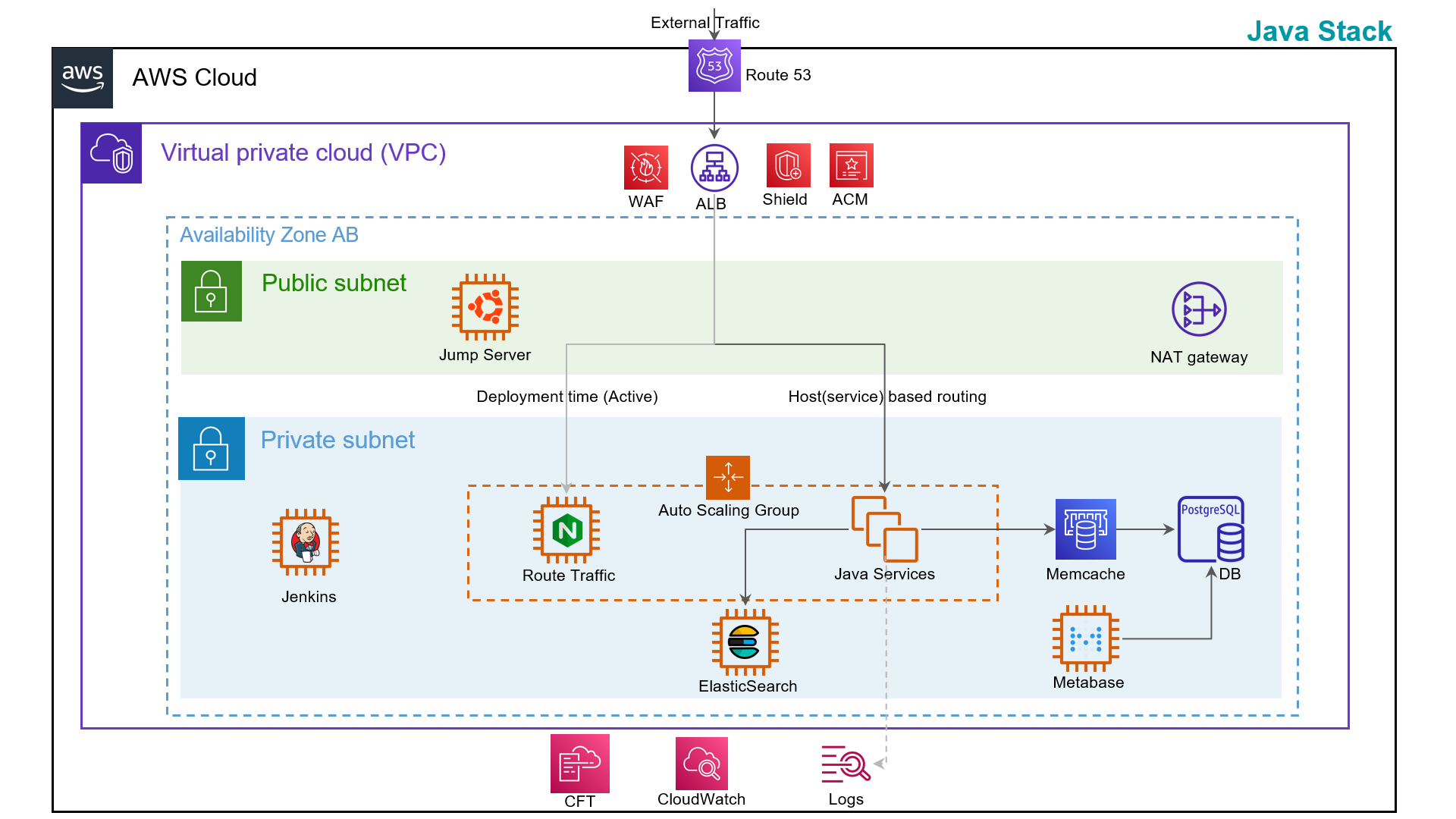
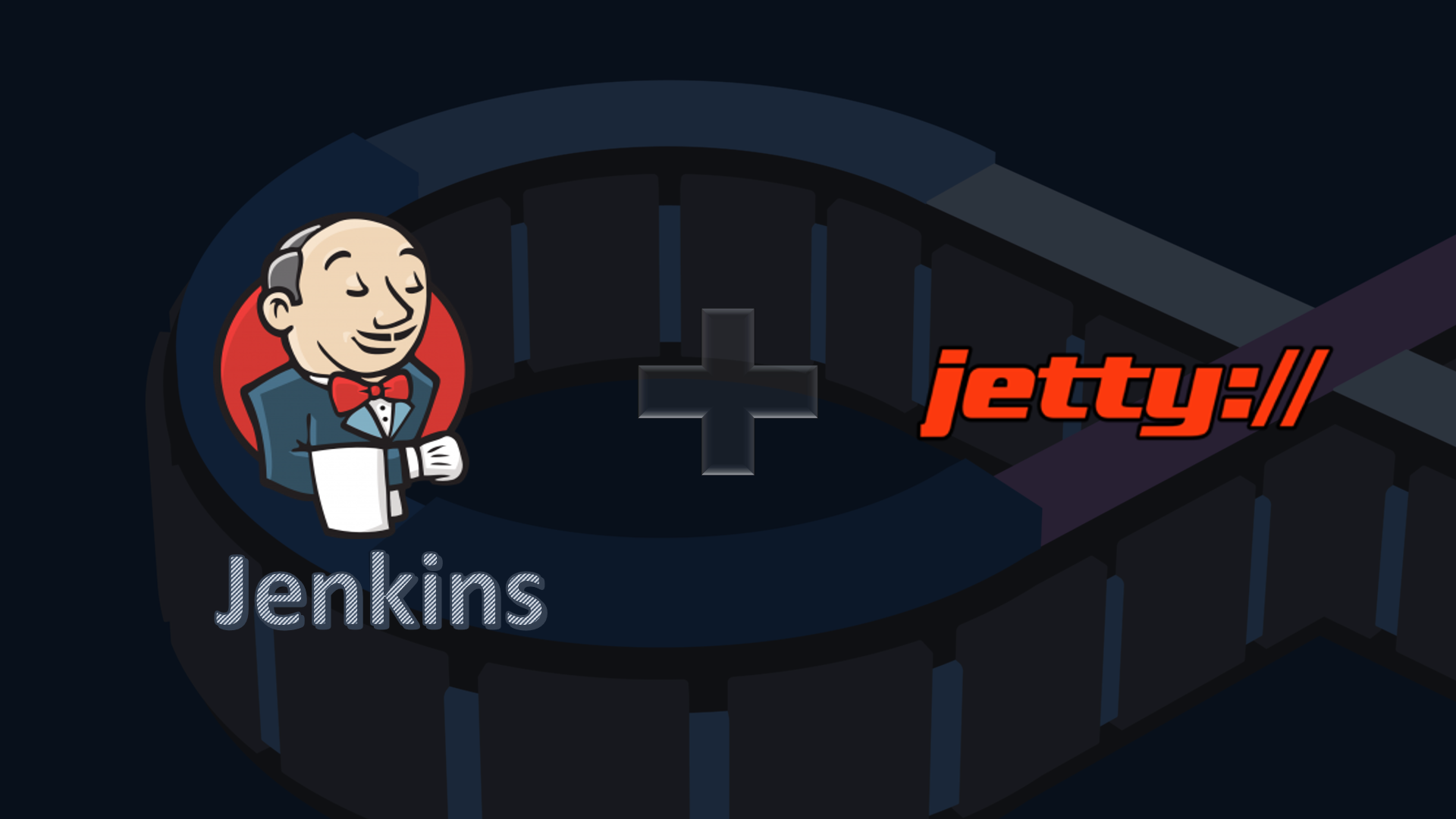
The project aims to streamline the deployment process, ensure consistency, and enhance efficiency in deploying 7 Java backend applications on 7 different Jetty server.
Client don't want separate pipelines for each backend services.
My solution is to create a single jenkins pipeline which require run time parameters from users before triggering. User have to enter branch name and choose application name to initiate deployment.
There would be 2 cicd pipelines, 1st is to deploy single backend service, and 2nd one is to deploy all 7 java services in which user don't need to choose application name, user just need to pass branch name and initiate deployment.
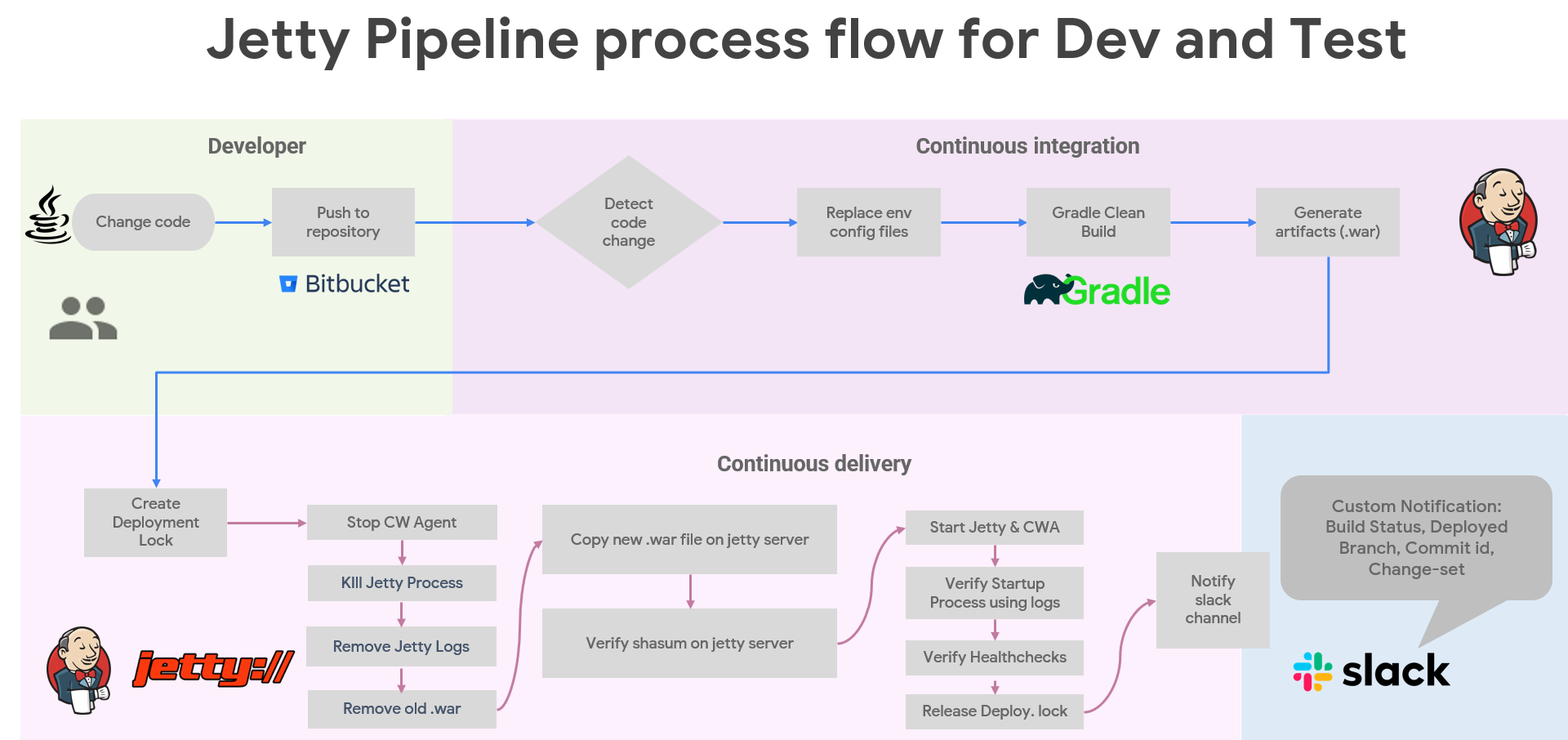
In lower environments cicd pipelines, Last 3 artifacts retained in case of rollback. Deployment lock is require incase other team member triggered another cicd pipeline for all java services then it should wait until current deployment lock exist.
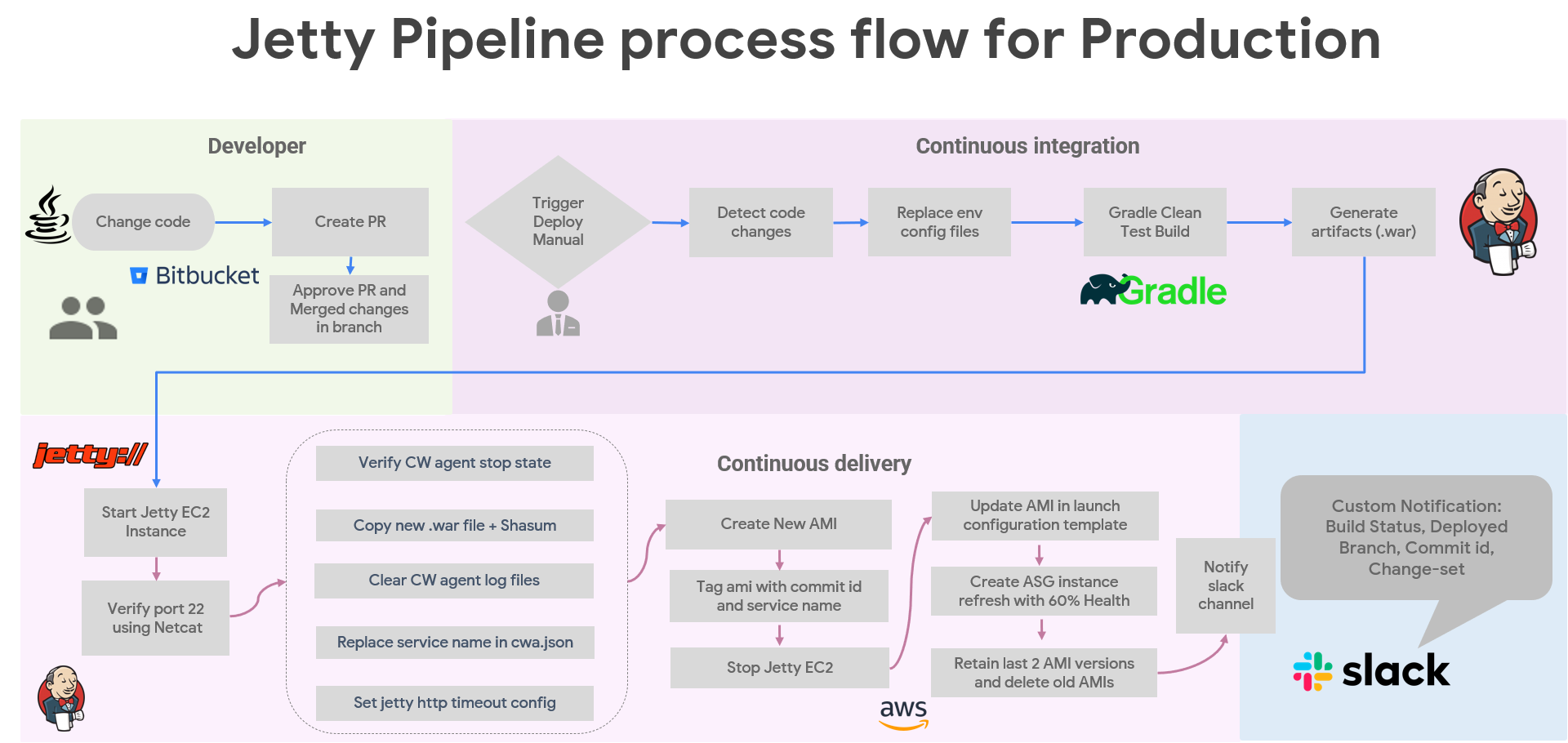
In production deployment, we create EC2 AMI images from a ec2 instance on which java, jetty and cloudwatch agent are already installed. Autoscaling instance refresh is used to replace servers in batches. First new servers are created then only old servers deregistration and termination started.
Objective:
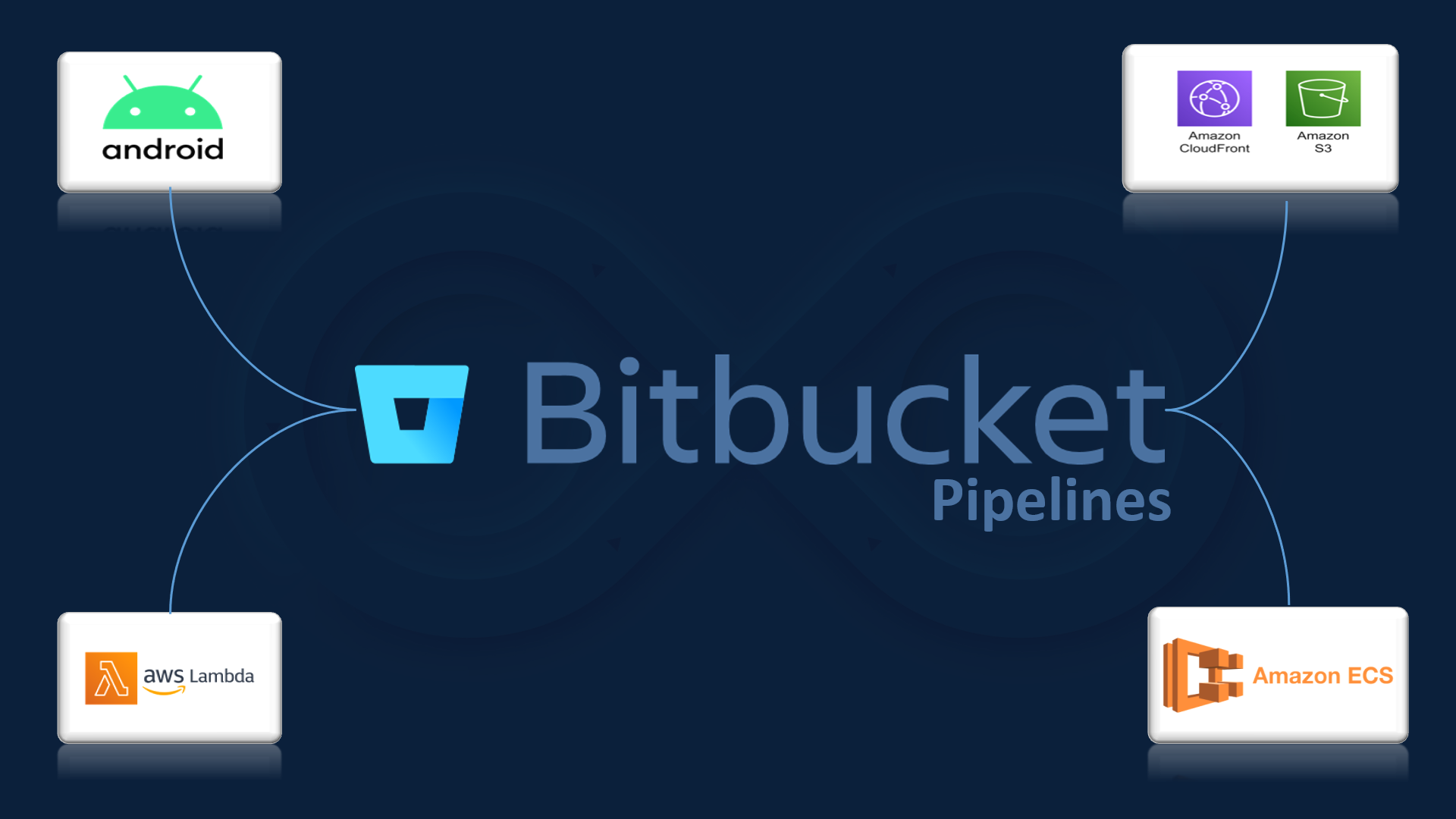
The pipeline will automate the process of building, and deploying the Android application to various environments, ensuring faster and reliable delivery of software updates.
Requirements:
- Bitbucket Pipelines must be configured to automatically trigger CI/CD workflows upon code changes in the repository.
- Automated build tasks to compile the Android application.
- Gradle build scripts should be utilized to manage dependencies and build configurations.
- Proper code signing mechanisms must be implemented for secure app distribution.
- Pipeline should automatically deploy the Android application to different platforms for the QA team. (e.g. Diawi and Browserstack).
- Pipeline should stored versioned artifacts in S3 bucket to keep track of application releases.
- Deployment to Google Play Store should be supported.
- Email notifications or chat integration (e.g., Slack, MS Teams) should be configured to notify the team about build and deployment status.
Objective:
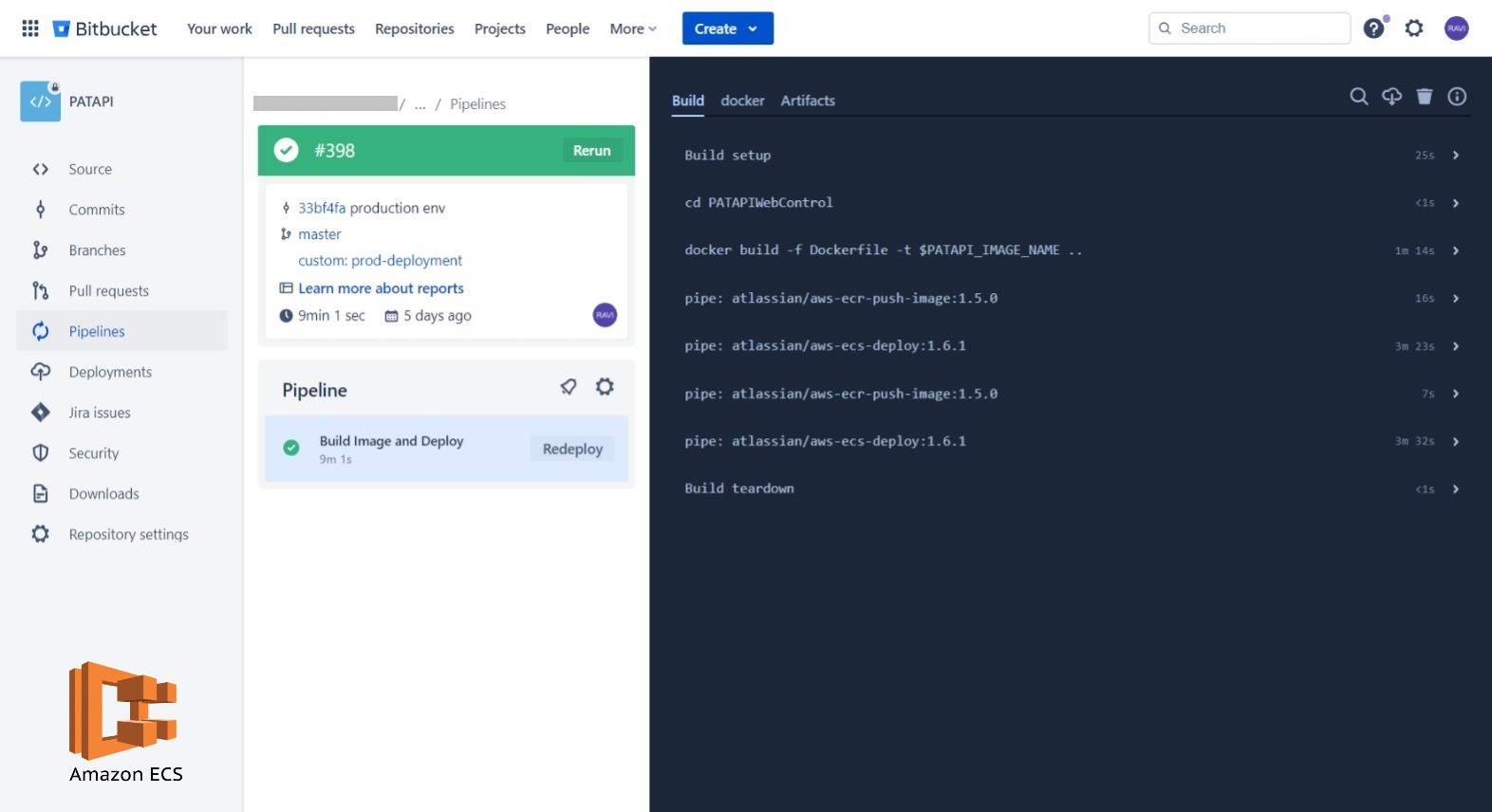
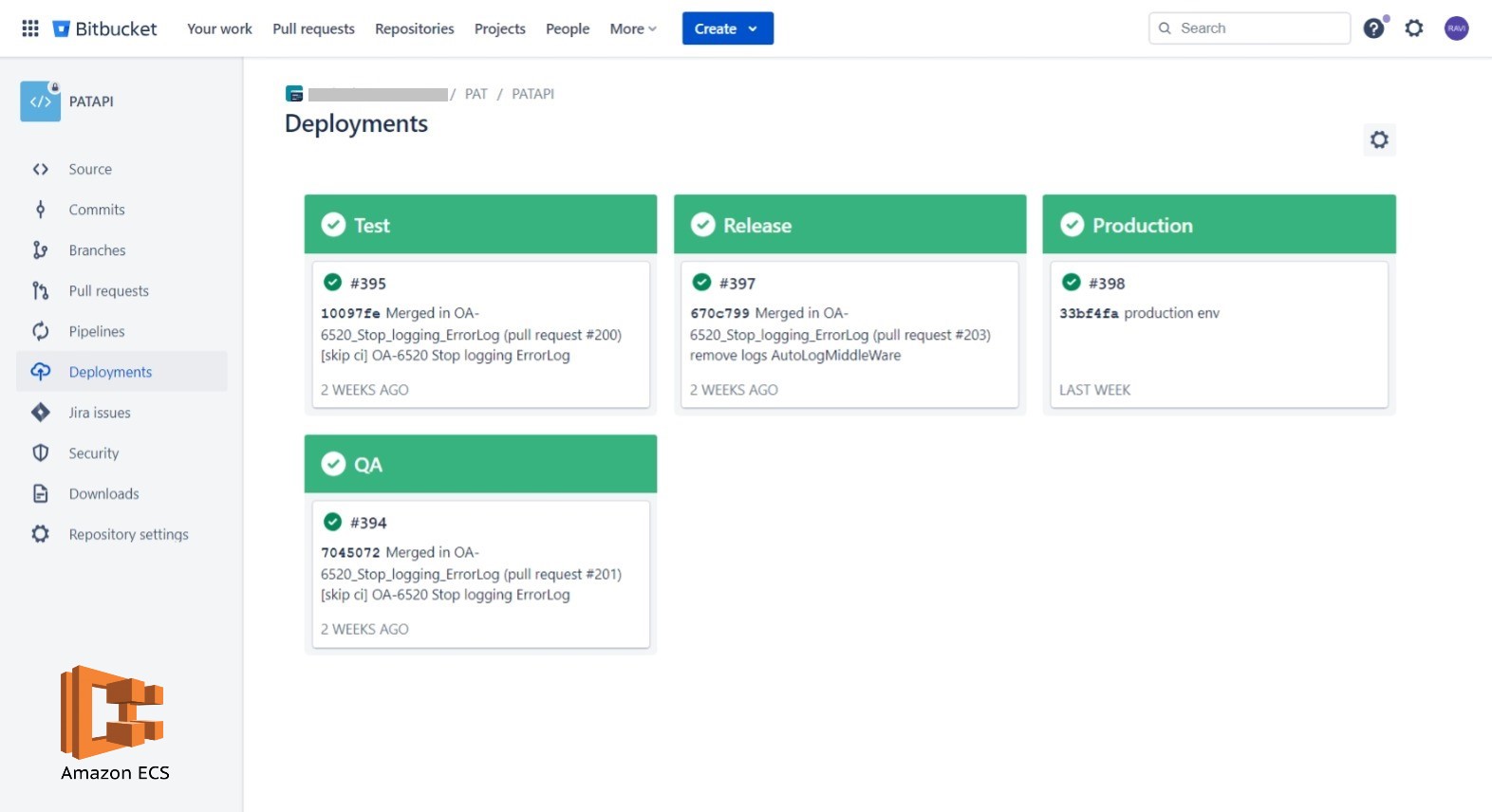
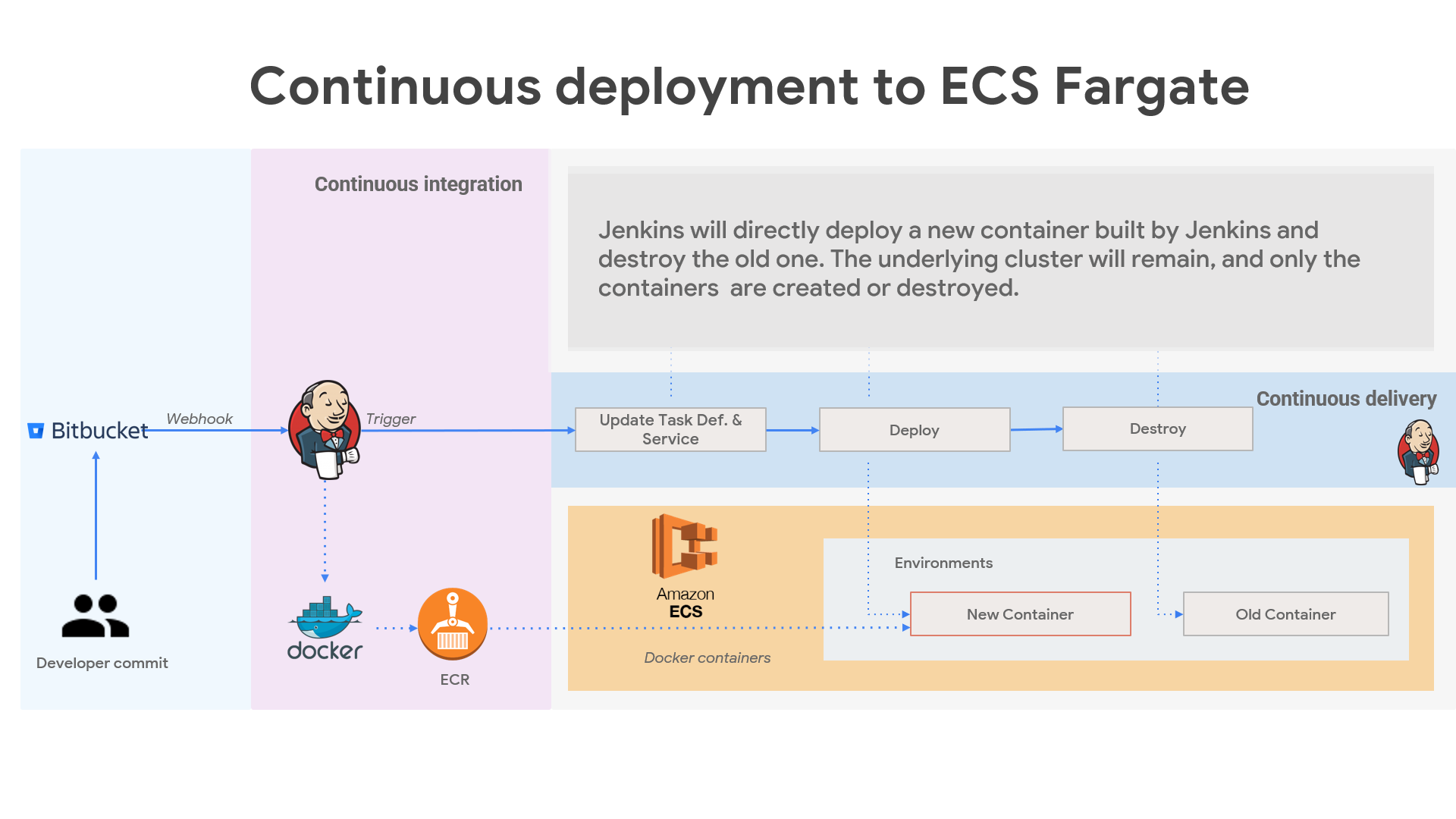
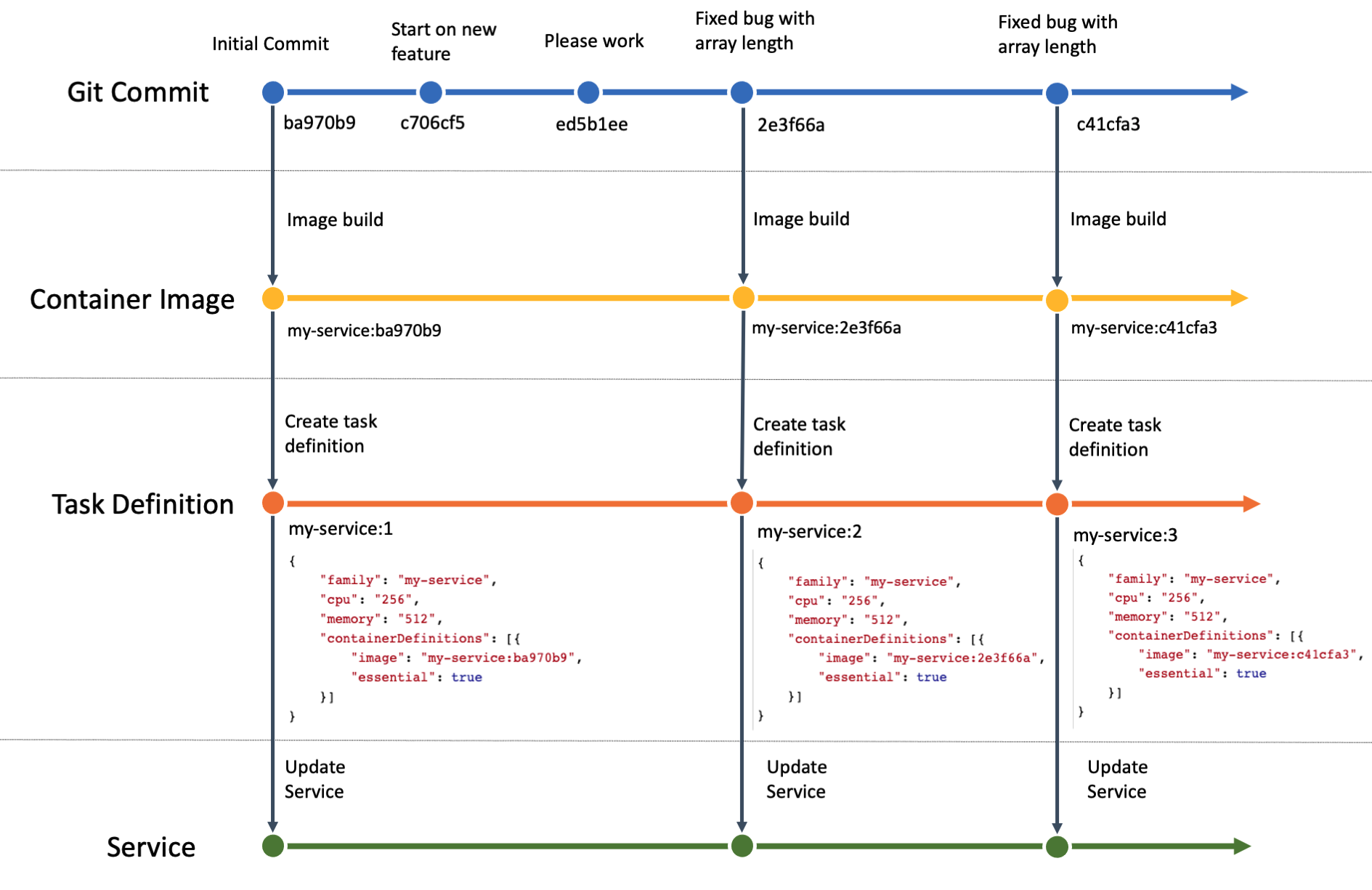
Automate the process of building docker images, maintaining image versions in ECR, and deploying new images on AWS ECS.
Key Features:
- The Node.js application is containerized using Docker, allowing consistent deployment and scalability in the ECS environment
- The pipeline automates the deployment of the Dockerized Node.js application to Amazon ECS. IAM credentials and permissions are securely managed and integrated into the pipeline.
- Configuration variables and environment-specific settings are managed through AWS Parameter Store.
- Email notifications or chat integration (e.g., Slack, MS Teams) should be configured to notify the team about build and deployment status.
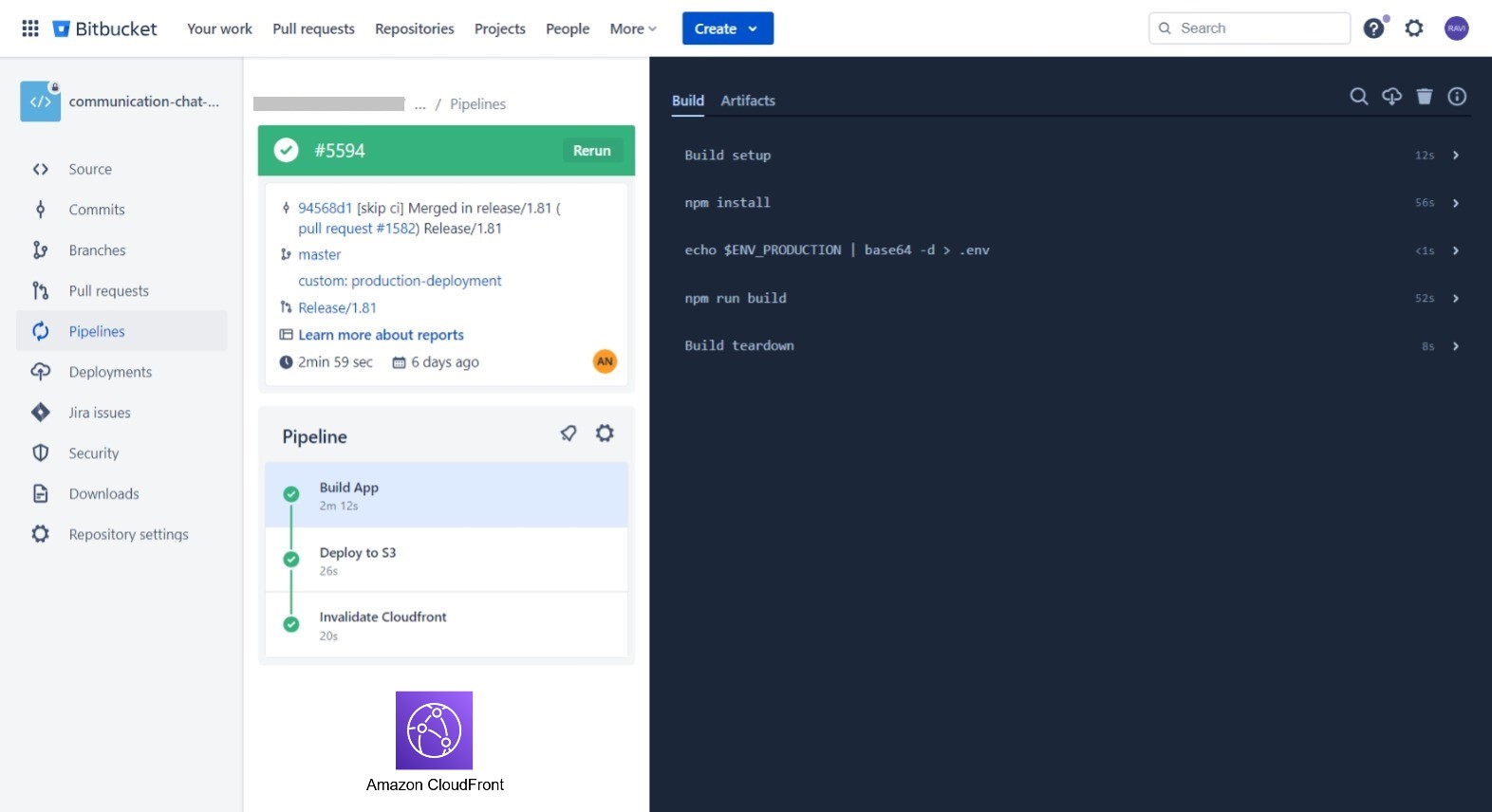
Objective: Leveraging Bitbucket Pipelines to automates the build, and deployment of the React.js app to an Amazon S3 bucket and triggers CloudFront invalidation to ensure seamless and efficient content delivery to end-users.
Key Features:
- Upon successful S3 bucket deployment, CloudFront invalidation is triggered to ensure immediate propagation of changes to the content delivery network, reducing latency for end-users.
- Configuration variables and environment-specific settings are managed through AWS Parameter Store.
- Email notifications or chat integration (e.g., Slack, MS Teams) should be configured to notify the team about build and deployment status.
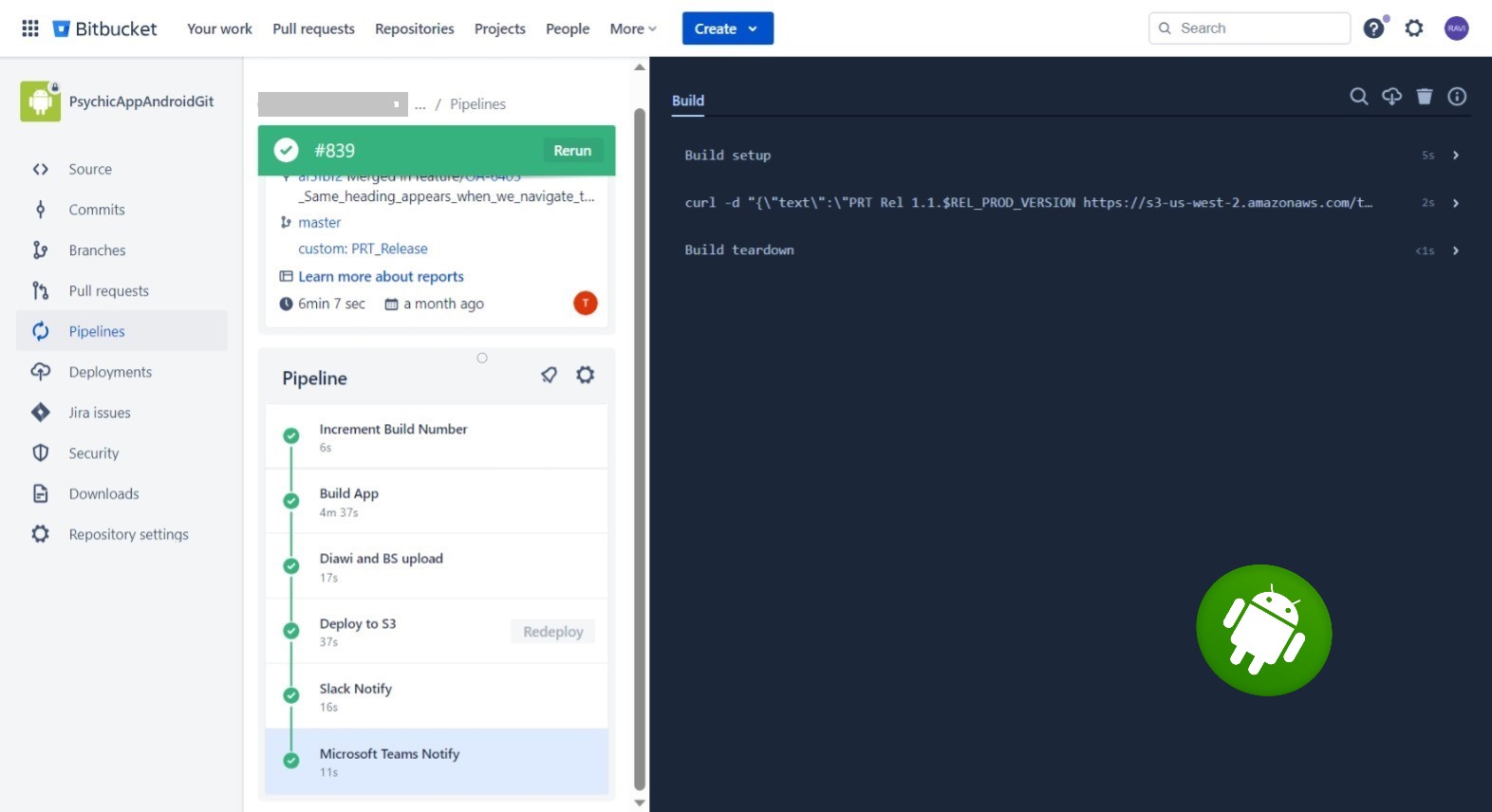
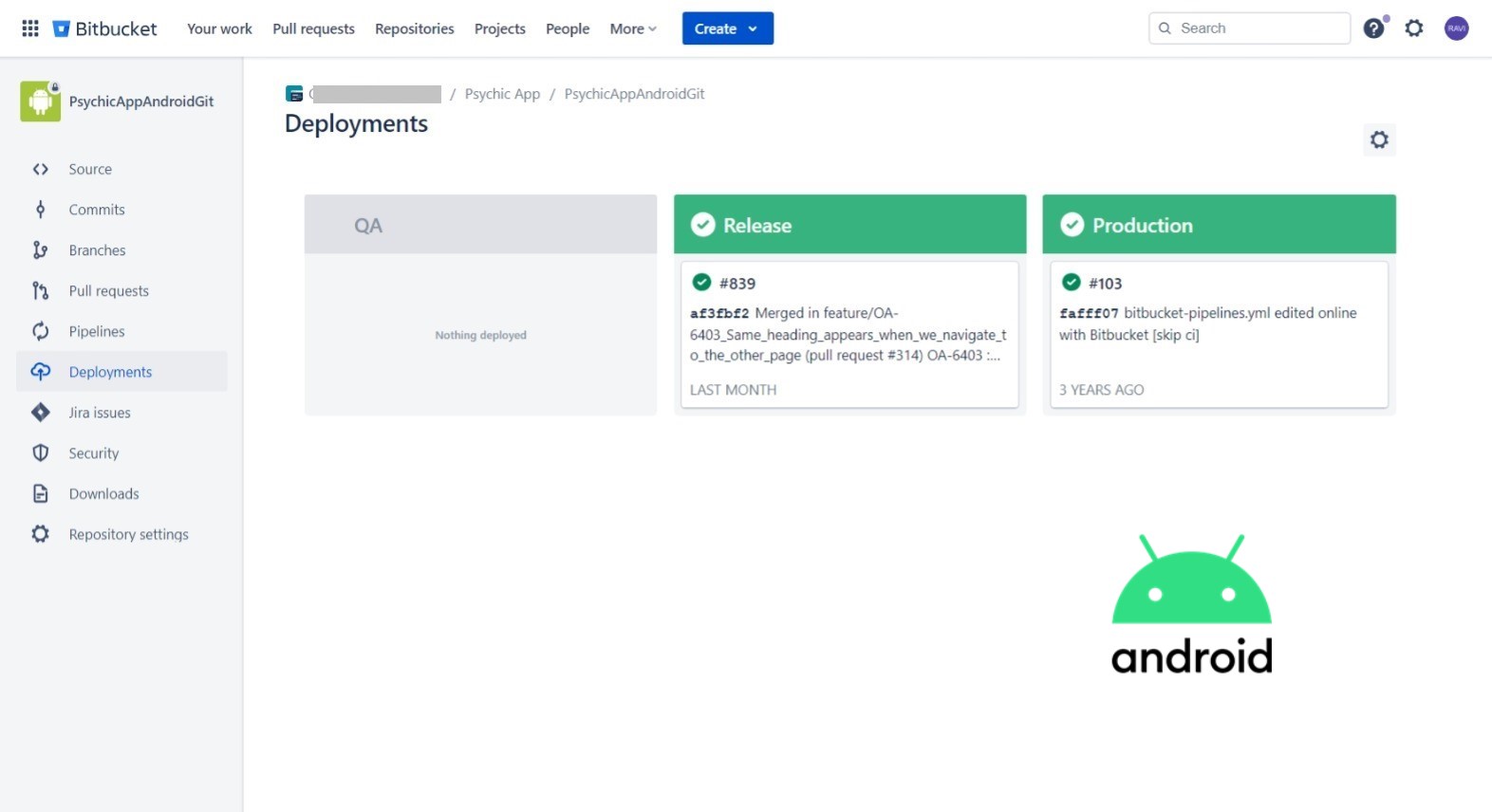
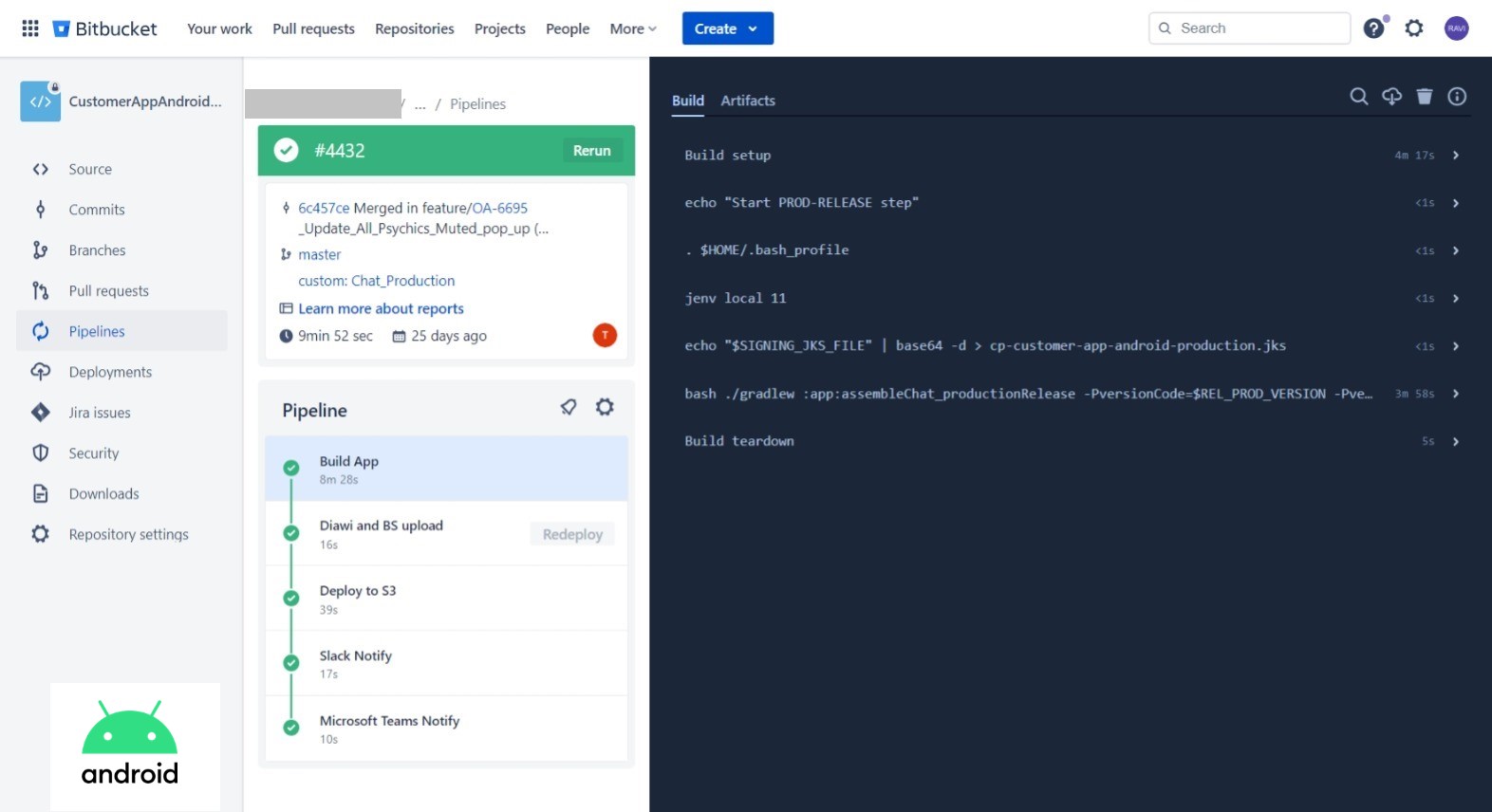
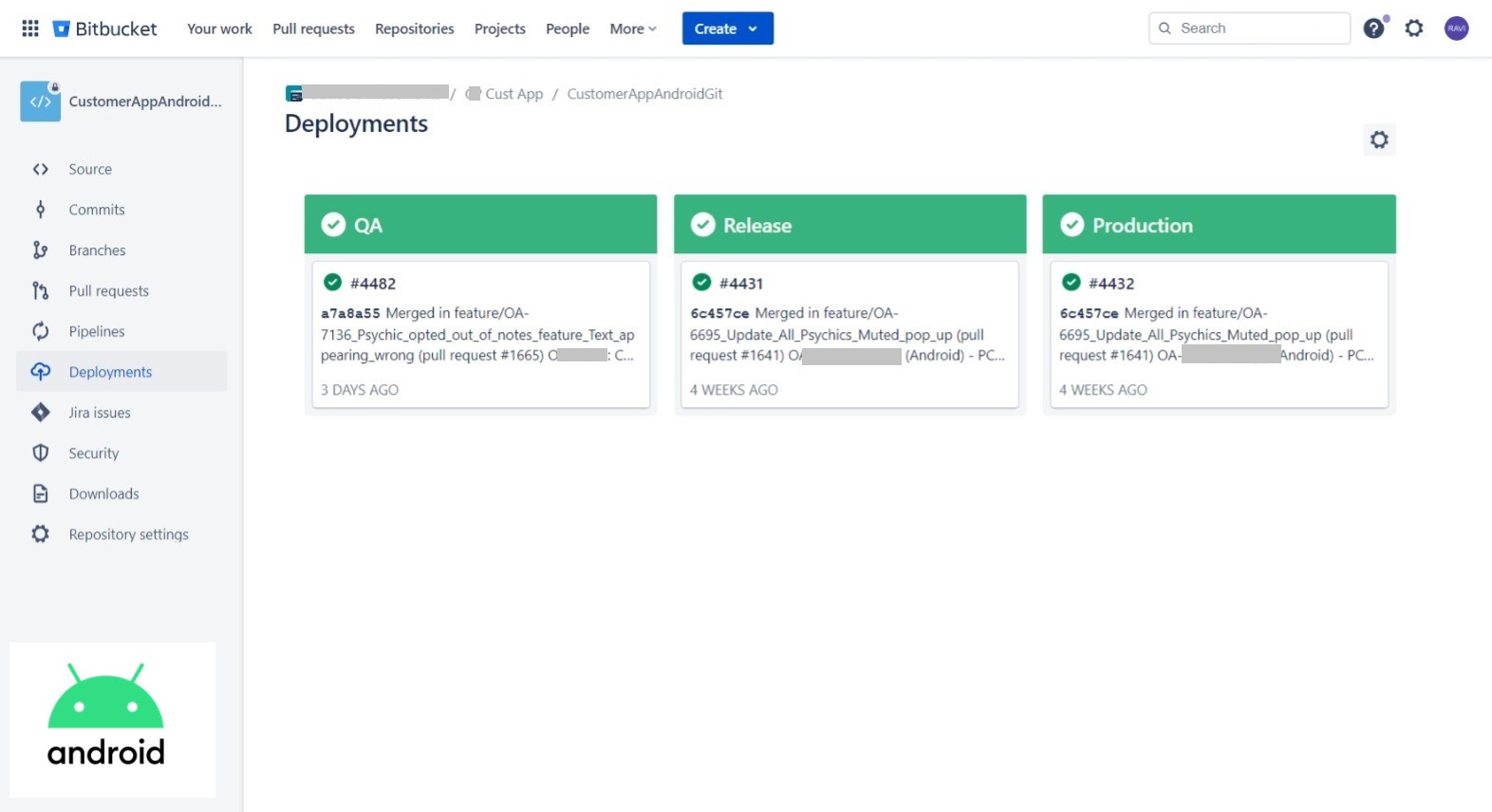
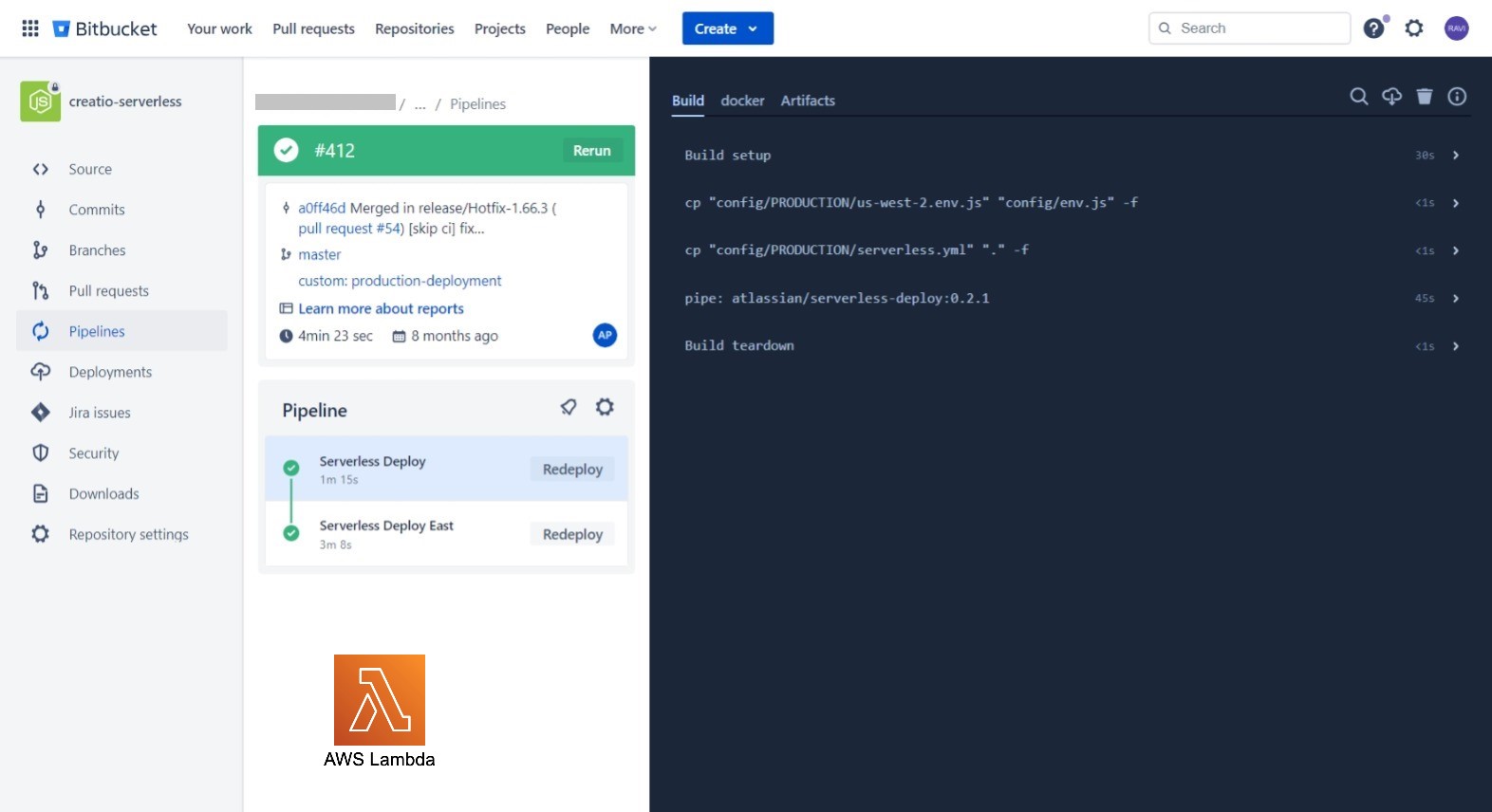
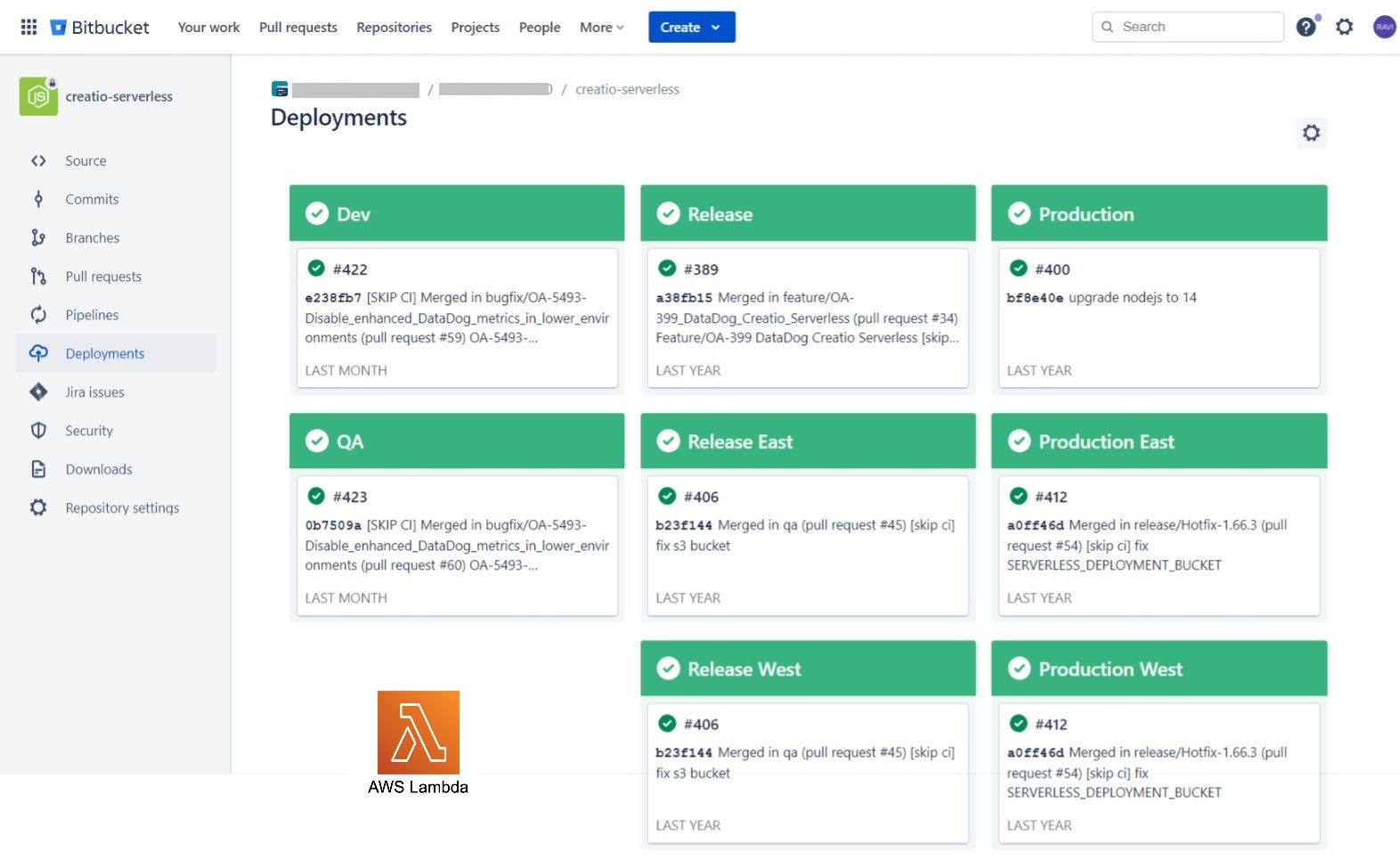
The Bitbucket CI/CD Pipeline for the Node.js project is designed to automate the build, and deployment process of serverless applications running on AWS Lambda functions.
Key Features:
- The pipeline includes a mechanism to update Lambda layers whenever a new version is pushed to the repository. This ensures that all Lambda functions using the layers can access the latest version of shared code and resources.
- Configuration variables and environment-specific settings are managed through AWS Parameter Store.
- Email notifications or chat integration (e.g., Slack, MS Teams) should be configured to notify the team about build and deployment status.
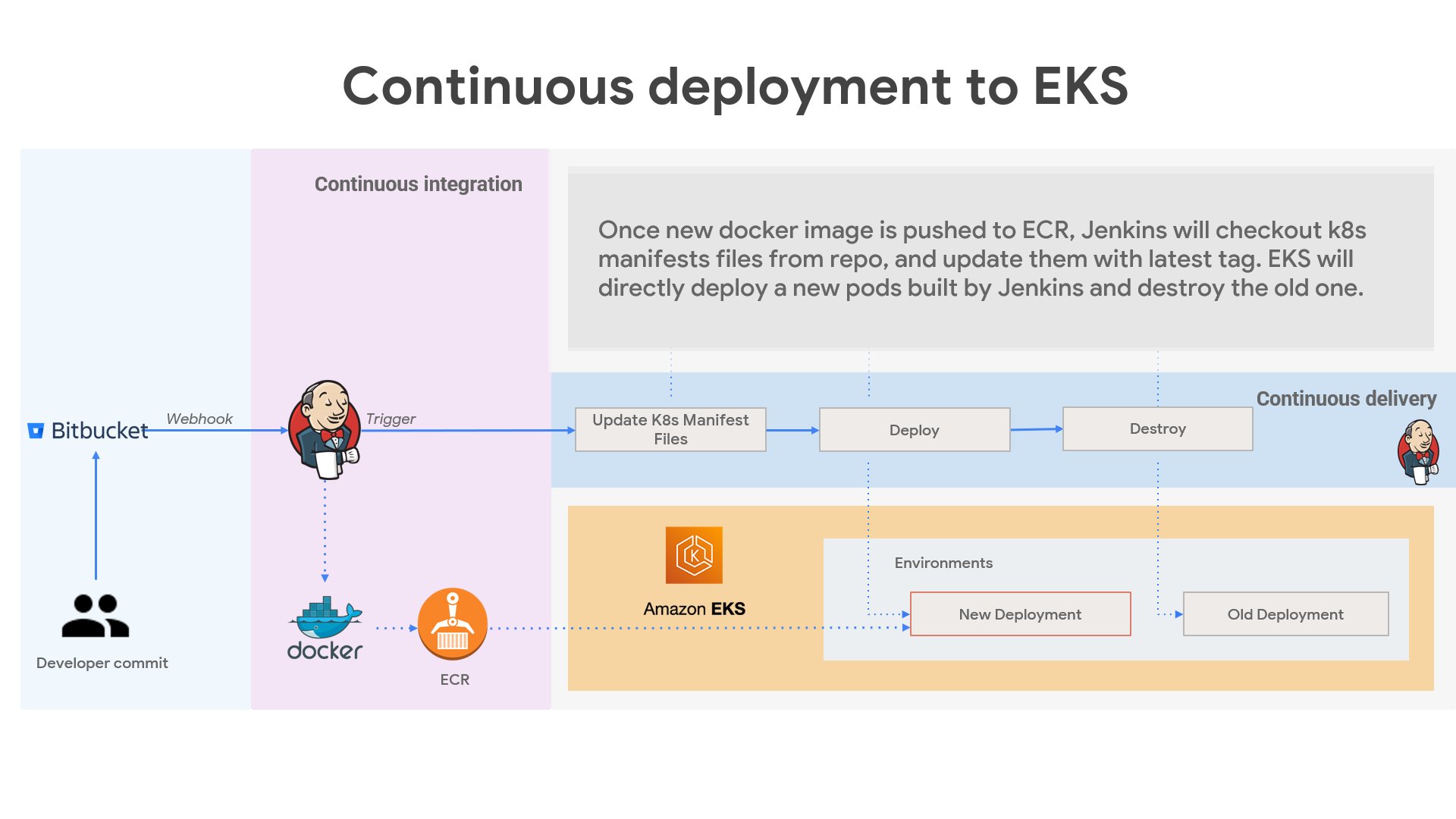
The project aims to streamline the deployment workflow, enable continuous integration and delivery, and provide a resilient infrastructure for running containerized applications in AWS ECS & EKS.
It utilizes AWS EKS for container orchestration, ensuring scalability, high availability, and efficient resource management.
Use Jenkins to deploy the containerized application to the AWS EKS cluster. This involves creating Kubernetes deployment manifests and applying them to the cluster.
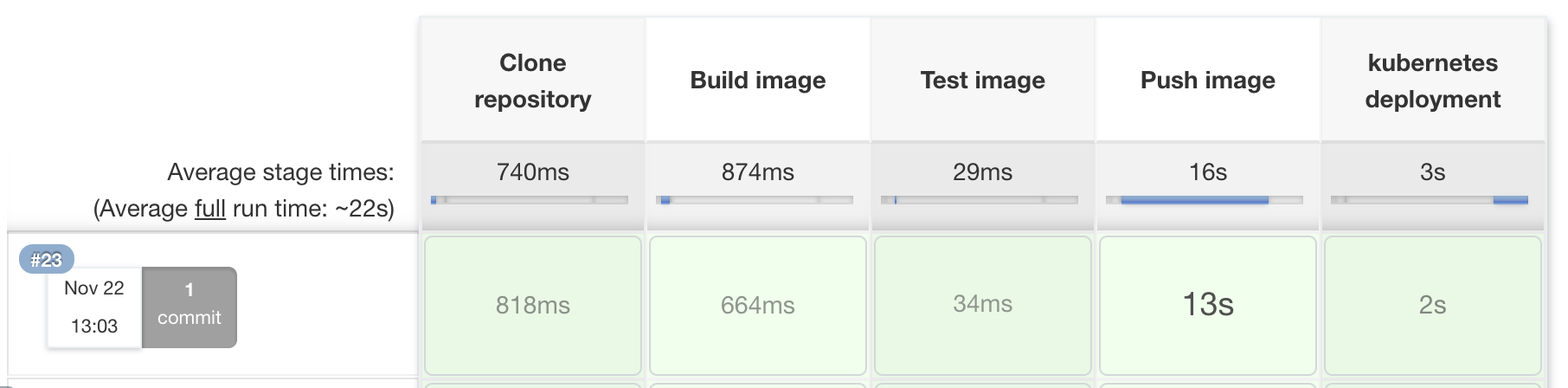
Set up automated triggers to deploy the application whenever changes are committed to the repository. Perform rolling updates or blue-green deployments to minimize downtime during updates.
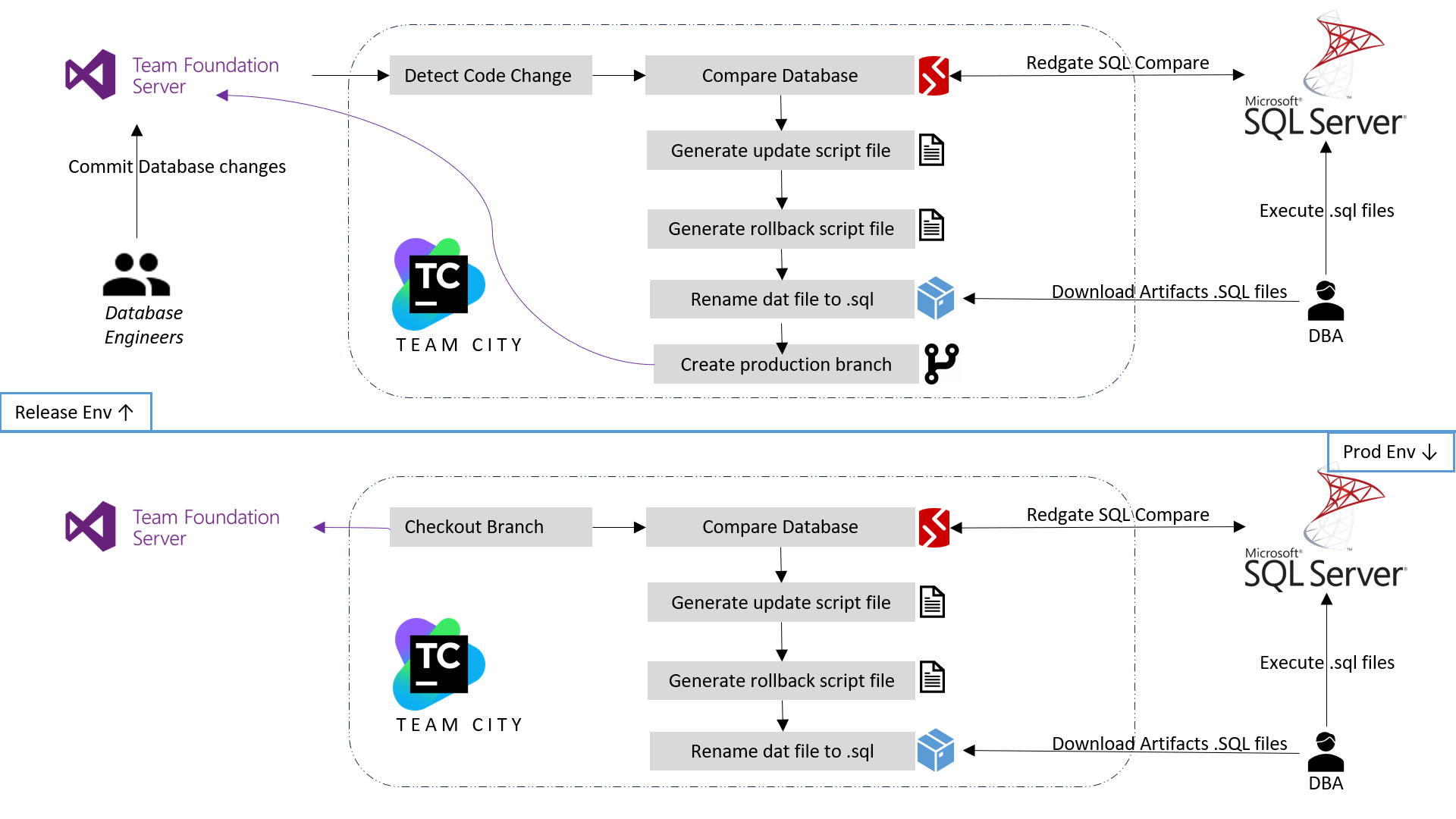
The current database process lacks automation and efficiency, leading to delays in deployment, and difficulty in scaling faster. This manual approach poses a risk of errors and security vulnerabilities. To address these challenges, a robust and streamlined DevOps solution is needed to automate database changes deployments, and ensuring smooth operations and enhancing data security.
The solution for database DevOps involves leveraging Redgate SQL Compare tool to automate and streamline the database deployment process. By utilizing SQL Compare, developers can compare and synchronize database schema changes between different environments, ensuring consistency and minimizing errors. This tool facilitates automated script generation and deployment, allowing for smooth and efficient database updates while maintaining data integrity. Additionally, it enhances collaboration between development and operations teams, enabling faster releases and reducing the risk of deployment failures.
Achieved significant improvements in our deployment process. The automation and synchronization capabilities of SQL Compare have led to faster and more reliable database updates, reducing the risk of errors and downtime. The tool's script generation and deployment features have streamlined the release cycle, enhancing collaboration between teams and enabling efficient delivery of new features. Overall, the adoption of SQL Compare has resulted in a more agile and efficient database management process, contributing to improved application performance and user experience.
For the .NET IIS web server project, i have implemented a robust CI/CD pipeline to streamline the development and deployment process. The pipeline is integrated with TFS Azure repo, enabling automatic triggers upon code commits. It starts with a build phase where the code is compiled, and packaged MVC and web deploy packages into artifacts. These artifacts are then automatically deployed to various test environments for integration and acceptance testing. Once the tests pass, the pipeline proceeds to deploy the application to the production server. To ensure continuous monitoring, we have integrated logging and monitoring tool DataDog. This CI/CD pipeline significantly reduces manual intervention, accelerates deployment cycles, and enhances overall development efficiency while maintaining high-quality releases.
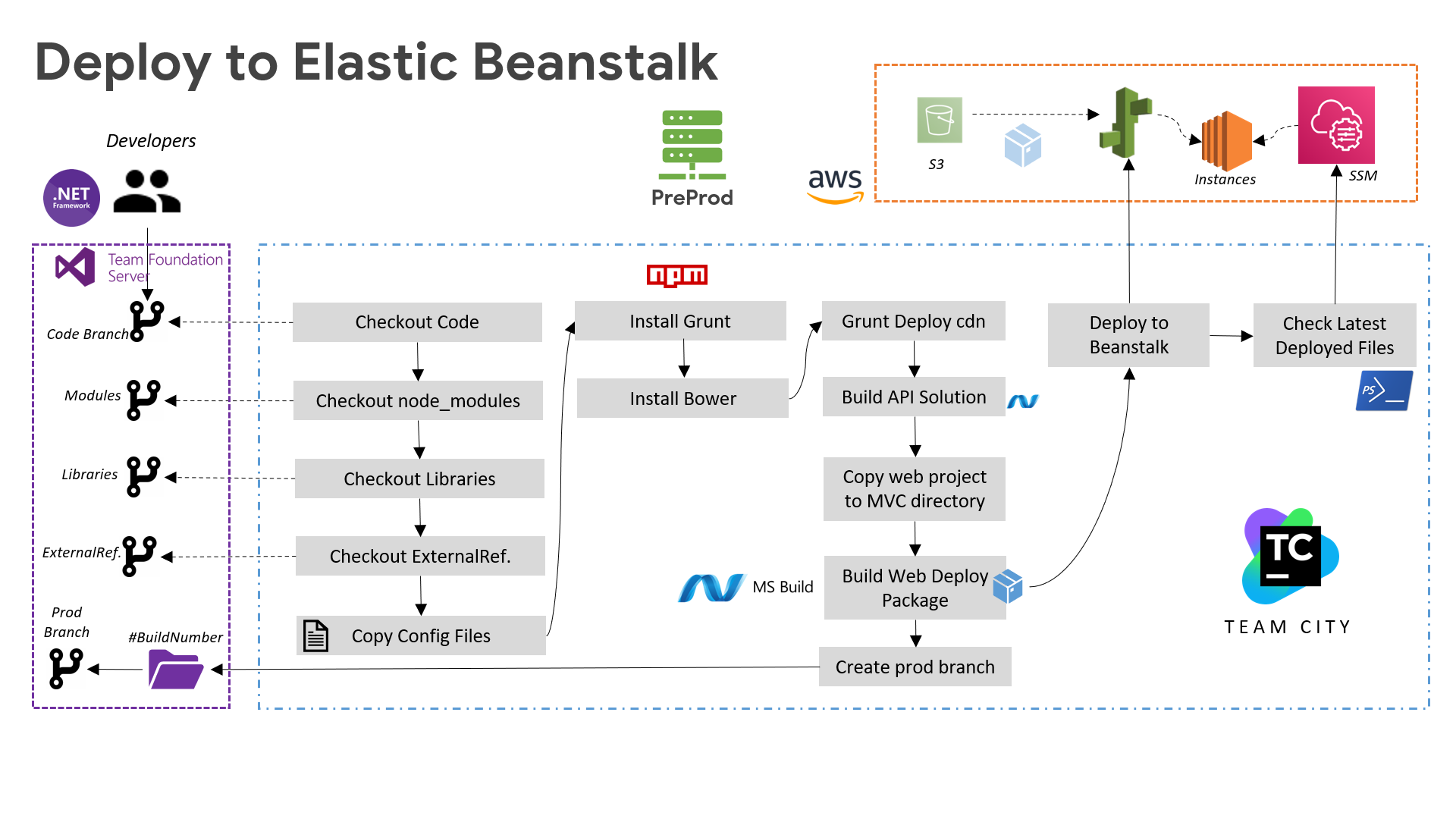
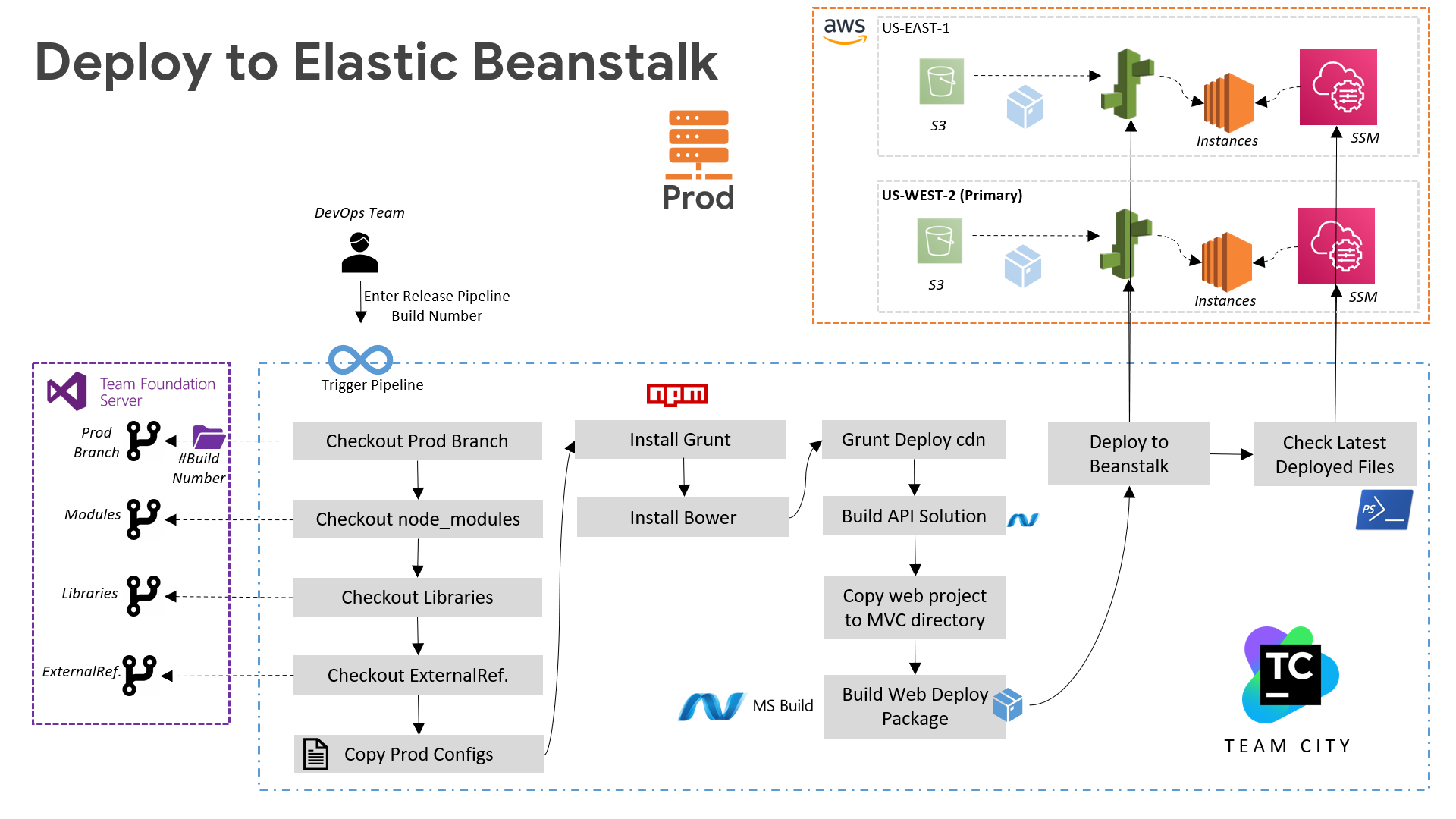
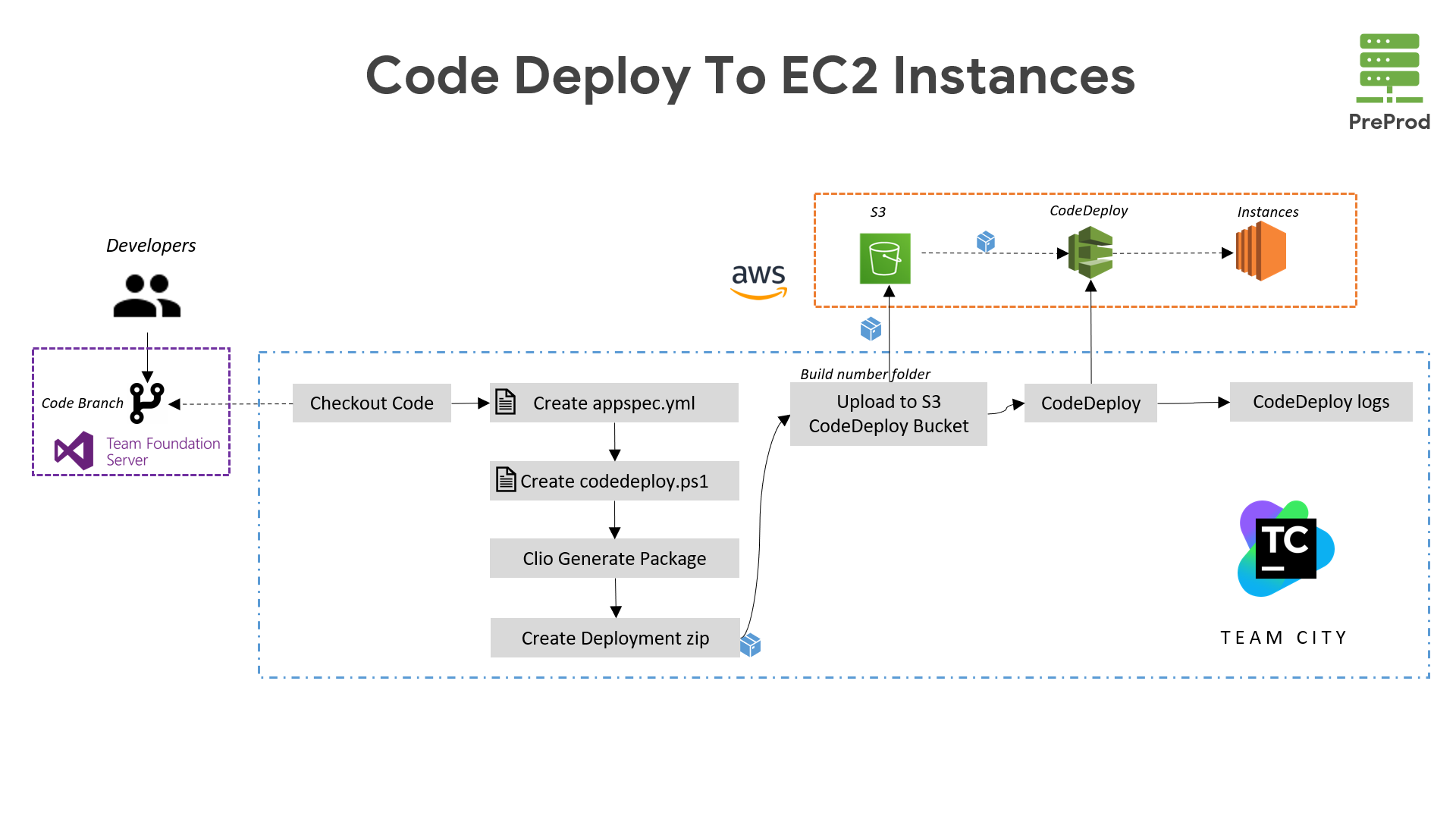
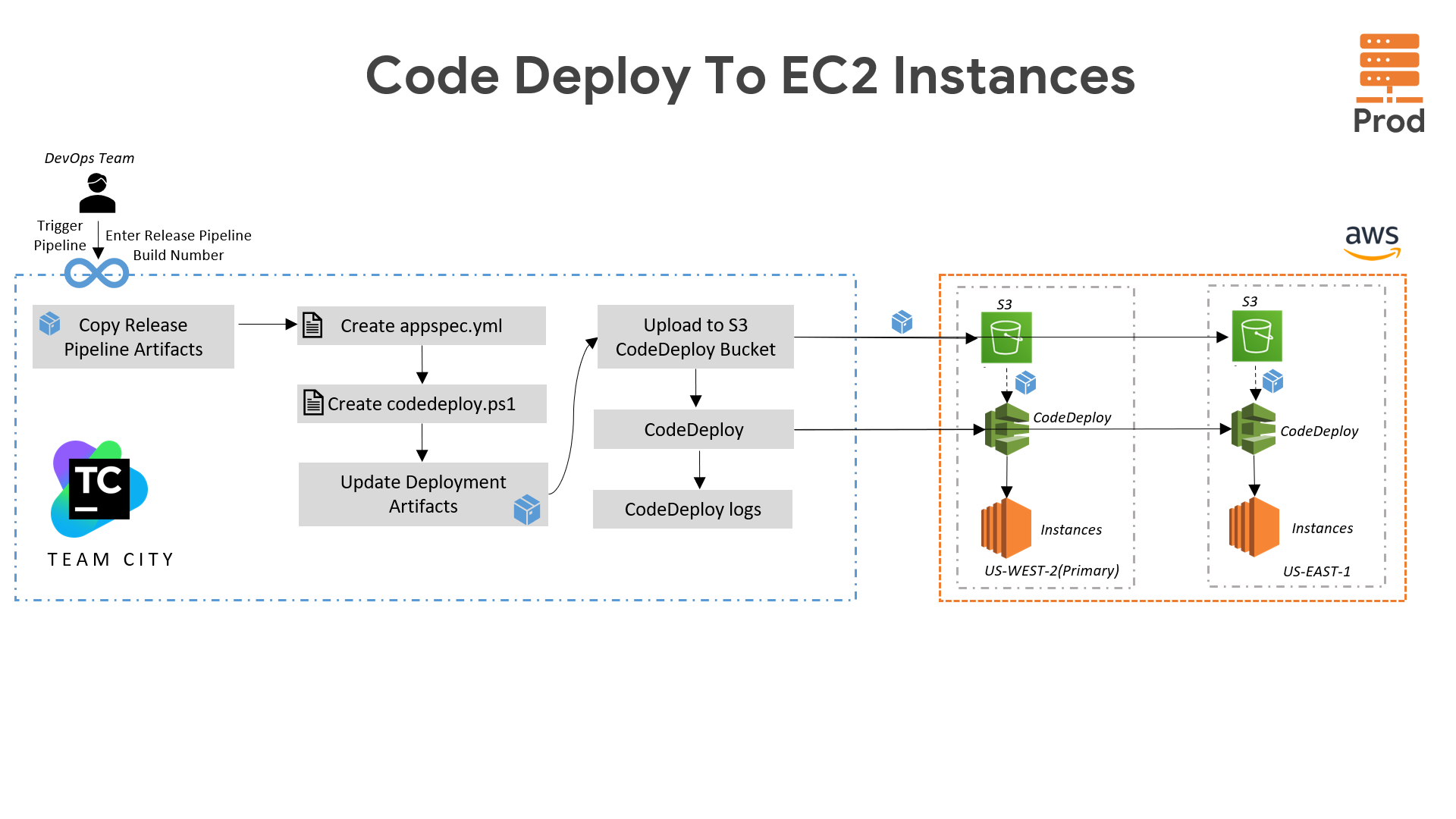
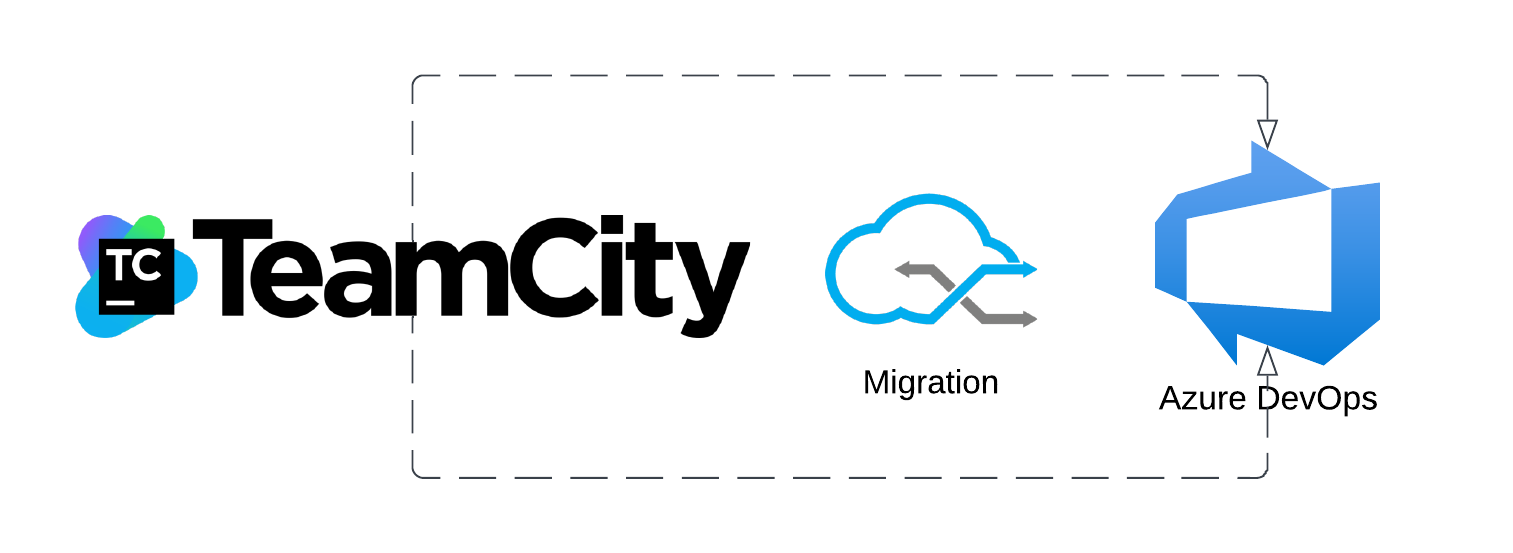
For the Creatio project, we have set up a streamlined CI/CD pipeline using TeamCity. It starts with code commits triggering automated builds and tests in lower environments. The pipeline deploys the application to staging environments for further validation. After successful testing, it promotes the application to production. We've integrated TFS, and Code Deploy to ensure continuous integration and delivery on all creatio servers.
I am available for full time
I am available for consulting
I am available for Hourly projets

.png)
.png)
.png)
.png)
.png)
.png)
.png)
.png)
.png)
.png)
.png)
.png)
.png)
.png)
.png)
.png)
.png)
.png)
.png)
.png)
.png)
.png)
.png)
.png)